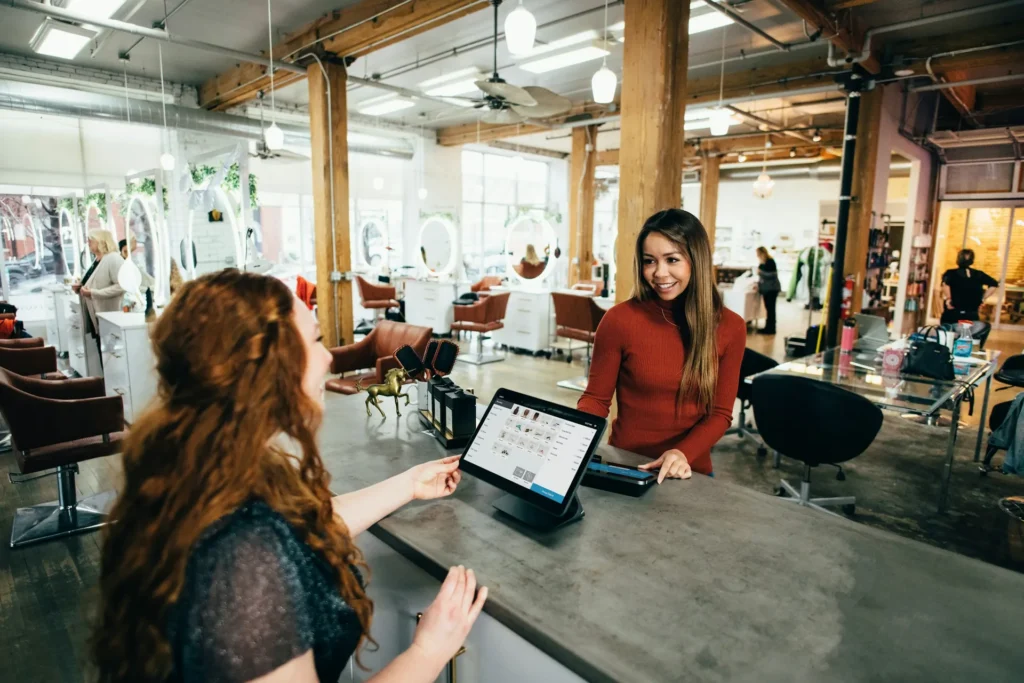
A salon check-in system replaces the clipboard, the scribbled list and the front desk's memory with a simple, fair queue. Clients arrive, check in on a tablet or by scanning a QR code, see roughly how long they will wait, and get called or texted when their technician is ready. The desk knows who is next, technicians see who is coming, and the owner finally has data about walk-ins, wait times and the clients who leave before being served.
This guide explains how check-in systems work for nail salons, barbershops, spas and lash studios, the ten features that matter, how to handle text alerts and client information properly, how check-in connects with booking and your POS, a one-week setup plan, and the mistakes that make clients avoid the kiosk.
In this article
- What a check-in system does
- Why salons use check-in
- Ways to check in
- The ten features that matter
- Connecting check-in with booking and POS
- Protect client information
- Make the kiosk welcoming
- Make the wait pleasant
- Join the line before arriving
- Use the data for staffing
- Families, friends and groups
- Questions to ask a check-in vendor
- Hardware and setup details
- After the visit
- A one-week setup plan
- When the line gets long
- Accessibility and comfort
- Teach the team the new routine
- Holidays and peak weeks
- Front desk scripts
- Measure what changes
- Common mistakes
- Check-in for different businesses
- How Dreamer helps
- Frequently asked questions
What a check-in system does
At its simplest, a check-in system:
- Registers arrivals: walk-ins and clients with appointments.
- Builds a queue in the order clients arrived, with the service they want.
- Estimates wait times based on services and technicians available.
- Notifies clients when it is their turn, on a screen or by text.
- Records data: visit history, services, wait times and walkouts.
Many systems add loyalty points, digital consent forms, turn tracking and marketing tools. Start with the basics and add extras only when the team is comfortable; a simple system used every day beats a powerful one used half the time. The order matters too: a fair queue and honest estimates first, then text alerts, then loyalty and marketing features once the daily routine runs smoothly.
Why salons use check-in
- Fairness: no arguments about who arrived first.
- Shorter perceived waits: a clear estimate makes waiting easier.
- Fewer walkouts: clients can leave and come back when alerted.
- Less front desk stress: the desk is not juggling names on paper.
- Better data: you can see busy hours and lost clients.
- Client records: names and contact details, collected with permission, help you invite clients back.
Ways to check in
| Method | How it works | Good for |
|---|---|---|
| Tablet kiosk at the entrance | Clients type their name, phone and service | Busy walk-in salons |
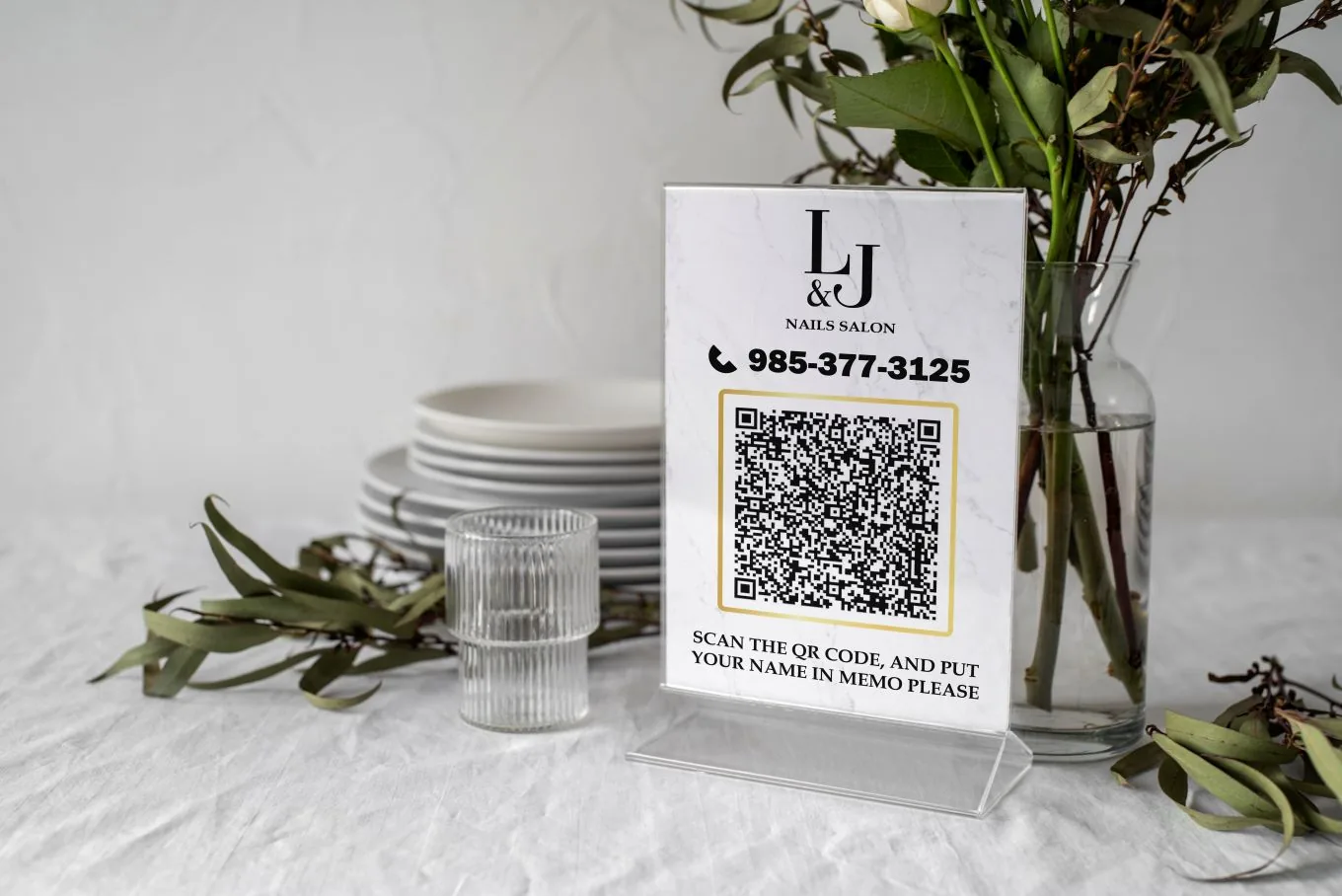
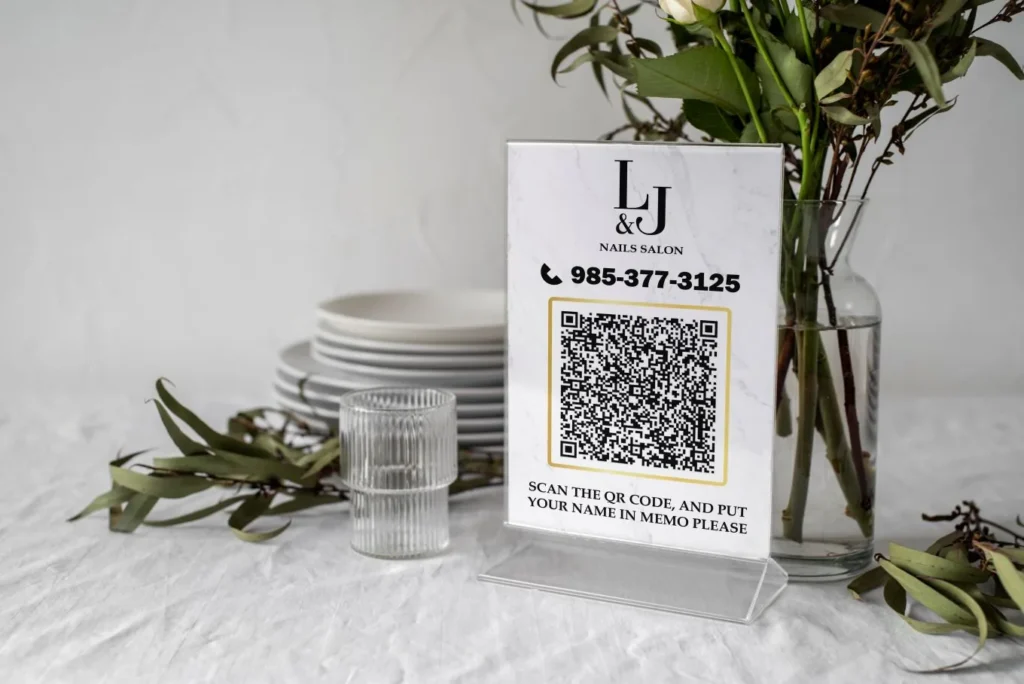
| QR code at the door | Clients check in on their own phone | Touch-free, crowded entrances |
| Online check-in before arrival | Clients join the queue from Google or the website | Clients nearby who want to wait at home |
| Front desk entry | The receptionist adds clients | Salons with a full-time desk |
Many salons combine a QR code with front desk entry for clients who prefer to talk to a person. Whatever mix you choose, every arrival should end up in the same list, so the desk never has to compare a screen, a clipboard and a sticky note to know who is next.
The ten features that matter
1. Simple check-in in under 30 seconds
Name, phone and service, nothing more for a walk-in. Every extra field loses clients, especially when three people are waiting behind the screen.
2. Walk-ins and appointments in one queue view
The desk must see booked clients and walk-ins together, so appointments start on time and walk-ins are placed fairly.
3. Realistic wait estimates
Estimates based on the services in the queue and the technicians working, updated as things change.
4. Text alerts with consent
"Your technician is ready in 5 minutes" lets clients wait at the coffee shop next door. Ask permission to text and keep messages related to the visit unless the client also agreed to marketing. Our guide to nail salon text message marketing explains consent.
5. Technician requests
Clients who want a specific technician should be able to say so, with a separate wait estimate.
6. Turn tracking
In salons that rotate walk-ins, the system can assign the next technician by your turn rules. See our guide to the nail salon turn system.
7. Client history at check-in
Returning clients are recognized by phone number, and the desk sees last visit, favorite technician and notes.
8. Digital forms
Consent or intake forms for services like waxing, lashes or facials can be completed during check-in instead of on paper.
9. Loyalty points
Points or visit counts recorded automatically at check-in or checkout. Our guide to the nail salon loyalty program covers reward design.
10. Reports
Daily walk-ins, average wait, peak hours, walkouts and check-ins by source. These numbers guide staffing better than any guess.
Connecting check-in with booking and POS
The check-in system works best when it talks to the rest of your tools:
- Booking: clients with appointments are already in the queue when they arrive.
- POS: services chosen at check-in carry over to checkout with the technician's name.
- Google Business Profile: some systems let clients join a waitlist online before arriving.
If your systems are separate, ask how they share data or whether the desk will have to type everything twice. Our guides to salon POS features and salon booking software list what to check.
Protect client information
Check-in collects names, phone numbers and sometimes birthdays or health notes. The FTC's guide Protecting Personal Information: A Guide for Business recommends knowing what you collect, keeping only what you need, locking it down, disposing of what you no longer need and planning for problems. For a check-in system, that means:
- Ask only for what you use.
- Show the queue with first names or initials, never full phone numbers.
- Keep the kiosk locked to the check-in screen.
- Give each staff member their own login to the admin side.
- Remove old data according to your policy.
Make the kiosk welcoming
- Place it where clients see it immediately, with a short sign: "Welcome! Check in here."
- Choose a comfortable height and a stand that does not block the entrance or a wheelchair path.
- Offer languages your clients use, such as English, Spanish and Vietnamese.
- Clean it regularly and keep sanitizer nearby, or rely on QR check-in for touch-free use.
- Keep a person nearby at busy times to help clients who prefer not to use screens.
Make the wait pleasant
Check-in solves the order; the waiting area decides how the wait feels:
- Seats with a view of the color wall, so clients can choose a shade while they wait.
- Water, and a clean, calm space without boxes or supplies in sight.
- A screen or small sign with the current estimate.
- Wi-Fi details posted clearly.
- Permission to step out: "We'll text you when it's your turn."

Join the line before arriving
Some check-in systems let clients join the waitlist online, from your website or a link on your Google profile, before they leave home or work. It suits busy walk-in salons near offices and malls:
- Clients see the current wait and add their name.
- They arrive close to their turn instead of waiting inside.
- The desk sees remote check-ins in the same queue, marked as not yet arrived.
Set a rule for remote check-ins who do not arrive in time, for example keeping their place for ten minutes after they are called, then moving to the next person.
Use the data for staffing
After a month, the check-in reports show patterns no one could see before. An example: a salon finds that walk-ins peak between 11:30 and 1:30 on weekdays and again after 5 p.m., while Tuesday mornings are quiet. The owner moves one technician's start time to 11, adds an evening shift on Thursdays and Fridays, and promotes a Tuesday morning offer to regulars. Waits shorten without hiring anyone. The example is illustrative; your own reports will show your own patterns.
Families, friends and groups
Clients often arrive together: a mother and daughter, two friends, a bridal party. The check-in system should let one person check in several guests at once, with the services each wants and whether they want to sit together. For larger groups, encourage booking ahead so the salon can schedule enough technicians at the same time.
Questions to ask a check-in vendor
- Can clients check in by kiosk, QR code and online, all in one queue?
- How are wait times estimated, and can the desk adjust them?
- Can it track our turn rules and technician requests?
- How does it connect to our booking system and POS?
- What does a text alert cost, and how is consent recorded?
- Which languages are available on the client screen?
- Can we export client and visit data?
- What does it cost per month, and is there a contract?
Hardware and setup details
- A tablet with a sturdy, lockable stand and a charging cable that cannot be pulled out.
- Reliable Wi-Fi with a backup plan, such as a phone hotspot, for busy days.
- Kiosk mode so clients cannot leave the check-in app.
- A printed QR stand for phone check-in and as a backup if the tablet fails.
- Clear signage at eye level near the entrance.
Test everything at opening time on a weekday before relying on it on a Saturday.
After the visit
Check-in data can support a polite follow-up: a thank-you message the same day, a care tip, and a link to your Google review page, sent only to clients who agreed to receive messages and never with a reward for reviewing. Our guide to Google reviews for salons explains how to ask the right way.
A one-week setup plan
Day 1: choose your method (kiosk, QR, online, desk) and the system.
Day 2: set up services, durations, technicians and turn rules.
Day 3: write text alert messages and consent wording; set privacy settings.
Day 4: place the kiosk or QR stand, print signs and test on different phones.
Day 5: train the team: adding clients, moving people in the queue, handling requests and appointments.
Days 6–7: go live, watch the queue, fix wait estimates and collect feedback.
When the line gets long
Some days, the wait passes an hour no matter what. Handle it honestly:
- Update the estimate as soon as it changes, and tell clients in person.
- Offer appointments later that day or the next morning to clients who cannot wait.
- Suggest a shorter service now and the longer one another day.
- Thank clients who wait with a small gesture, such as an extra minute of hand massage.
- Never promise a time you cannot keep; a broken promise hurts more than a long wait.
Clients remember how they were treated during a busy afternoon long after they forget the wait itself.
Accessibility and comfort
Not every client can use a touch screen easily. Keep the experience open to everyone:
- Large text and high contrast on the screen.
- A stand that a seated client can reach, placed away from steps.
- A staff member who adds clients personally when asked.
- Simple language and a choice of languages.
These small choices make the system feel like a convenience rather than a barrier.
Teach the team the new routine
A new system changes small habits at the desk and the stations:
- Who watches the queue and calls the next client.
- How to move someone up when a technician is requested.
- How to mark appointments as arrived.
- What to do when the tablet freezes: the printed QR code and a paper list as backup.
- How to explain the wait estimate to clients who ask.
Practice during a quiet morning, then review after the first busy weekend.
Holidays and peak weeks
Before Mother's Day, prom and the December holidays, the queue can triple. Prepare by adding seats or space outside, posting expected busy times on social media, encouraging appointments for long services and keeping extra staff on call. The data from last year's peak tells you how many people to expect.
Front desk scripts
A walk-in at a busy time: "Welcome! Please check in on the screen, or scan this code with your phone. The wait is about 25 minutes, and we'll text you when we're ready."
A client with an appointment: "Hi Linh, you're checked in for 2:00 with Jenny. She'll be with you in a few minutes."
A client who prefers not to use the kiosk: "No problem at all, I'll add you myself."
Measure what changes
| Measure | What to look for |
|---|---|
| Average wait for walk-ins | Shorter or more predictable |
| Walkouts before service | Fewer as clients wait elsewhere |
| Check-ins by hour | Clear peak times for staffing |
| Returning clients | Recognized by phone number |
| Text alert opt-ins | Growing share of clients who agree |
Common mistakes
- Too many fields at check-in.
- Public queue screens showing phone numbers.
- Texting promotions to clients who only agreed to visit alerts.
- No help for clients who struggle with screens.
- Wait estimates nobody updates.
- Separate systems that force double entry.
Check-in for different businesses
- Nail salons: walk-in queues, technician requests and turn tracking.
- Barbershops: fast queues and text alerts.
- Lash studios and spas: mostly appointments; check-in confirms arrival and collects forms.
- Restaurants: waitlists with text alerts for tables.
How Dreamer helps
Every Social Marketing plan from Dreamer includes a free check-in QR code for your salon, designed to match your brand. We also help salons choose a POS and check-in setup that fits how they run, install it and train the team in Vietnamese or English, and our design and printing team prints the counter stands and door signs.
Frequently asked questions
What is a salon check-in system?
A tool, usually a tablet kiosk or QR code, that registers arriving clients, builds a fair queue, estimates wait times and notifies clients when it is their turn.
Do clients like checking in on a kiosk?
Most do when it is fast and simple. Keep a person nearby to help anyone who prefers not to use it.
Can clients check in from their phone?
Yes. A QR code at the door or an online check-in link lets clients join the queue from their phone.
Can a check-in system text clients?
Yes, with permission. Keep visit alerts separate from marketing messages unless the client agreed to both.
Does a check-in system work with appointments?
The best systems show appointments and walk-ins in one queue, so booked clients start on time.
Is check-in data safe?
It can be when you collect only what you need, hide personal details on public screens, lock the kiosk and give staff individual logins.
A salon check-in system makes waiting fair, predictable and calmer for everyone. Keep check-in quick, connect it with booking and checkout, ask permission before texting, protect client data and measure waits and walkouts. Your walk-ins will feel welcome, and your front desk will finally have time to look up and smile.