Google reviews for salons do two jobs at once. They help a new client choose between three salons on the map, and they are part of how Google judges which salons to show first. A salon with a strong rating and a steady flow of recent reviews looks alive and trustworthy; a salon with twelve reviews from three years ago looks like it might be closed.
The good news is that most happy clients are willing to leave a review. They just need to be asked at the right moment, with a link that takes ten seconds to use. This guide shows how to get your review link and QR code, when and how to ask, what Google and the FTC do not allow, how to reply to every review, what to do about fake ones, and a weekly routine that keeps real reviews coming.
In this article
- Why Google reviews matter for salons
- The rules: what Google and the FTC prohibit
- Step 1: Get your review link and QR code
- Step 2: Ask every client at the right moment
- Step 3: Make reviewing take ten seconds
- Step 4: Follow up after the visit
- Step 5: Train the whole team
- Step 6: Reply to every review
- Step 7: Handle fake or unfair reviews
- Step 8: Welcome reviews in every language
- Step 9: Show reviews honestly on your website
- Turn Google reviews into improvements
- Reviews in salons with many technicians
- Share your best Google reviews on social media
- What clients should write (and what you should not ask)
- What never to do
- A weekly review routine
- How to measure your reviews
- Common questions owners ask about reviews
- How Dreamer helps salons with reviews
- Frequently asked questions
Why Google reviews matter for salons
- Clients compare. Someone searching "nail salon near me" sees ratings, review counts and recent comments before anything else.
- Prominence. Google says that review count and rating are part of how it judges a business's prominence in local results.
- Recency. Recent reviews show that the salon is active and that quality is current.
- Details. Clients mention services, technicians and cleanliness, which help others decide.
- Feedback. Reviews tell you what clients love and what needs fixing.
Reviews do not replace good service; they amplify it. A salon that treats clients well and asks consistently will see its reviews grow.
The rules: what Google and the FTC prohibit
Before asking for reviews, know the rules. Breaking them can get reviews removed, profiles restricted and, in serious cases, lead to FTC penalties.
Google's rules
Google's policy on prohibited and restricted content for Maps requires that reviews reflect a genuine experience. Google's help page for businesses says that offering free or discounted goods or services in exchange for reviews is strictly prohibited. In practice, for a salon:
- No rewards for reviews: no discounts, free services, gifts or entries into a drawing.
- No fake reviews: not from the owner, staff, family or friends posing as clients.
- No review buying from any service or "reputation agency".
- No pressure: do not ask clients to change or remove reviews in exchange for anything.
- No conflict of interest: owners and employees should not review their own business or competitors.
The FTC's rule on reviews
The FTC's rule on consumer reviews and testimonials (16 CFR Part 465) took effect in October 2024. It bans fake reviews, buying reviews that must express a particular sentiment, undisclosed reviews by owners and managers, and suppressing reviews with groundless threats. The FTC's guidance also warns that asking only the clients you expect to be happy can be misleading when it substantially skews the reviews.
The simple rule that satisfies both: ask every client, offer nothing in return, and let them write whatever they want.
Yelp is different
Yelp does not allow businesses to ask for reviews at all. Ask for Google reviews; let Yelp reviews happen on their own. Our guide to Yelp for nail salons explains Yelp's rules.
Step 1: Get your review link and QR code
Your Google Business Profile gives you a short link that opens the review form directly. Google's help page with tips to get more reviews explains that you can ask clients to visit a link or scan a QR code. To find it:
- Open your Business Profile on Google Search or in Google Maps while signed in.
- Choose the option to ask for reviews (often called "Ask for reviews" or "Get more reviews").
- Copy the link or download the QR code.
Test the link on your own phone, signed in and signed out, to see what clients will see. Save the link where the whole team can use it.
Step 2: Ask every client at the right moment
The best moment is when the client is happiest: right after they admire the finished set, or at checkout when they say "I love them."
A simple script for the front desk:
"Thank you so much for coming in today. If you have a minute later, a Google review really helps a small salon like ours. Here's a card with the link."
Ask everyone in the same way, not only clients who seem thrilled. That keeps you within the rules and gives a more honest picture of your salon.
Step 3: Make reviewing take ten seconds
Every extra step loses reviews. Make the link easy to reach:
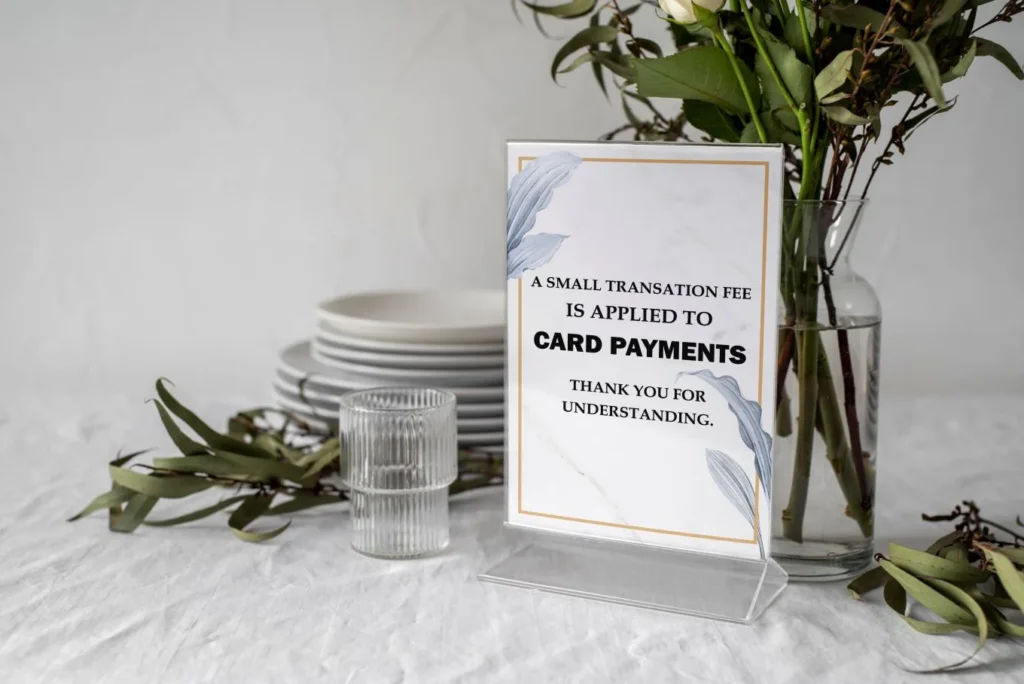
- A counter stand with a QR code at checkout.
- Small cards handed with the receipt.
- The link in your thank-you email or text after the visit, sent only to clients who agreed to receive messages.
- A "Review us on Google" link on your website's contact page.
- The QR code on your appointment cards.
Dreamer designs and prints counter stands, review cards and QR codes for nail salons, so the link sits exactly where clients pay.
What to print on a review card
A review card should be small, clear and honest:
- Your salon name and logo.
- A short thank-you: "Thank you for visiting! Tell others about your experience."
- The QR code and a short version of your review link for people who prefer typing.
- Nothing about discounts, prizes or "five stars".
Business card size fits in a wallet or phone case. Keep a stack at checkout and at each station, and replace the cards whenever your link or logo changes.
Step 4: Follow up after the visit
Some clients are in a hurry at checkout. A short follow-up later in the day catches them:
"Thank you for visiting Lotus Nails today! If you have a moment, we'd love your Google review: [link]"
Send it once, not repeatedly. If your booking or POS system sends a thank-you message automatically, add the review link there. Our guides to nail salon email marketing and nail salon text message marketing cover consent for these messages.
Step 5: Train the whole team
Reviews grow fastest when everyone knows their part:
- The technician finishes with a check: "Is everything perfect?" If not, fix it before checkout.
- The front desk asks for the review in the same friendly words for every client.
- The owner or manager replies to reviews and shares good ones with the team.
Tell the team what not to say: no "five stars please", no "we'll give you a discount", no pressure. Celebrate reviews that mention technicians by name, and use negative reviews to improve, never to blame.
Step 6: Reply to every review
Replies show future clients that a real person cares. They also give you a chance to add context.
Replying to positive reviews
Thank the client by name, mention the service and invite them back:
"Thank you, Linh! We're so glad you loved your chrome French set. Jenny will be happy to see you for your next fill."
Vary your replies so they do not look copied. Keep them short.
Replying to neutral reviews
Thank the client, acknowledge the issue and show what you will do:
"Thank you for the honest feedback, Maria. You're right that Saturday waits were long last week. We've added a technician on Saturdays and recommend booking ahead."
Replying to negative reviews
Stay calm, apologize for the experience and take the conversation offline. Our guide on how to respond to negative reviews has examples for the most common complaints.
Step 7: Handle fake or unfair reviews
Sometimes a review is clearly fake: someone who never visited, a competitor, or spam. You can report it to Google. Reporting does not guarantee removal; Google removes reviews that break its policies, not reviews that are simply negative. Our guide on how to report fake Google reviews walks through the process. Meanwhile, reply calmly so readers see your side.
Step 8: Welcome reviews in every language
Many salons serve clients who speak Vietnamese, Spanish, Korean or other languages. Reviews in any language are welcome. Reply in the same language when you can; Google can also translate reviews for readers. A reply in the client's language feels personal and respectful.
Step 9: Show reviews honestly on your website
Reviews on your own website can help visitors decide. If you show them:
- Use real reviews, with the reviewer's permission or by embedding them from Google.
- Do not edit the words to make them sound better.
- Do not hide negative reviews while implying you show all of them; the FTC's rule addresses review suppression on a business's own site.
A simple link to your Google reviews is often the most trusted option.

Turn Google reviews into improvements
Reviews are free consulting. Once a month, read every new review and note the themes. Common salon complaints and the usual fixes:
| What clients write | Likely cause | Fix to try |
|---|---|---|
| "Waited 40 minutes with an appointment" | Overbooking or long services | Adjust service times in the booking system |
| "Gel lifted after a week" | Prep or product issue | Review prep steps with the team |
| "Felt rushed" | Too many clients per technician | Spread bookings, add buffer time |
| "Price was different from the menu" | Old menu or unclear add-ons | Update menus everywhere, explain add-ons before starting |
| "Couldn't find parking" | Unclear directions | Add parking tips to your profile and website |
When you fix something a review pointed out, say so in your reply. Future clients see that you listen.
Reviews in salons with many technicians
In salons with several technicians, reviews often mention people by name: "Ask for Jenny, she's amazing." These reviews help clients pick a technician and give the team well-deserved recognition. Share them at team meetings, print a few for the staff room, and use them in coaching. If one technician never gets mentioned, that is worth a quiet, supportive conversation, not a public comparison.
Share your best Google reviews on social media
Good reviews make great social posts. Share a screenshot or quote with the reviewer's first name only, add a photo of the set they mentioned if you have permission, and thank them. Do not edit their words and do not invent quotes. A monthly "client love" post reminds followers that real people trust your salon, and it nudges others to leave more reviews of their own.
What clients should write (and what you should not ask)
You can tell clients that details help others: which service they had, how the technician did, how clean the salon felt. But never tell them what to write, how many stars to give or which keywords to use. Reviews in clients' own words are more believable and stay within the rules.
What never to do
- Offer discounts, free services or gifts for reviews.
- Ask only happy clients and avoid others on purpose.
- Post reviews yourself or ask staff and family to post them.
- Buy reviews from any service, no matter how "safe" they claim to be.
- Use review tablets in the salon that post from one device; reviews should come from clients' own accounts.
- Threaten clients over negative reviews.
- Argue publicly with reviewers.
These shortcuts can lead to removed reviews, profile restrictions and legal risk. A slower, steady flow of real reviews is worth more.
A weekly review routine
| Day | Task |
|---|---|
| Every day | Ask every client at checkout, hand the card or show the QR code |
| Every day | Send thank-you messages with the review link to clients who opted in |
| Twice a week | Reply to all new reviews |
| Weekly | Share the best reviews with the team and fix issues from negative ones |
| Monthly | Count new reviews and compare rating and volume with nearby salons |
The routine takes about fifteen minutes a day across the team.
How to measure your reviews
- New reviews per month: the most important number. Aim for steady growth.
- Average rating: watch the trend over months, not single reviews.
- Response time: reply within a day or two.
- Themes: what clients praise and complain about most.
- Comparison: how your review count and rating compare with the three salons that show above you on Google Maps.
Our guide on how to rank higher on Google Maps explains how reviews fit with the other ranking factors.

Common questions owners ask about reviews
Do I need hundreds of reviews?
No fixed number is required. What matters is a strong rating, recent reviews and a count that compares well with nearby salons.
Can I ask clients I know well?
Yes, if they are real clients who visited. Do not ask friends or family who have not used your services.
Can I respond to old reviews?
Yes. Replying to older reviews, especially unanswered negative ones, still shows care.
What if a client says they will leave a review and never does?
That is normal. A single friendly follow-up message is fine; repeated reminders are not.
How Dreamer helps salons with reviews
Reviews are part of a bigger picture: a complete Google profile, real photos, regular updates and a website that supports the profile. Dreamer's Social Marketing service keeps your Google Business Profile active, and every package includes a free QR code so clients can reach your page right at the front desk. We never sell reviews or use shortcuts that put your profile at risk.
Frequently asked questions
How can a salon get more Google reviews?
Ask every client at checkout, hand them a card or show a QR code with your review link, send one follow-up message, and reply to every review.
Can I offer a discount for a Google review?
No. Google prohibits offering anything in exchange for reviews, even for honest ones.
Is it okay to ask only happy clients?
No. Ask every client in the same way. Selective asking can break Google's policies and mislead future clients.
Can employees leave reviews for the salon?
No. Owners, managers and employees should not review their own business.
How do I find my Google review link?
Open your Business Profile while signed in, choose the option to ask for reviews, and copy the link or download the QR code.
Should I reply to every review?
Yes. Short, personal replies to positive and negative reviews show care and help future clients.
Google reviews for salons grow from a simple habit: ask every client, make the link easy, reply to everyone and never take shortcuts. Done consistently, real reviews accumulate week after week, your profile looks more trustworthy than the salons around you, and new clients feel confident booking their first visit.