Salon booking software is the quiet engine behind a calm front desk. When it works, clients book themselves at midnight, technicians see their day at a glance, no-shows fall, and the phone rings less during the busiest hours. When it is chosen or set up badly, the schedule runs late, double bookings appear and the team goes back to the paper book.
This guide is for owners of nail salons, hair salons, lash studios and spas who want to understand booking software before buying or replacing it. It explains how the software works, the fifteen features that matter most, how it connects to your POS, website and Google profile, how to protect client data, how pricing models differ and a two-week plan to set it up properly. If you are comparing specific products, our guides to Vagaro alternatives and the best booking app for nail salons go deeper.
In this article
- How salon booking software works
- What booking software changes in a salon
- The fifteen essential features
- Features by type of salon
- How booking software connects with the rest of your salon
- Protect client data
- Pricing models
- A two-week setup plan
- Which services to offer online
- Group and event bookings
- Moving from a paper book or phone-only booking
- What clients ask about online booking
- Team habits that make booking software work
- How booking software supports your marketing
- Salons with more than one location
- Questions to ask before you buy
- Measure the results
- Common setup mistakes
- When a booking website is enough
- Frequently asked questions
How salon booking software works
Almost every system has the same four parts:
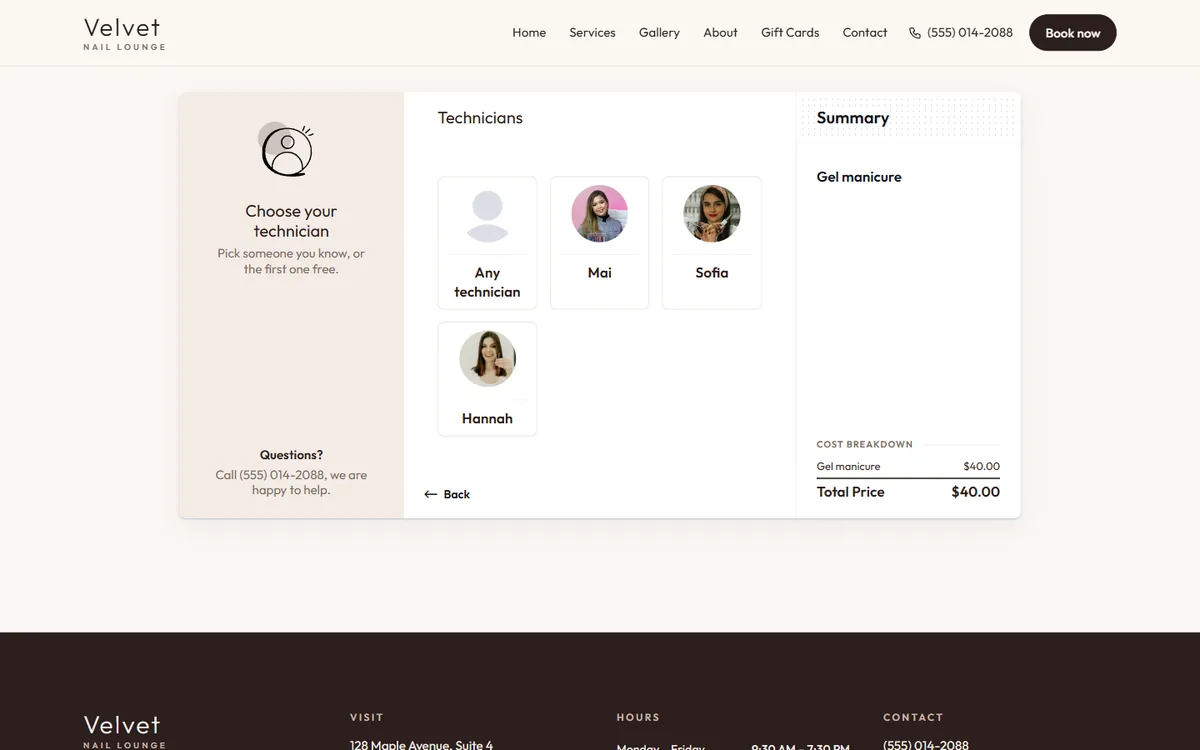
- The client side: a booking page or app where clients choose a service, a staff member and a time.
- The calendar: the schedule your front desk and team see, with appointments, breaks and blocked time.
- The client database: names, contact details, visit history, notes and preferences.
- Automations and reports: confirmations, reminders, follow-ups, and numbers about bookings, no-shows and revenue.
Many systems add payments, gift cards, memberships, marketing and payroll. Those can be useful, but the four core parts decide whether the software helps or hurts your day.
What booking software changes in a salon
- Bookings after hours: many clients book when the salon is closed. Without online booking, those clients call someone else in the morning.
- Fewer phone interruptions: technicians stop answering the phone with gloves on.
- Fewer no-shows: confirmations and reminders keep appointments on clients' minds.
- Better use of each chair: accurate durations and buffers reduce gaps and overruns.
- Clearer data: you can see which services, days and team members are busiest.
These are practical changes, not promises; the size of the effect depends on how well the system is set up and how consistently the team uses it.
The fifteen essential features
For clients
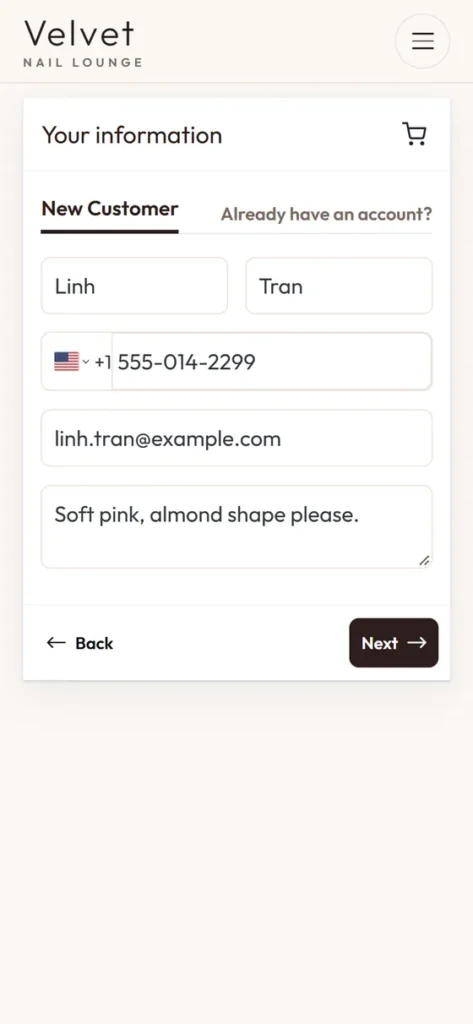
- Mobile-first booking page that loads fast and needs no account to book.
- Services with clear names, durations and prices, plus photos of real work.
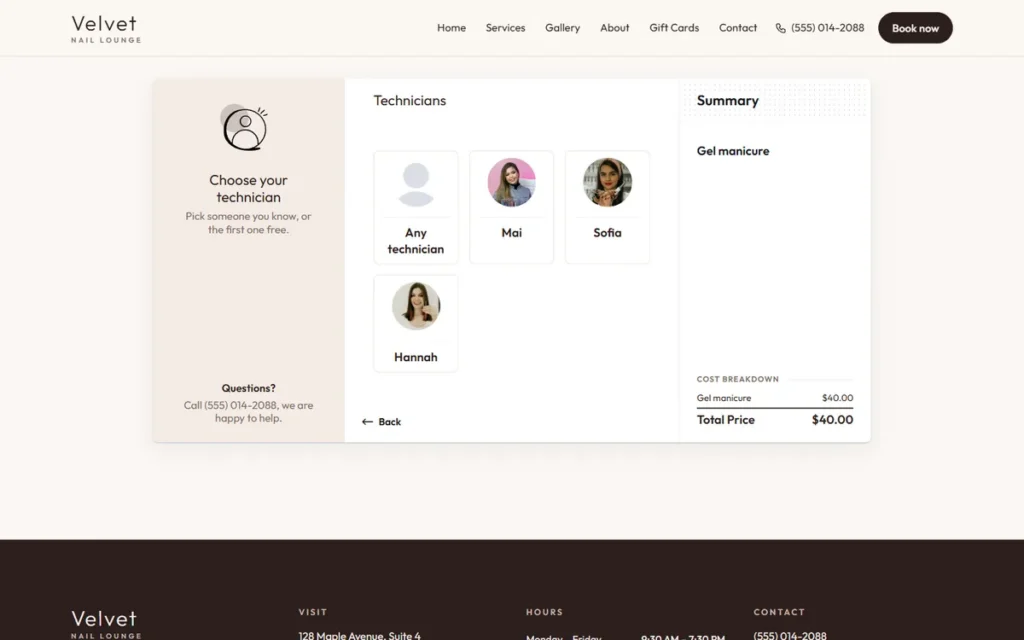
- Choice of staff member or "first available".
- Add-ons that extend the appointment, such as removal, toner, extra length or nail art.
- Instant confirmation with date, time, address and how to change or cancel.
- Self-service rescheduling within your rules.
For the front desk
- A clear day and week calendar with color by staff member or service.
- Quick walk-in entry and a waitlist.
- Drag-and-drop changes with automatic client notification.
- Client notes visible at check-in: formulas, colors, sensitivities, preferences.
For the owner
- Staff schedules, breaks and time off that block booking automatically.
- Deposits or card on file for chosen services and dates.
- Reports: bookings by staff, no-show rate, rebooking rate, busiest hours.
- Roles and permissions, so each person sees only what they need.
- Data export of clients and appointments, without asking support.
Features by type of salon
| Salon type | Features that matter most |
|---|---|
| Nail salon | Add-ons that add time, technician skills, walk-ins and turns, fast checkout |
| Hair salon | Processing time (book another client while color processes), formulas in notes, longer services |
| Lash studio | Patch test reminders, fill timing, deposits, aftercare messages |
| Spa | Rooms and equipment, couples bookings, intake forms, gift cards |
| Barbershop | Walk-in queue, quick cuts, chair-by-chair view |
Make sure the software handles the features at the top of your row before looking at anything else. A system built mainly for barbershops may treat a two-hour color appointment awkwardly, and a system built for large spas may feel heavy for a six-chair nail salon. Read the vendor's examples and case studies: they show which kind of business the product was really designed for, which tells you more than a long feature list.
How booking software connects with the rest of your salon
Your POS
If your POS and booking software are separate, check whether appointments flow into checkout or whether the desk types everything twice. Some salons are happy with a separate POS they trust; others want one system. Our guide to salon POS features lists what to check at the register.
Your website
Clients should book on your own site or from a clear "Book now" button on every page. A booking page that matches your brand feels more trustworthy than a generic page with someone else's logo.
Google Business Profile and Apple Maps
Add the booking link to your Google profile and your Apple Maps place card, so clients can book where they find you. Some providers integrate directly with Google; others work through a simple link.
Instagram, Facebook and TikTok
Put the booking link in your bio and in your booking button. Every post that makes someone want a set should be one tap away from booking.
Email and text messages
Confirmations and reminders keep clients informed. Marketing messages need consent; see our guides to nail salon email marketing and nail salon text message marketing.
Protect client data
Booking software holds names, phone numbers, emails and sometimes payment details and notes about allergies or skin. The FTC's guide Protecting Personal Information: A Guide for Business sums up good practice in five principles: take stock, scale down, lock it, pitch it and plan ahead. For a salon, that means:
- Know what you collect and why. Do not ask for information you do not use.
- Give each staff member their own login, with only the access they need.
- Use strong passwords and two-step login where available.
- Remove access immediately when someone leaves.
- Delete old data you no longer need, following any rules that apply to you.
- Know who to call if something goes wrong.
Card data should never be written down or stored in notes. Let the payment system handle it. The same goes for photos of clients' ID cards or payment cards on staff phones: delete them, and tell the team why.
Pricing models
Booking software is priced in a few common ways:
- Per staff member or calendar: cost grows as the team grows.
- Per location: a flat price for a location, sometimes with limits.
- Tiered plans: basic, standard, premium, with features unlocked at each tier.
- Add-ons: marketing, reminders, gift cards, payroll, websites.
- Payment processing: a percentage and sometimes a fixed amount per transaction.
- Marketplace fees: sometimes charged for new clients found through the vendor's marketplace.
Ask for a written quote for your salon's real setup and compare the yearly total, not the monthly starting price.
A two-week setup plan
Days 1–3: services and team
- Write your service list in clear names clients understand.
- Measure real durations with your team, including add-ons.
- Set up staff profiles, skills, schedules and breaks.
Days 4–6: rules and policies
- Decide how far ahead clients can book and how close to the appointment.
- Set deposits for chosen services or dates, if you use them.
- Write your cancellation and late policy and show it before booking.
- Turn on confirmations and reminders.
Days 7–9: clients and history
- Import your client list and spot-check records.
- Add notes for regulars: technician, colors, sensitivities.
- Re-create future appointments and confirm them.
Days 10–12: links and training
- Add the booking link to Google, Apple Maps, Instagram, Facebook and your website.
- Train the front desk and team with practice bookings.
- Print a QR code for the front desk.
Days 13–14: go live and watch
- Go live on a quieter day.
- Check every online booking for the first week.
- Adjust durations and rules where the schedule runs late.
Which services to offer online
Not every service belongs on the online menu. A simple rule helps:
- Online, no questions: standard services with predictable times, such as manicures, pedicures, fills, blowouts, classic lash fills, 60-minute massages.
- Online with a deposit: long or high-demand services, such as full sets with art, color services, volume lash sets, couples massages on weekends.
- Call or message first: corrective work, bridal parties, color corrections, medical-grade skin treatments and anything that needs a consultation.
Show the "call first" services on the booking page with a short note and a phone or message button, so clients still see you offer them.
Group and event bookings
Bridal parties, birthdays and girls' nights are valuable but hard to book online. Look for booking software that can:
- Book several clients at the same time with different staff.
- Hold a block of time for a group and collect one deposit.
- Send one confirmation to the organizer with everyone's times.
If your software cannot, use a simple inquiry form for groups and book them manually.
Moving from a paper book or phone-only booking
Many salons still run on a paper appointment book. Switching is easier than it looks:
- Choose a start date at least two weeks out.
- Enter all appointments from that date onward into the software.
- Keep the paper book for one more week as a backup, then stop using it.
- Ask every client at checkout for a mobile number and email, with permission for confirmations.
- Put the booking link on the front desk, your Google profile and your social media.
The first month feels slower; after that, the desk usually saves time every day.
What clients ask about online booking
Put short answers on the booking page or in your confirmation message:
- Can I choose my stylist or technician? Yes, or pick the first available.
- What if I am running late? Explain your grace period and what happens after it.
- How do I cancel or move my appointment? A link in the confirmation, within your policy.
- Is my card charged now? Only if a deposit applies; say how much and when it is used.
- Can I book for two people? Explain how, or ask them to call.
Clear answers reduce phone calls and misunderstandings at the front desk.
Team habits that make booking software work
Software only helps when the team uses it the same way every day:
- Every appointment goes into the system, including phone and walk-in bookings.
- Late arrivals and no-shows are marked honestly, so reports are accurate.
- Notes are added after each service, not "later".
- Breaks and time off are entered in advance.
- The desk confirms the next appointment at checkout.
How booking software supports your marketing
Good booking data makes marketing easier and more honest:
- Rebooking reminders go to clients when they are actually due, based on their last visit.
- Win-back messages reach clients who have not visited in a few months, if they agreed to hear from you.
- Busy and quiet hours show when a weekday offer would help.
- Popular services tell you which photos to post and which services to feature on Google.
- New client sources show whether Google, Instagram or referrals bring the most bookings.
Our guide to nail salon client retention explains how to turn this data into steady regulars.
Salons with more than one location
If you run two or more salons, check before buying:
- Can clients choose the location first and see only that location's services and staff?
- Can a team member work at two locations on different days?
- Are reports available per location and combined?
- Does each location have its own booking link for its own Google profile?
Sending every location's Google profile to one generic booking page confuses clients; each profile should open its own location.
Questions to ask before you buy
- Can I try it with my real services and team before paying?
- What is my yearly total with my number of staff, add-ons and card payments?
- Can I export clients, notes and appointments myself, at any time?
- How do deposits and refunds work, and who handles disputes?
- What happens to my booking page and data if I cancel?
- What support do I get on weekends?
Keep the answers in writing. They make the final decision, and any future switch, much easier.
Measure the results
After two months, compare with the months before:
| Measure | What to look for |
|---|---|
| Share of bookings made online | Growing as clients learn the link |
| Bookings made outside opening hours | A sign online booking reaches new times |
| No-show rate | Falling with confirmations and reminders |
| Appointments running late | Falling as durations get accurate |
| Phone calls during peak hours | Falling |
| Rebooking at checkout | Rising when the desk books the next visit |
Common setup mistakes
- Copying an old price list with vague service names.
- Guessing durations instead of measuring them.
- Allowing every service online, including complex work that needs a consultation.
- No buffer time, so cleaning and sanitizing eat into the next appointment.
- Hiding the policy until after booking.
- Giving everyone owner access.
When a booking website is enough
Some salons need a full suite. Many smaller salons mainly need clients to book online from Google and Instagram, with services, photos and prices in their own brand, while payments stay on the POS at the desk. In that case, a booking website can be the simplest form of booking software. Dreamer builds booking websites for salons: clients choose a service, a technician and an open time, and the salon receives an email for every new booking. Combined with our website design, it gives your salon one clear place to send every client.
Frequently asked questions
What is salon booking software?
It is software that lets clients book appointments online and helps the salon manage its calendar, client records, confirmations and reports.
Do small salons need booking software?
Even small salons benefit from online booking after hours and from confirmations that reduce no-shows. The setup can be simple.
Is online booking safe for client data?
It can be, when you use reputable software, give each staff member their own login and follow basic data protection practices.
Can booking software work with my current POS?
Some systems connect directly; others run side by side. Ask how appointments reach checkout before you buy.
How long does setup take?
About two weeks for a careful setup with measured durations, imported clients, policies and team training.
What is the most important feature?
Accurate services and durations. Without them, every other feature works on a schedule that is already wrong.
Salon booking software is worth exactly as much as its setup and the team's habits. Choose features that match your type of salon, connect the booking link everywhere clients find you, protect client data, measure the results and keep adjusting. Done that way, the software fills chairs while the team focuses on clients.