Local SEO for restaurants is about the next twenty minutes. Someone types "pho near me", "banh mi open now" or "crawfish boil Houston", scrolls the map, looks at three photos and a star rating, and decides. If your restaurant is not in that map, or shows no menu and two blurry photos, the decision goes to someone else, no matter how good your broth is.
This guide covers local SEO step by step for restaurants, pho shops, banh mi shops, bubble tea stores, bakeries and cafés: choosing categories, adding menus and dish photos, attributes and ordering links, reviews, a website menu search engines can read, structured data, delivery apps, local links and seasonal search. It ends with a 60-day plan and the mistakes that keep good restaurants invisible.
In this article
- How diners search for restaurants
- Step 1: Choose the right primary category
- Step 2: Add your menu and dish photos
- Step 3: Set attributes and service options
- Step 4: Connect ordering and reservations
- Step 5: Keep hours perfect
- Step 6: Post updates and specials
- Step 7: Earn and answer reviews
- Step 8: Build a website menu search engines can read
- Step 9: Add structured data
- Step 10: Keep delivery apps and listings consistent
- Step 11: Earn local mentions and links
- Step 12: Plan for seasonal searches
- Step 13: Measure what local SEO brings
- Local SEO for different kinds of food businesses
- Common local SEO mistakes restaurants make
- A 60-day local SEO plan for restaurants
- A one-page local SEO checklist for restaurants
- How Dreamer helps restaurants
- Frequently asked questions
How diners search for restaurants
Restaurant searches are fast and specific:
- "Near me" searches: "food near me", "Vietnamese restaurant near me", "lunch near me".
- Dish searches: "pho", "banh mi", "bun bo hue", "brown sugar boba", "king crab legs".
- Time searches: "open now", "late night food", "breakfast near me".
- Occasion searches: "birthday dinner", "catering for 30", "private dining room".
- Feature searches: "outdoor seating", "vegan options", "kid-friendly".
Google decides local results mainly by relevance, distance and prominence. Restaurants win relevance with the right categories, menus and attributes, and prominence with reviews, photos, mentions and a strong website.
Step 1: Choose the right primary category
Pick the category that best describes your restaurant, such as "Vietnamese restaurant", "Pho restaurant", "Sandwich shop", "Bubble tea store", "Bakery", "Coffee shop" or "Seafood restaurant", depending on what Google offers in your country. Add a few secondary categories only for what you truly serve. A pho shop that also sells banh mi can add a relevant secondary category; it should not add "Sushi restaurant" because it has one roll on the menu.
Step 2: Add your menu and dish photos
Diners want to see what they will eat and what it costs.
- Menu: add your menu to your Business Profile and link to the full menu on your website.
- Dish names in two languages where it helps: "Bun bo Hue (spicy beef noodle soup with lemongrass)". Vietnamese names help people who know the dish; English descriptions help everyone else.
- Prices for every item, kept current.
- Dish photos: bright, sharp photos of your most popular dishes, drinks and desserts.
Update the menu whenever prices change. An outdated menu creates bad reviews faster than almost anything.
Step 3: Set attributes and service options
Attributes tell diners and Google what to expect: dine-in, takeout, delivery, outdoor seating, accessibility, payment types, vegetarian options and more. Google's help page on how to manage your business attributes explains how to add them. Keep them accurate; a diner who drives over for outdoor seating that does not exist will not be happy.
Step 4: Connect ordering and reservations
Add links for online ordering and reservations so diners can act from your profile:
- Order online to your own ordering page or your chosen ordering partner.
- Reservations if you take them.
- Catering inquiries for larger orders.
Test each link on a phone. A broken ordering link costs real money every evening.
Step 5: Keep hours perfect
Restaurants change hours more than most businesses: holidays, lunch closures, seasonal schedules. Update regular hours whenever they change and set special hours before every holiday. Few things anger diners more than a closed door when Google said "Open".
Step 6: Post updates and specials
Google lets you publish updates, offers and events. Use them for daily or weekly specials, new menu items, holiday pre-orders, live music and catering. For some single-location food and drink businesses, Google can also show featured posts about events, deals or specials from your social media channels on the mobile profile; its help page on how to create and manage posts explains where posts appear. Our guide to Google Business Profile posts has thirty ideas, many for restaurants.
Step 7: Earn and answer reviews
Diners read reviews closely, often looking for mentions of specific dishes, service speed and cleanliness.
- Ask every guest in the same friendly way: a small card with the check, a QR code by the register, a line in the takeout bag.
- Never offer rewards for reviews, such as a free dessert. Google prohibits it.
- Reply to every review, mentioning the dish the guest enjoyed and thanking them by name.
- Answer complaints calmly and invite the guest to contact you.
Yelp has its own rules and does not allow asking for reviews; our comparison of Yelp vs Google reviews explains how to handle both.
Step 8: Build a website menu search engines can read
Many restaurant websites show the menu only as a PDF or a photo. Diners on phones struggle to read it, and search engines understand it less well than text. Put your menu on a normal web page, as text with prices, and keep a PDF only as an extra download.
A strong restaurant website for local SEO also has:
- Your name, address, phone number and hours, matching Google.
- A location section with parking, transit and an embedded map.
- Pages or sections for catering, private events and gift cards.
- Online ordering or a clear ordering link.
- Fast loading on phones.
Our guide to restaurant website design covers layout and content in detail.
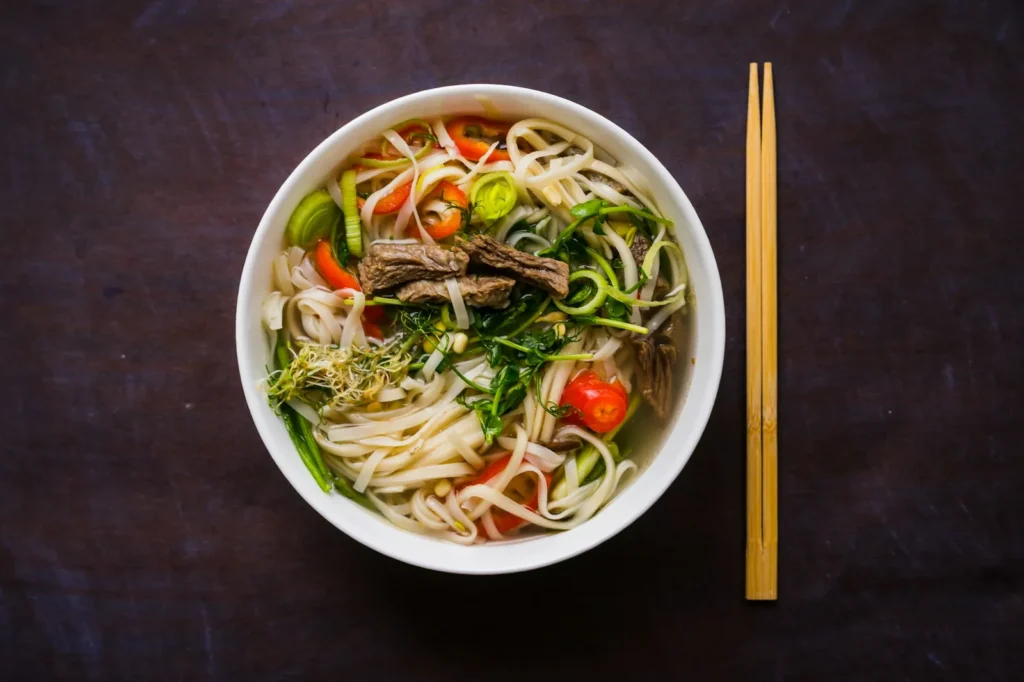
Write menu descriptions people search for
Menu text is search text. A diner looking for "vegetarian pho" or "spicy noodle soup" should find those words on your menu page. For each dish:
- Start with the name diners know, then a plain English description: "Bun bo Hue: spicy beef noodle soup with lemongrass, sliced beef and pork."
- Mention dietary details you can stand behind: vegetarian broth, gluten-free rice noodles, contains peanuts.
- Note sizes and portions where they matter: small, large, family tray.
- Keep prices next to the dish, not on a separate page.
Avoid adjectives that say nothing, like "delicious" or "amazing". Specific details sell better and help search engines understand what you serve.
Answer the questions diners ask
Look at the calls your staff answer every day and put the answers where diners look first: your website, your Google profile and your updates.
- Do you take reservations, and for how many people?
- Is there parking, and where?
- Do you have vegetarian or vegan options?
- Can I order ahead for pickup?
- Do you cater, and how much notice do you need?
- Are you kid-friendly, and do you have high chairs?
A short FAQ section on your website, written in plain words, helps diners decide and gives search engines more clear text about your restaurant.
Step 9: Add structured data
Schema.org has a Restaurant type for describing a restaurant's name, address, hours, cuisine, price range and menu. A developer can add it to your website as JSON-LD, using exactly the same details as your Google profile. It does not guarantee special search features, but it helps search engines understand your restaurant clearly.
Step 10: Keep delivery apps and listings consistent
Restaurants appear on more platforms than most businesses: Google, Apple Maps, Yelp, Facebook, Instagram and several delivery apps. Make sure the name, address, phone, hours and menu are the same everywhere. When you change hours or prices, update every platform on the same day. Claim your Apple Maps listing too; our guide to Apple Business Connect shows how.
Step 11: Earn local mentions and links
Prominence grows when your restaurant is talked about locally:
- Food writers and local bloggers who cover new openings and hidden gems.
- Local news stories about your family history, a charity dinner or a festival stall.
- Community events such as Lunar New Year festivals, night markets and school fundraisers.
- Local business associations and neighborhood guides.
- Partners such as nearby offices that order catering.
Each mention brings diners directly and supports your presence in search.
Photos diners upload
Diners upload their own photos to Google and Yelp, and you cannot choose which ones appear. Some are flattering; some show a dish under yellow light at 11 p.m. You can still shape the impression:
- Upload your own bright, current photos regularly so the best dishes are easy to find.
- Report photos that are inappropriate or show a different business.
- Thank diners who share great photos on social media, and ask permission before reposting them.
Old listings you never created
Food blogs, old directories and event pages sometimes list your restaurant with outdated hours or a previous phone number. Search for your restaurant name and phone number a few times a year, and contact the sites that show wrong details. Fixing the biggest ones keeps diners from calling a disconnected number.
Restaurants with several locations
Each location needs its own Google profile, its own Apple Maps place card, its own page on your website with its address, hours, menu differences and photos, and its own reviews. Do not send every location's profile to your home page; link each one to its own location page so diners land on the right address and menu.
Step 12: Plan for seasonal searches
Restaurant searches follow the calendar:
- Lunar New Year: special menus, catering trays and holiday hours.
- Valentine's Day and Mother's Day: reservations and set menus.
- Summer: cold drinks, patio seating, seafood boils.
- Fall and winter: soups like pho and bun bo Hue, holiday catering, gift cards.
Update your Google profile, website and social posts a few weeks before each season.
Step 13: Measure what local SEO brings
| Measure | Where to find it |
|---|---|
| Calls, directions, website clicks | Google Business Profile performance |
| Menu views and orders | Profile and ordering reports |
| Reservations and catering inquiries | Reservation system, email |
| Organic website visits | Website analytics |
| New reviews and rating | Google, Yelp |
| Positions for dish searches | Searches from a few nearby spots |
Ask regular guests how they first found you; the answers tell you which channels work.
Local SEO for different kinds of food businesses
Pho and noodle shops
Dish searches matter most. Name every soup clearly, show photos from above and from the side, and mention broth details people care about, such as long-simmered bone broth or vegetarian broth.
Banh mi shops and bakeries
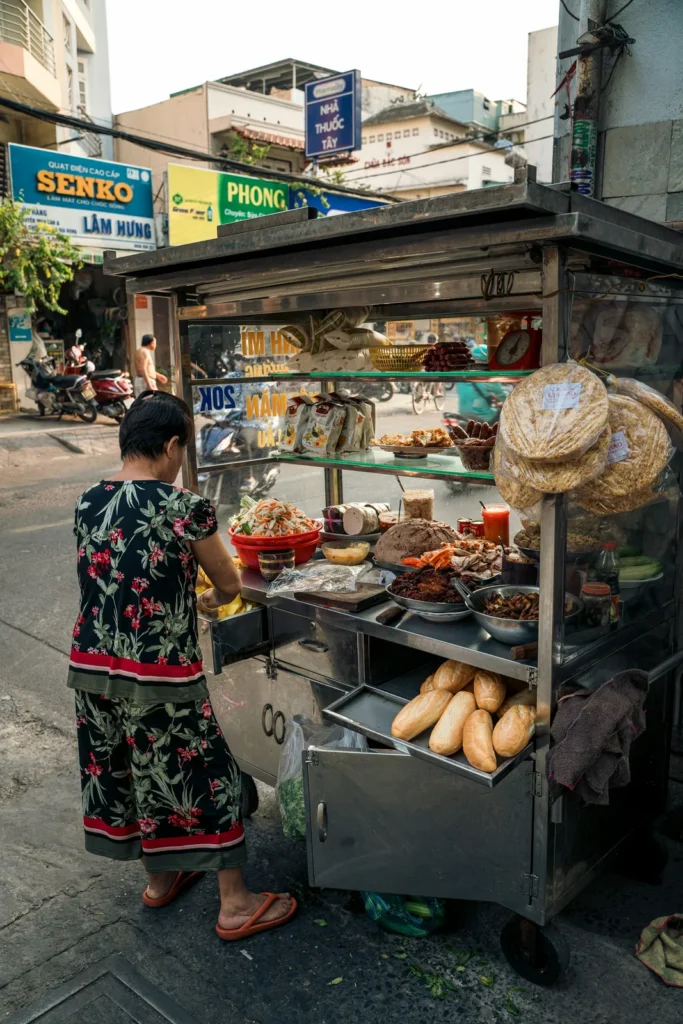
Show fresh bread, fillings and prices. Mention morning hours, catering trays and preorder options.
Bubble tea stores
Photos of drinks, toppings and seasonal flavors drive clicks. Keep the drink menu and hours current, and mention ordering ahead.
Seafood boils and Cajun restaurants
Show the full table spread, explain pricing by the pound or by combo, and mention group seating.
Fine dining and bistros
Reservations, private dining, tasting menus and occasion searches matter most. Photos of the room and plated courses help.
Common local SEO mistakes restaurants make
- Menus only as PDFs or photos.
- Outdated prices and hours.
- Wrong or too many categories.
- Stock photos instead of real dishes.
- Broken ordering or reservation links.
- Different details on Google, Apple Maps, Yelp and delivery apps.
- Rewarding reviews with free food.
- Ignoring negative reviews.
A 60-day local SEO plan for restaurants
Weeks 1–2: fix categories, hours, attributes and links on Google; claim Apple Maps and Yelp; make details match everywhere.
Weeks 3–4: photograph your top fifteen dishes, the room and the team; upload them; add the menu with prices.
Weeks 5–6: put the menu on your website as text, add the location section, and ask a developer to add Restaurant structured data.
Weeks 7–8: start a review routine with cards or QR codes, reply to every review, post weekly updates and reach out to two local writers or event organizers.
After 60 days, keep posting weekly, adding photos monthly and checking listings before every holiday.
A one-page local SEO checklist for restaurants
Print this and tick it off once a month:
- Primary category matches what you mainly serve; secondary categories are real.
- Hours, holiday hours, phone and address are identical on Google, Apple Maps, Yelp, Facebook and delivery apps.
- The menu with current prices is on Google and on your website as text.
- At least fifteen real dish photos, plus the dining room, counter and storefront.
- Ordering, reservation and catering links open the right pages on a phone.
- Every review from the last month has a reply.
- One update or special was posted this week.
- Your website loads quickly on a phone and shows the address and a map.
- One local mention or partnership is in progress.
Restaurants that keep this list green every month usually see steadier calls, direction requests and orders than restaurants that fix everything once and then forget it.
How Dreamer helps restaurants
Dreamer works with Vietnamese and Asian restaurants, bakeries and cafés across the US and Canada. Our Social Marketing service manages your Google Business Profile, Apple Maps and Yelp and posts your dishes and specials every week. Our website design team builds fast restaurant websites with text menus and ordering links, and our design and printing team prints menus, table cards with QR codes and window signs that match. You can preview pho shop, banh mi, bubble tea, seafood boil and bistro styles in our website templates.
Frequently asked questions
What is local SEO for restaurants?
It is the work that helps a restaurant appear in Google Maps and local search results when nearby diners search for food, dishes or occasions.
Should restaurants put their menu on Google?
Yes. Add your menu to your Business Profile and keep a text menu with prices on your website.
Do restaurants need a website if they have a Google profile?
A website supports local search, shows a readable menu, takes orders and catering inquiries, and keeps working when platforms change.
How can a restaurant get more Google reviews?
Ask every guest in the same way with a card or QR code, never offer rewards, and reply to every review.
Do delivery apps help local SEO?
They help diners find you inside those apps. Keep their details consistent with Google so information matches everywhere.
How long does local SEO take for a restaurant?
Profile fixes and photos can help within weeks. Reviews, website improvements and local mentions build results over months.
Local SEO for restaurants rewards the basics done well: the right category, a current menu with prices, real dish photos, accurate hours, working order links, steady reviews and a website that matches your profile. Do those consistently, and when someone nearby gets hungry, your restaurant will be one of the first places they see.