In this article27 sections
A QR code menu became familiar to almost every diner in recent years, and many restaurants kept it because it solves real problems. Prices can change without reprinting, sold-out dishes disappear instantly, photos help guests choose and the same menu can appear in several languages. But a QR code menu can also frustrate guests: a tiny code that will not scan, a PDF that requires pinching and zooming, a slow page in a dining room with weak signal, or no printed menu for the guest whose phone battery just died.
This guide shares eighteen tips for a QR code menu that guests actually like: choosing the right type, building a mobile-friendly menu page, making it accessible, designing and sizing the code, placing it where guests look, writing a clear call to action, using dynamic codes wisely, protecting guests from fake codes, keeping printed menus available, offering languages, linking to ordering and reviews, tracking scans and keeping everything up to date.
1. Decide what your QR code menu should do
There are three common types:
| Type | What guests see | Best for |
|---|---|---|
| PDF menu | A file of your printed menu | Quick start, but hard to read on phones |
| Mobile menu page | A web page designed for phones | Most restaurants; easy to read and update |
| Order and pay at the table | A menu where guests order and pay | Counter-service and casual restaurants with POS integration |
For most independent restaurants, a mobile menu page on your own website offers the best balance of readability, control and cost.
2. Avoid the tiny-PDF problem
A PDF of a printed menu forces guests to zoom and scroll sideways on a small screen. If you start with a PDF, plan to replace it with a mobile page: text that wraps to the screen, large buttons for each section, prices aligned with dish names and photos that load quickly. Guests read faster, order more confidently and are less likely to ask a server to explain the menu.
3. Build the menu page for phones
- Section buttons at the top: appetizers, pho, banh mi, drinks, desserts.
- Large, readable text and enough spacing between items.
- Short descriptions for dishes guests may not know.
- Photos for signature dishes, compressed so the page loads quickly.
- Dietary and spice labels where accurate.
- A fast page: test it on a slow connection in your own dining room.
Our guide to restaurant website design explains how a menu page fits into the rest of your site.
4. Make it accessible
Some guests use screen readers, larger text settings or high-contrast modes. An accessible menu page uses real text instead of images of text, labels images, works with keyboard navigation and keeps strong color contrast. Our guide to ADA website compliance covers the basics for small business websites. Accessibility also helps every guest read the menu quickly in a dim dining room.
5. Size the QR code for the distance
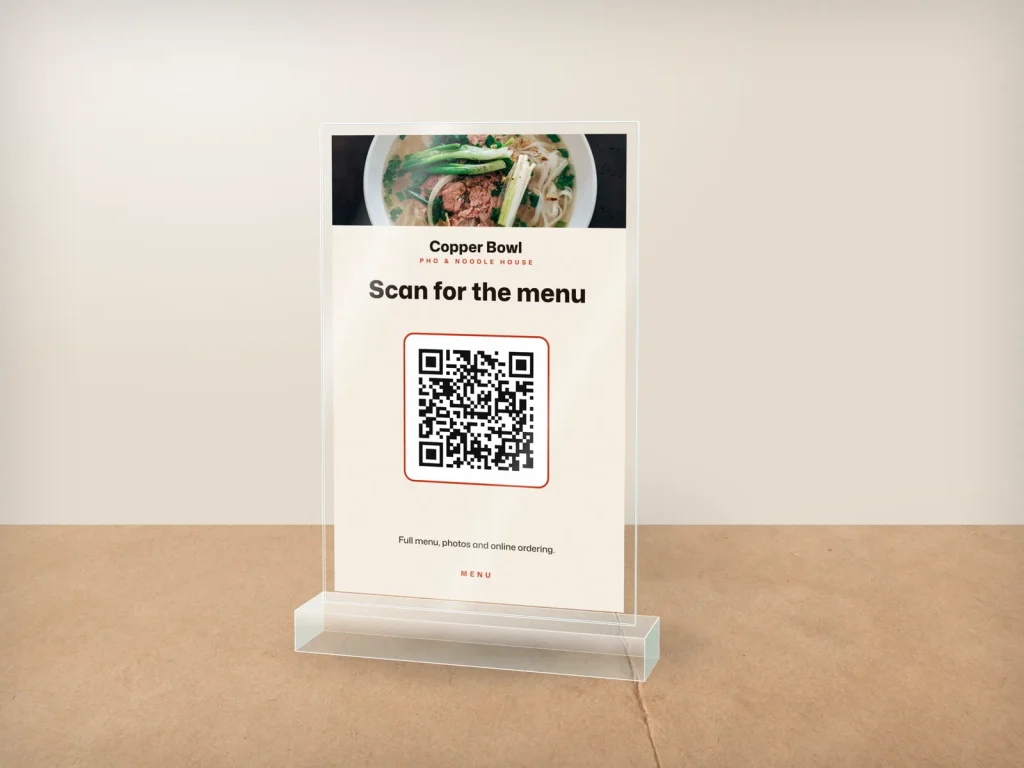
A QR code needs to be large enough to scan comfortably from where guests sit or stand. On a table tent or stand, many restaurants use codes around one to two inches wide; codes on windows or walls read from farther away need to be larger. Always test with several phones, including older models, from the actual distance guests will scan. If a code needs a second try for anyone on your team, make it larger or simplify the design before printing more.
6. Design for contrast and a quiet zone
- Dark code on a light background scans most reliably.
- Leave a quiet zone (empty margin) around the code.
- Avoid busy backgrounds, patterns or photos behind the code.
- Logos in the center are possible with higher error correction, but test carefully.
- Do not stretch or distort the code.
7. Place codes where guests look
- Table tents or acrylic stands in the center of each table.
- Stickers on tables for quick-service restaurants, protected from wiping.
- The host stand and counter for guests waiting.
- Front windows so passersby can see the menu before coming in.
- Takeout bags and receipts for reordering.
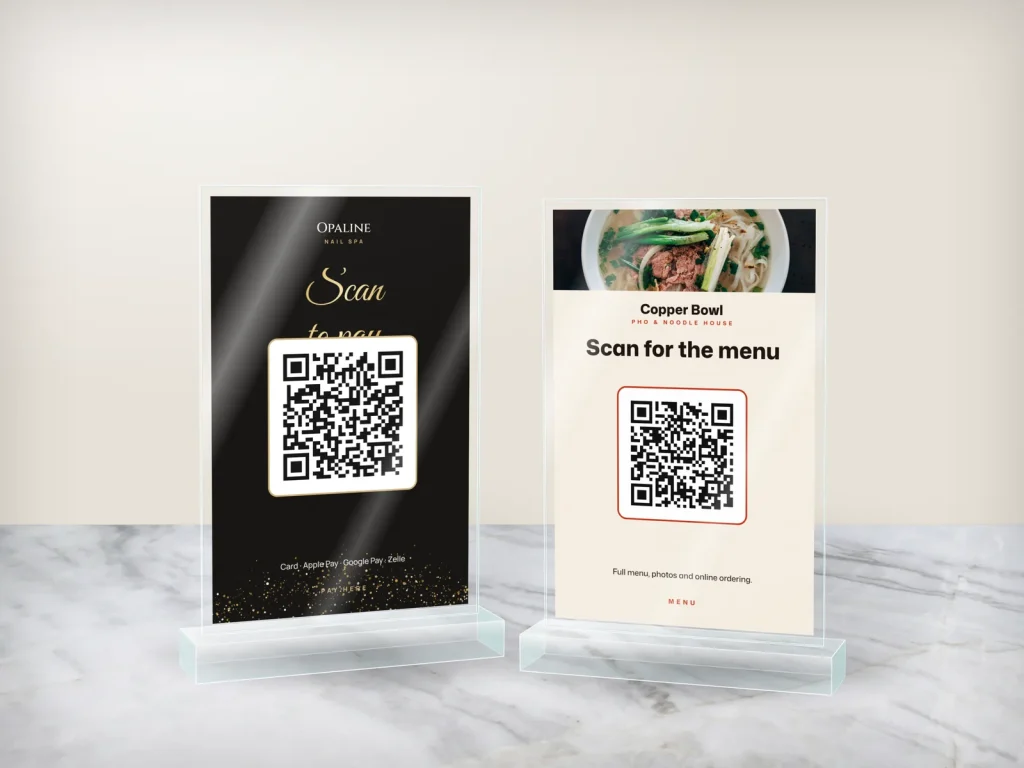
Dreamer prints acrylic table and counter stands with menu, ordering or review QR codes, and stickers for tables and bags.
8. Write a clear call to action
A QR code alone does not tell guests what will happen. Add a short line above or below it:
- "Scan for our menu."
- "Scan to order and pay at your table."
- "Scan for today's specials."
- "Scan to leave us a review."
If one stand has two codes, separate them clearly and label each one.
9. Use your own web address
Make sure the code points to a page on your own domain, such as your website's menu page, rather than a long address from a third-party service. If you ever change menu software, you can keep the same address and the printed codes continue to work.
10. Choose static or dynamic codes carefully
A static QR code contains the web address itself; it never expires but cannot be changed after printing. A dynamic QR code points to a short link that you can redirect later and often includes scan statistics. Dynamic codes are convenient, but some free generators deactivate codes after a trial period or show ads. If you use dynamic codes, choose a reputable provider and keep access to the account. Pointing static codes to a page on your own website gives you most of the flexibility without the risk.
11. Protect guests from fake QR codes
Scammers sometimes place their own QR stickers over real ones to send people to fake payment or login pages. The FTC warns consumers about harmful links hidden in QR codes. Protect your guests:
- Use stands or printed menus that are hard to cover with a sticker.
- Check codes daily during opening and closing routines.
- Show your web address under the code so guests can confirm where it goes.
- Never ask guests to enter passwords or unnecessary personal information after scanning.
Show allergens and dietary information clearly
Guests with allergies or dietary needs often check the menu carefully before ordering. Use clear labels for vegetarian, vegan or gluten-conscious dishes only where accurate, list common allergens in descriptions and add a note inviting guests to ask staff about ingredients. A QR code menu can include a filter or a separate allergen page, which is easier to keep current than a printed allergen chart.
12. Keep printed menus available
Not every guest wants to use a phone. Older guests, guests with low battery or no data, and people who simply prefer paper should be offered a printed menu without asking twice. A small stack of laminated menus at the host stand solves this. Our laminated menus wipe clean between guests.
13. Offer the menu in more than one language
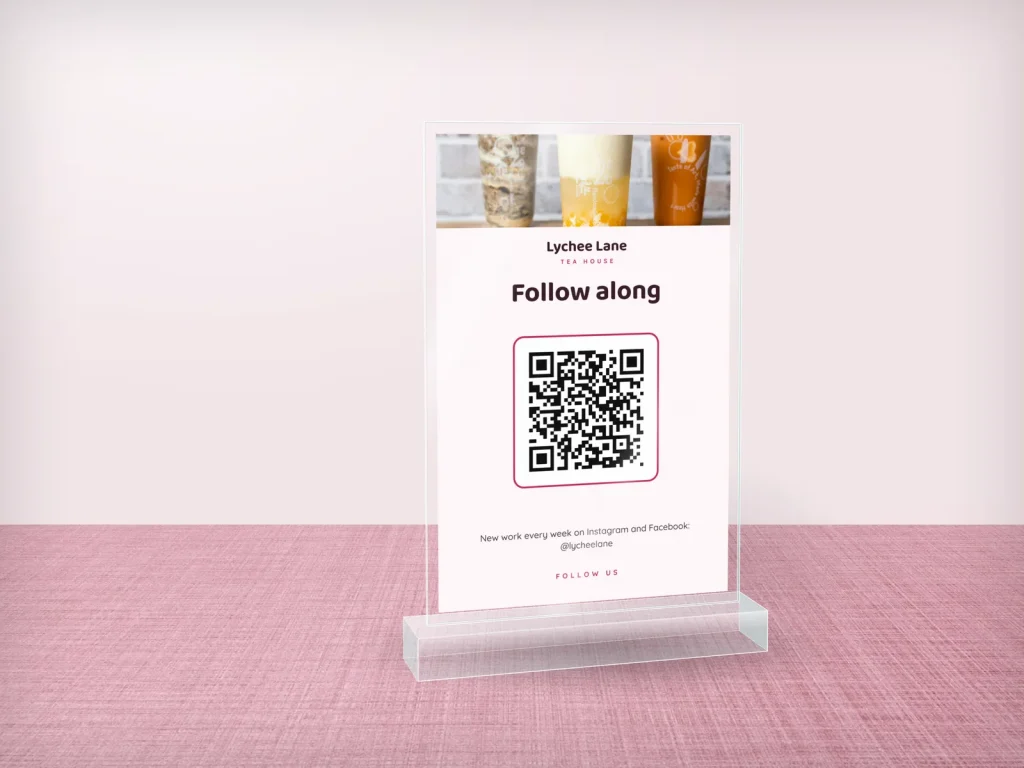
A web menu can switch between English and Vietnamese, Spanish or other languages. Bilingual dish names, such as "Bún bò Huế (spicy beef noodle soup)", help everyone. Make sure translations are accurate and that prices and items stay identical across languages.
14. Connect the menu to ordering, reviews and loyalty
The menu page can do more than list dishes: link to online ordering for takeout, a loyalty sign-up, gift cards and your Google review page. Do not overload it; the menu should remain the main focus. Our guide to restaurant online ordering explains how to set up ordering that keeps your margins.
15. Track scans and menu views
Use your website analytics or dynamic code statistics to see how many guests scan, when and which sections they view most. If guests rarely scan at certain tables, the stand may be badly placed. If they spend a long time in one section, the descriptions may need work. Data turns a QR code menu into a tool you can improve.
16. Keep prices and items up to date
The main advantage of a QR code menu is fast updates, so use it: change prices the same day costs change, mark sold-out items immediately and add specials before service. Assign one person to update the menu and check it on a phone after every change. A digital menu that is out of date loses guests' trust as quickly as a printed one.
17. Use QR codes beyond the table
- Window decals with the menu code for people deciding whether to come in.
- Flyers and postcards that link to the menu and online ordering.
- Takeout bags with a code for reordering.
- Business cards for catering inquiries.
Our article on QR codes for salons has more placement ideas that work for restaurants too.
Plan the rollout
Introduce a QR code menu step by step. Start with a few tables, watch how guests use it for a week, ask servers what questions come up and fix the menu page before adding codes everywhere. Announce the new menu on your Google profile and social media, and keep printed menus visible during the first weeks so regulars do not feel forced to change. A smooth rollout keeps guests on your side.
18. Train staff to help
Servers should know how the QR code menu works on different phones, what to say when a guest cannot open it, how to help a guest who cannot scan, where printed menus are kept and how to explain specials not yet on the page. A friendly "I can bring you a paper menu" keeps every guest comfortable.
QR code menus by type of restaurant
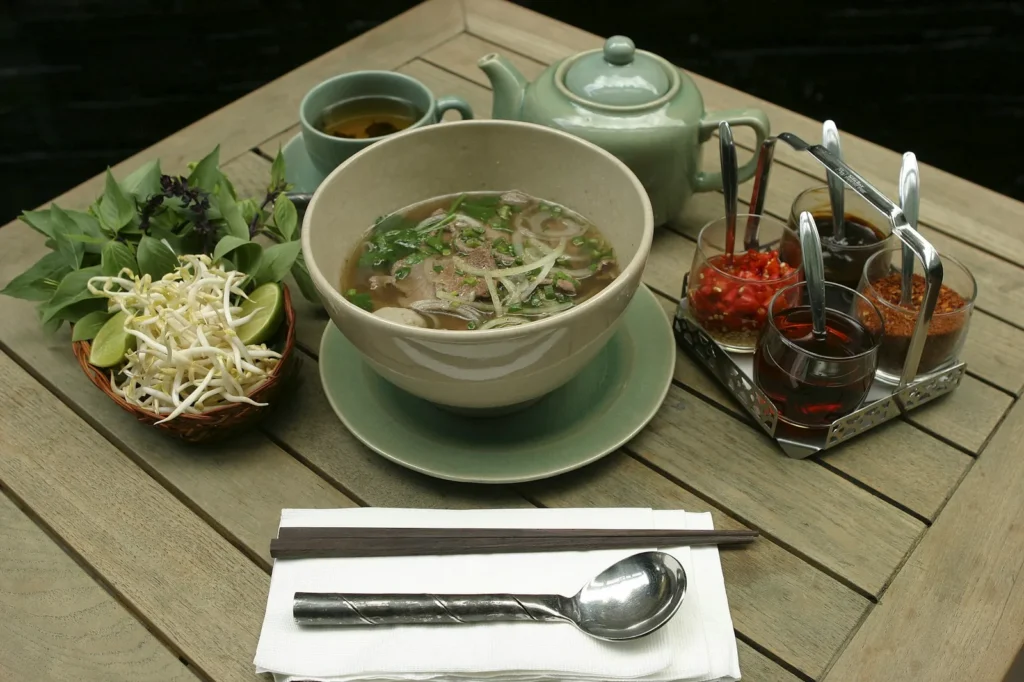
- Pho and noodle restaurants: guests often know what they want, so a fast menu page with clear sections and spice options matters more than long descriptions.
- Banh mi shops and counters: a QR code at the counter and on the line lets guests read the menu while waiting, which speeds up ordering.
- Bubble tea shops: many options for sweetness, ice and toppings; a clear page helps guests decide before reaching the register.
- Seafood boil restaurants: explain sauces, spice levels and how market prices work.
- Fine dining: many guests still expect a printed menu; a QR code can complement it with wine lists, allergens or the story of the dishes.
Match the QR code menu to how your guests actually order.
Wi-Fi, lighting and phone battery
A QR code menu depends on things outside the code: a mobile signal or guest Wi-Fi, enough light at the table to scan and a phone with battery. Test scanning in the darkest corner of your dining room, offer guest Wi-Fi with the password printed near the code if signal is weak, and keep printed menus for guests whose phones cannot help. Small details like these decide whether the QR code menu feels modern or annoying.
Keep paper and digital menus consistent
Use the same dish names, numbers, prices and descriptions on the printed menu and the QR code menu. When you update one, update the other the same day. Consistent menus prevent confusion when a guest orders from the phone and the server checks the paper menu, and they make your restaurant look organized.
QR ordering at the counter
Counter-service restaurants can let guests scan, order and pay without waiting in line, then pick up when called. This works well at lunch rushes, but it needs a POS that sends orders straight to the kitchen, clear pickup signs and a staff member who watches for confused guests. Keep a cashier available for guests who prefer to order in person.
Clean and replace stands regularly
Table stands are handled by many guests every day. Wipe them during table resets, replace scratched or faded inserts, and check that every code still scans. A clean, sharp stand reflects the care you put into the food.
Common mistakes
- Tiny PDF menus that are hard to read on phones.
- Codes too small or on busy backgrounds.
- No call to action, so guests do not know what the code does.
- Free generators that expire, breaking printed codes.
- No printed backup for guests who prefer paper.
- Outdated prices and sold-out dishes still listed.
- Unchecked codes that could be covered by fake stickers.
Frequently asked questions
Is a QR code menu better than a printed menu?
It is better for fast updates, photos and languages, but many guests still prefer paper. Most restaurants offer both: a QR code menu for convenience and printed menus on request.
How big should a QR code be on a table?
Many restaurants use about one to two inches on table tents and stands, larger for codes read from a distance. Test with several phones from where guests sit.
Should my QR code link to a PDF?
A mobile menu page is usually better because it is easier to read, faster to update and more accessible. A PDF can work as a temporary solution.
What is the difference between static and dynamic QR codes?
A static code holds the address directly and never expires; a dynamic code points to a short link you can change and track. Choose providers carefully if you use dynamic codes.
How can I prevent QR code scams at my restaurant?
Use stands that are hard to cover, check codes daily, print your web address under the code and never ask guests to enter passwords after scanning.
Do I still need printed menus?
Yes. Offer printed menus to guests who prefer them or cannot use their phones, and keep a few laminated copies at the host stand.
A good QR code menu is fast, readable, accessible, secure and always up to date, with a printed menu ready for anyone who prefers paper. Build a mobile menu page on your own website, design codes that scan easily, place them where guests look, add a clear call to action and check them every day. If you want a mobile menu page, table stands and stickers designed as one set, Dreamer's website design team and print studio work with restaurants across the US. Our guide to restaurant menu design helps you organize the menu itself.
No time to do this yourself? We can do it for you.
Send your business name and ZIP code. We review your Google Maps, Yelp and Facebook presence and call you back for free.