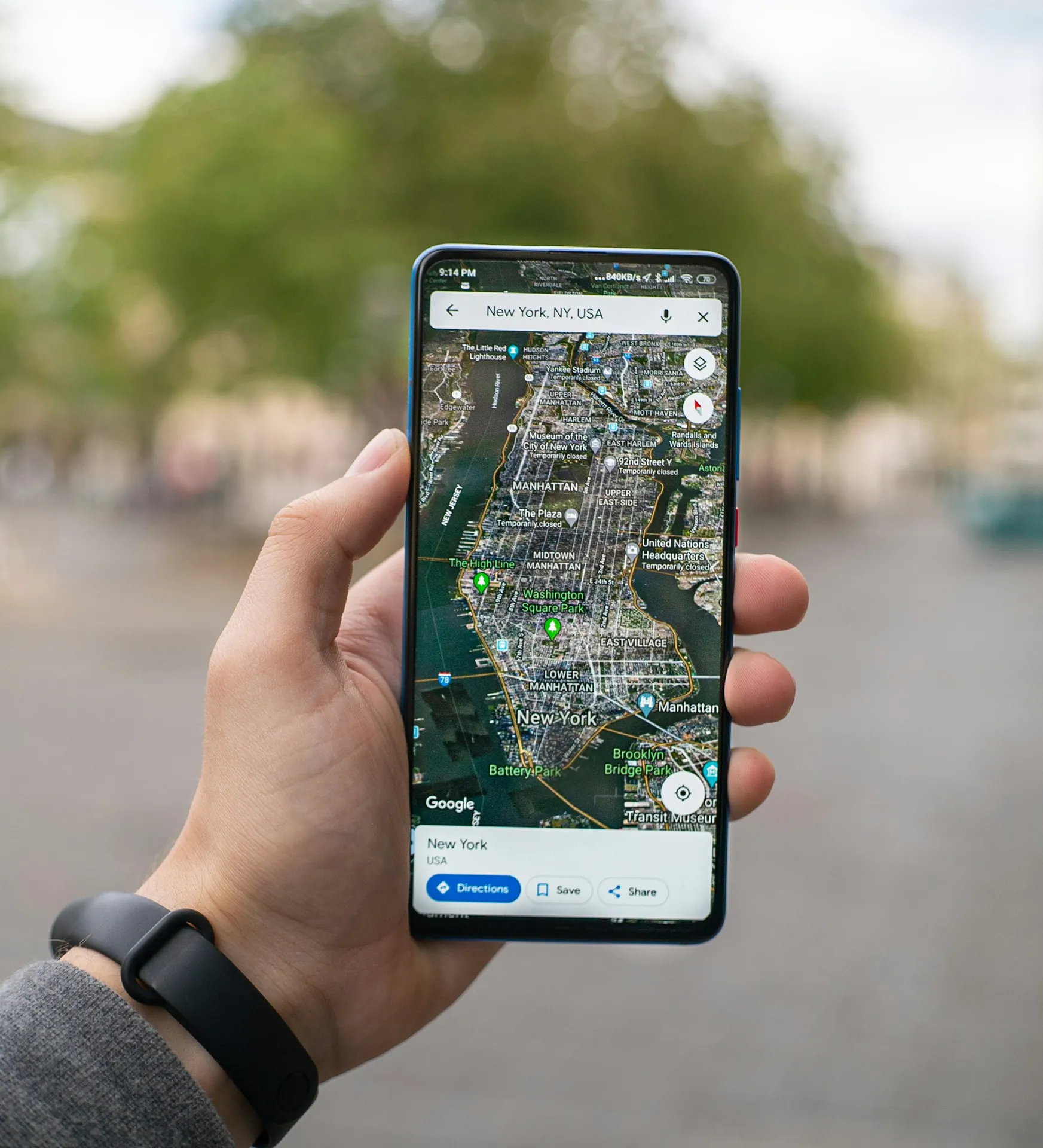
Local SEO for business owners comes down to one moment: someone nearby searches for "nail salon near me", "pho restaurant" or "bakery open now", and Google shows a map with a few businesses before any regular website. Being one of them brings calls, direction requests and walk-ins from people who are ready to buy today. That is what local SEO is about.
Google says local results are based on three things: relevance (how well your listing matches the search), distance (how far you are from the person searching) and prominence (how well known your business is, including reviews and mentions across the web). You can read it in Google's own explanation of local ranking. You cannot move your shop closer to every customer, but the twelve fixes below improve the other two.
In this article
- Fixes 1–4: get the foundation right
- Fixes 5–8: give customers and Google more to go on
- Fixes 9–12: stay consistent and keep it alive
- How to reply to reviews
- Local SEO for business websites: the on-page checklist
- Local SEO for business types: what to focus on
- A 90-day local SEO plan
- Local SEO mistakes that cost calls
- Google Business Profile posts: what to publish
- How to measure local SEO for business results
- What a local SEO service should include
- How long does it take?
- Frequently asked questions
- Need a hand?
Fixes 1–4: get the foundation right
1. Claim and verify your Google Business Profile
Search for your business on Google Maps. If a listing exists, claim it instead of creating a new one; duplicates split your reviews. Use a business email as the primary owner, and give agencies or staff manager access only, so the profile always stays yours. Verification may be by video, phone or mail; keep your signage and business documents ready, because Google can ask to see them.
2. Choose the right primary category
The primary category is one of the strongest relevance signals. Pick the most specific one that describes your main business ("Nail salon", "Vietnamese restaurant", "Bakery"), then add secondary categories only for services you actually offer. Look at the businesses that already show up first for your main search: their categories are a useful hint, but only copy what is true for you.
3. Use your real business name
Adding keywords to your name (for example "[Your name] Best Nail Salon Houston") breaks Google's guidelines for business profiles and can get the profile suspended. Use the name on your sign. Keywords belong in services, descriptions and posts.
4. Keep hours accurate, including holidays
Wrong hours lead to frustrated customers and bad reviews. Add special hours before every holiday so Google does not show "hours might differ". If you close for a vacation, set temporary hours instead of marking the business closed, which can confuse customers for weeks.
Fixes 5–8: give customers and Google more to go on
5. List your services or menu, with descriptions
Services, products or menu items in your profile tell Google what you do in the words customers use. Add short descriptions and prices where it makes sense. Use the names customers actually search for ("gel-x extensions", "pho tai", "custom birthday cake"), not only your internal menu names.
6. Add real photos every week
Your storefront (so people recognize it), your interior, your team, and above all your actual work or dishes. Fresh, sharp photos give people a reason to pick you, and show that the business is active. A few new photos every week beat fifty photos uploaded once and forgotten.
7. Build a steady review habit
Ask every customer, not just the happy ones, with a QR code at the counter and a link in a thank-you message. Never pay for reviews or offer anything in exchange: it breaks Google's policies and the FTC's rule on fake reviews and testimonials in the US. Reply to every review, good or bad, briefly and politely.


Steady matters more than a burst. A business with a few new reviews every week looks alive; one with forty reviews from a single month and nothing since looks odd to customers and to Google. Our guide to getting more Google reviews the right way covers the scripts and the timing.
8. Make your website say where you are
Your homepage title should include what you do and your city. Include your address, a map, your hours and a services page, and make sure your name, address and phone number match your Google profile exactly. A fast, phone-friendly site also gives people from Google a place to book or order.
Fixes 9–12: stay consistent and keep it alive
9. Match your details everywhere
Claim your listing on Apple Maps through Apple Business Connect, plus Bing Places, Yelp and Facebook, and any directories that matter in your industry. Same name, address, phone number and hours everywhere. Inconsistent details make search engines less sure which information is correct.
10. Post updates every week
Google profiles support posts: new products, seasonal menus, offers, events. One or two posts a week with a real photo keep your profile active and give searchers one more reason to choose you. Link each post to the matching page on your website, not always to the homepage.
11. Watch for edits and duplicates
Anyone can suggest edits to your listing, including competitors. Check your profile weekly for changes you did not make, and look for duplicate listings created by former owners or old addresses. Merge or remove them.
12. Track calls, directions and bookings
Your profile's performance report shows calls, direction requests and website clicks each month. Add a tracking tag to the website link on your profile so visits from Google show separately in your analytics. If you use a call tracking number, set it as the primary number and keep your main number as an additional phone, so your details stay consistent.
How to reply to reviews
Replies are read by the next customer more than by the reviewer. Keep them short, specific and calm, and never share private details about a visit.
A five-star review: "Thank you, Anna! We're so glad you loved the spring set Kim did for you. See you at your next fill!" Mentioning the service and the technician reads naturally and reminds future clients what you do well.
A one-star review: "Hi David, we're sorry your wait was longer than we promised on Saturday. That isn't the experience we want for anyone. Please call us at the salon so we can make it right." Apologize for the experience, do not argue about details in public, and move the conversation to a phone call.
A review that looks fake: reply politely once, then report it through your profile. Google removes reviews that break its policies, but it can take time, and an angry reply only draws more attention.
Local SEO for business websites: the on-page checklist
Your Google Business Profile and your website work as a pair. Google compares them, and customers jump from one to the other. Check these on your own site:
- Title tags with the service and the city on each important page, such as "Nail salon in Katy, TX".
- One clear heading per page that says what the page is about.
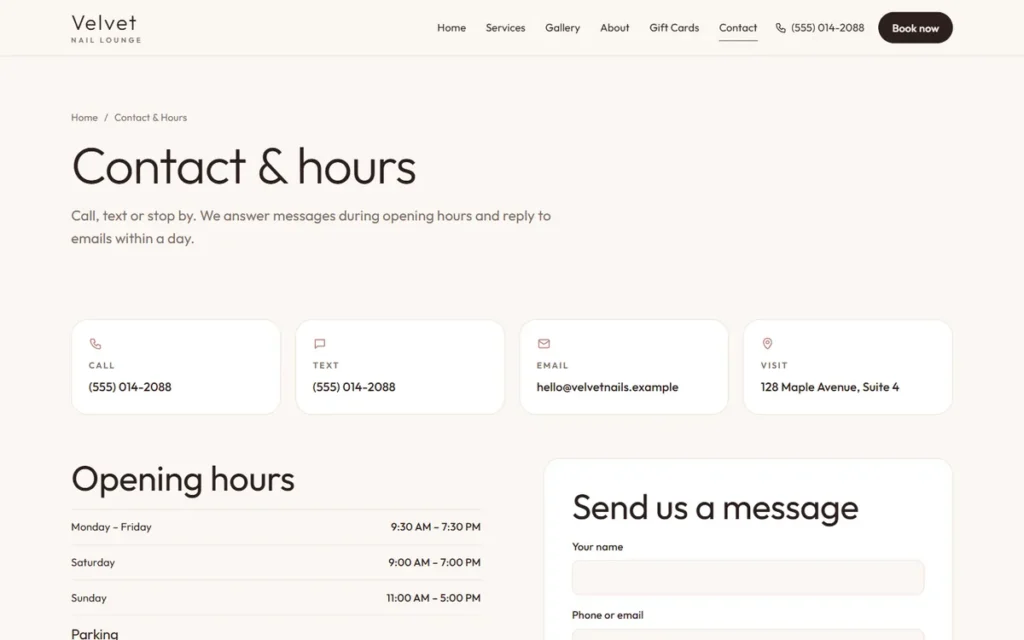
- Name, address and phone number in the footer, written exactly like your profile.
- An embedded map and directions on the contact page.
- A page per main service, with prices, photos and the words customers use.
- A page per location if you have more than one, each with its own hours and phone number.
- Structured data that describes your business; Google documents the local business markup it reads.
- Fast loading on phones and a tap-to-call button at the top.
- Search Console connected, so you can see which searches bring visitors. It is free at Google Search Console.
Local SEO for business types: what to focus on
The twelve fixes apply to everyone, but each trade has its own priorities.
Nail salons, spas, lash and hair studios. Photos of real work, a services list with the names clients search for, and a booking link on the profile. Reviews that mention a service or a technician by name help relevance; you can suggest that clients mention what they had done, without telling them what to write.
Restaurants and cafés. A menu on the profile and a text menu on the website, popular dishes with photos, accurate hours for every holiday, and links for ordering and reservations. Attributes such as outdoor seating or vegetarian options help people decide.
Bakeries. Products with photos, pre-order information, and seasonal posts before Lunar New Year, the Mid-Autumn Festival, Thanksgiving and Christmas, when people search for cakes and gift boxes.
Service-area businesses. Hide the home address, list the real areas you serve, and build one page per service on the website. Photos of finished jobs in recognizable places help.
Several locations. One profile per real location, each with its own phone number, hours and page on your website. Never share one phone number across locations.
A 90-day local SEO plan
Days 1–30: the foundation. Claim and verify the profile, fix the name, category, hours, services and photos. Claim Apple Maps, Bing, Yelp and Facebook with the same details. Put a review QR code at the counter and start asking every customer.
Days 31–60: the website. Fix titles, contact details and the map, add service pages, connect Search Console, and add tracking to the profile link. Start one or two Google posts a week.
Days 61–90: the routine. Reply to every review, add photos weekly, check for edits and duplicates, and compare calls, directions and bookings with the month before. Decide what to keep, what to do more of, and what to drop.
After 90 days you have a working local SEO routine and real numbers, which is a much better place to decide on advertising than a guess.
Local SEO mistakes that cost calls
- Keywords in the business name. Short-term gain, long-term risk of suspension.
- A virtual office or mailbox as the address. Profiles must be at a real location where you meet customers, or set up as a service-area business.
- Buying reviews or gating them, meaning asking only happy customers for reviews.
- Different phone numbers on the website, the profile and Yelp.
- Ignoring negative reviews. A calm, helpful reply often matters more to the next customer than the review itself.
- Measuring only "impressions". Calls, directions and bookings pay the rent.
Google Business Profile posts: what to publish
Many owners agree to post every week and then run out of ideas by week three. A simple rotation solves it:
- Week 1: your work. A recent set of nails, a dish, a cake, a finished job, with one line about it.
- Week 2: an offer or a season. A mid-week special, a holiday menu, gift cards before Mother's Day.
- Week 3: your people. A technician, the chef, the baker, with their permission and a short introduction.
- Week 4: a question customers ask. How long gel lasts, whether you take walk-ins, where to park.
Use a real photo every time, keep the text short, and add a button that opens the matching page on your website or your booking page. Posts on your Google Business Profile are not a ranking trick on their own, but they keep the profile fresh, answer questions before the call and give searchers one more reason to choose you.
How to measure local SEO for business results
Track a few numbers once a month in a simple sheet. Together they show whether the work is bringing customers, not just views.
| Number | Where to find it | What it tells you |
|---|---|---|
| Calls from Google | Google Business Profile performance | People ready to book or order |
| Direction requests | Google Business Profile performance | People planning to visit |
| Website clicks from the profile | Profile performance, plus the tracking tag in analytics | Interest in prices, menu or booking |
| Online bookings or orders | Your booking or ordering system | Customers the site produced |
| New reviews | Your profile | The steady habit that builds prominence |
| Searches that show your site | Google Search Console | Which services and areas people search for |
Compare each month with the one before and with the same month last year, because seasons move every number. If calls and directions grow while reviews keep coming, your local SEO is working; if the numbers stall for two or three months, look again at categories, photos and the website.
What a local SEO service should include
If you hire help, the work should cover the profile foundation, weekly photos and posts, review replies and a compliant way to ask for reviews, consistent listings on Apple Maps, Bing, Yelp and Facebook, and website basics. Ask what will be done every week and how results will be measured: calls, directions, bookings and reviews, not just "impressions".
Red flags: guaranteed "#1 rankings", review packages, asking to become the owner of your profile, and creating listings at virtual addresses.
How long does it take?
Profile changes show up within days. The effect of reviews, photos and consistent listings builds month by month; many businesses see calls and direction requests climb over two to three months of steady work, longer in competitive areas. No one can promise the top spot for every search, because results change with each searcher's location.
Frequently asked questions
I work at customers' homes. Do I need to show my address?
No. Service-area businesses can hide their address and list the areas they serve instead. Do not use a virtual office or mailbox as a storefront address.
I have two locations. One profile or two?
One profile per real location, each with its own phone number and hours, and a separate page on your website for each location.
Does running Google Ads improve my map ranking?
No. Ads appear in separate "Sponsored" spots. They can bring customers while they run, but they do not lift your organic map position.
Do I need a website for local SEO?
You can appear on the map without one, but a website helps in three ways: Google uses it to understand what you do, customers use it to check prices and book, and it lets you show up in regular search results too. A simple, fast site with accurate details is enough to start.
How much does local SEO cost?
Doing it yourself costs time rather than money: the tools from Google, Apple and Bing are free. Hired local SEO for business owners is usually a monthly service, because the work is weekly: photos, posts, review replies, listing checks and reports. Compare offers by what is done every week and how results are reported, not by promises about rankings.
Can I do local SEO for my business myself?
Yes. Everything in this guide can be done by the owner, and the tools are free. What it takes is time every week: photos, posts, review replies and checking for edits. Many owners do the foundation themselves and hire help for the weekly routine.
Need a hand?
Dreamer handles local SEO for small businesses in the US and Canada as part of our social marketing plans, starting at $55 a month: Google Business Profile, Apple Maps, Yelp, weekly keyword posts and help with review replies.