A coffee shop website has to answer the simplest questions faster than anyone else: are you open right now, what do you serve, can I order ahead, and is there a seat with Wi-Fi? Coffee is a daily habit decided in seconds, usually on a phone, often on the way somewhere. A beautiful site that hides the hours under a slideshow loses that customer to the café across the street with a plain page and a big "Order ahead" button.
This guide covers what a coffee shop website needs: the core pages, a drink menu that reads well on phones, order ahead and pickup, beans and subscriptions for roasters, events and community, seating and Wi-Fi details, photos, speed, accessibility and local SEO. It applies to neighborhood cafés, coffee roasters, Vietnamese coffee shops, bubble tea and drink bars, and café-bakeries.
In this article
- What a coffee shop website must do
- The pages a coffee shop website needs
- A drink menu people can read
- Order ahead and pickup
- Describe the space honestly
- Tell the story of your coffee
- Beans, gift cards and subscriptions
- Write like your baristas talk
- Events and community
- Photography
- Speed and phones
- Local SEO for coffee shops
- The home page, top to bottom
- Loyalty without an app
- Catering, offices and wholesale
- Hiring through the website
- Seasonal menus without confusion
- Accessibility for every guest
- Dietary details and allergens
- Drive-through, walk-up windows and curbside
- More than one location
- Holidays, closures and weather
- Bubble tea and drink bars
- Café-bakeries
- Remote workers and students
- Neighborhood partnerships
- Reviews and honesty
- Domain, email and gift cards
- What to prepare before building
- A launch checklist
- Measure what matters
- Keep it current
- Mistakes to avoid
- How Dreamer builds coffee shop websites
- Frequently asked questions
What a coffee shop website must do
- Show open or closed now, with today's hours.
- Show the menu with prices and options.
- Make ordering ahead easy.
- Describe the space: seating, Wi-Fi, outlets, outdoor tables, accessibility.
- Tell the story of your coffee: sourcing, roasting, recipes.
- Sell beans, gift cards and subscriptions if you offer them.
- Rank locally for "coffee near me" and specialty searches.
The pages a coffee shop website needs
| Page | What it includes |
|---|---|
| Home | Open-now hours, order button, featured drinks, location |
| Menu | Espresso drinks, brewed coffee, specialty and seasonal drinks, tea, food, with prices and options |
| Order ahead | Online ordering for pickup |
| Shop | Beans, merchandise, gift cards, subscriptions |
| Our coffee | Sourcing, roasting, brewing methods, recipes |
| Events | Workshops, tastings, live music, community nights |
| Visit | Address, parking, seating, Wi-Fi, accessibility, map |
| Catering and wholesale | Coffee boxes, office orders, wholesale beans |
A drink menu people can read
Menu boards translate poorly to phones. Put your menu on the page as text:
- Group drinks: espresso, brewed, specialty, seasonal, tea, non-coffee, food.
- Show sizes and prices.
- List options and upcharges: oat or almond milk, extra shot, syrups, sweetness and ice levels.
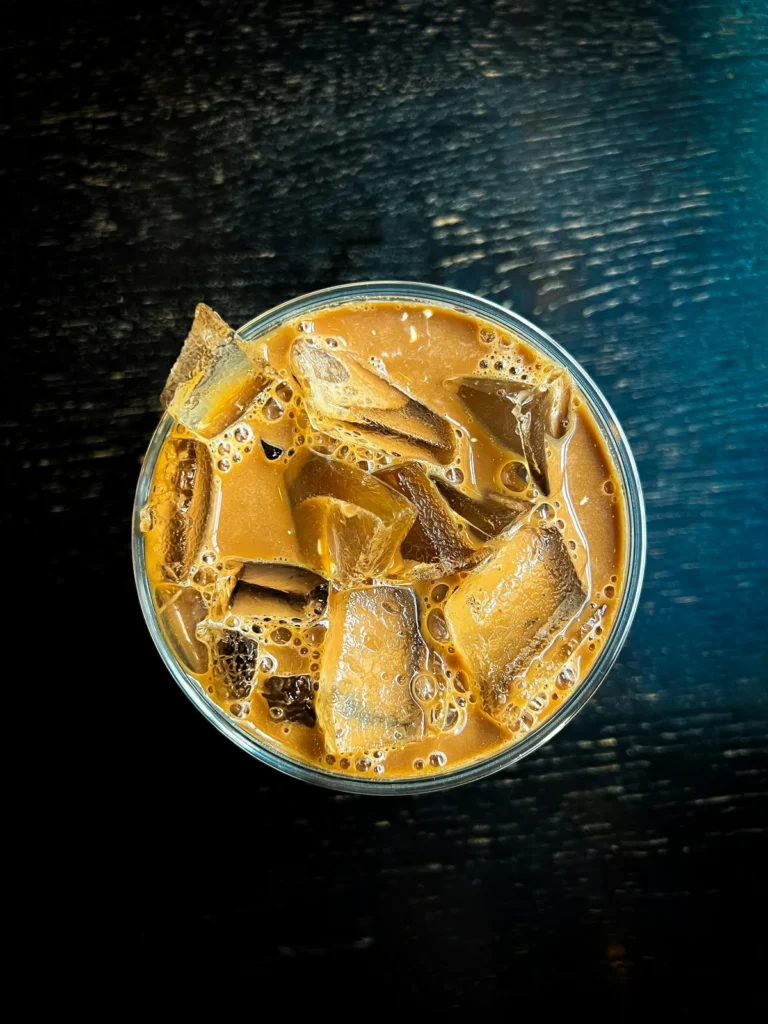
- Describe signature drinks in one line: "Vietnamese iced coffee: dark roast through a phin filter, sweetened condensed milk, over ice."
- Mark seasonal items with dates.
Order ahead and pickup
Order ahead turns a busy morning line into a quick grab-and-go:
- An "Order ahead" button on every page.
- Realistic pickup times shown before payment.
- A clear pickup spot in the café.
- Orders flowing straight to the bar without retyping.
If you use an app or ordering platform, link to it clearly and keep the menu in sync. Our guide to the POS for small restaurants explains how online orders should reach the bar.
Describe the space honestly
People choose cafés for the space as much as the coffee:
- Seating: number of seats, outdoor tables, quiet corners.
- Wi-Fi and outlets, and any laptop time limits.
- Kid-friendly and pet-friendly policies.
- Accessibility: step-free entrance, accessible restroom.
- Parking, bike racks and transit.
Google lets businesses show many of these details as attributes; its help page on how to manage your business attributes explains how. Keep your website and profile consistent.
Tell the story of your coffee
Specialty coffee drinkers care where their coffee comes from. A short "Our coffee" page can cover:
- Where your beans come from and how you choose them.
- Who roasts them, or your roasting approach if you roast in-house.
- Brewing methods: espresso, pour-over, phin, cold brew.
- Recipes and tips for brewing at home.
For Vietnamese cafés, explain the drinks that make you special: phin-brewed coffee, cà phê sữa đá, coconut coffee or egg coffee, with English descriptions next to the Vietnamese names.
Beans, gift cards and subscriptions
Roasters and specialty cafés can sell online:
- Whole bean bags with roast notes, origin and brewing suggestions.
- Subscriptions delivered or ready for pickup.
- Gift cards, especially before holidays.
- Merchandise such as mugs and tumblers.
Start with local pickup if shipping is not ready; expand when the process is smooth.
Write like your baristas talk
The tone of a coffee shop website should match the counter. A neighborhood café can be warm and playful; a specialty roaster can be precise about origins and roast profiles; a Vietnamese coffee shop can share family recipes and memories of street cafés. Whatever the voice, keep sentences short, avoid vague words such as "premium" and "artisanal" without explanation, and give details customers can taste: chocolate and cherry notes, a slow phin drip, house-made pandan syrup. Specific words make people curious enough to visit and order something new.
Events and community
Cafés are community spaces. An events page with dates, descriptions and sign-up links keeps the calendar visible: latte art classes, tastings, open mic nights, book clubs, art shows. Post events on your Google profile and social media as well.
Photography
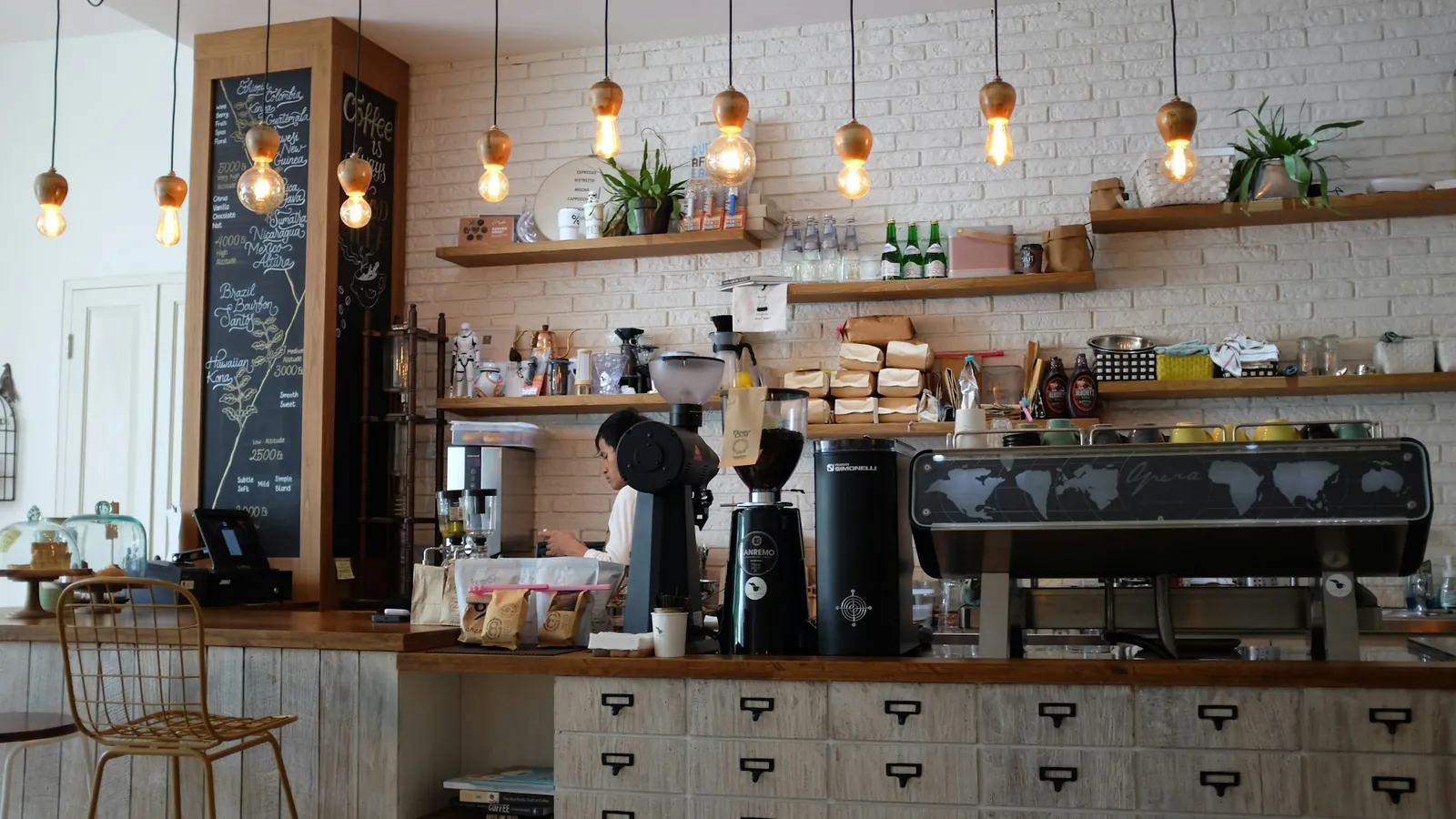
- The bar, the space and the light at different times of day.
- Drinks from above and from the side, with real cups and real latte art.
- Pastries and food you actually serve.
- Baristas at work, with permission.
Real photos make people imagine sitting in your chair; stock images make every café look the same. Refresh the photos each season, when the light, the menu and the window displays change, so returning visitors notice something new.
Speed and phones
Most visitors are on phones, often outside. Keep pages light, compress photos, avoid autoplay video on phones and put hours and the order button at the top. Test the site over mobile data before launch.
Local SEO for coffee shops
- Same name, address and phone on your website and Google profile.
- Menu and ordering links on Google.
- Pages or sections for specialty searches: Vietnamese coffee, cold brew, matcha, oat milk lattes, pastries.
- Neighborhood mentioned naturally.
- Real reviews that mention favorite drinks.
Our guide to local SEO for restaurants covers the same steps for food and drink businesses.
The home page, top to bottom
- Top bar: "Open now until 6 p.m." and an Order ahead button.
- Hero: one photo of your bar or signature drink and a short line about what makes you different.
- Favorites: four drinks and one pastry with prices.
- The space: seating, Wi-Fi, outdoor tables, a photo of the room.
- Our coffee: two sentences and a link to the full story.
- Shop and gift cards: beans, subscriptions, cards.
- Visit: address, parking, transit, hours and map.
Everything a morning visitor needs sits in the first two sections; the rest rewards those who scroll.
Loyalty without an app
Not every café needs its own app. A simple loyalty program tied to the customer's phone number at checkout, a punch card with your logo or a subscription for daily coffee can build habits just as well. Explain the program on the website in one sentence, and make sure the POS handles it without slowing the line.
Catering, offices and wholesale
Offices order coffee boxes for meetings; restaurants and shops buy wholesale beans. A short page with box sizes, what each serves, lead times, delivery areas and an inquiry form can bring steady weekday revenue. For wholesale, describe the beans and support you offer, and share prices on request.
Hiring through the website
Cafés hire often. A small "Work with us" section with open roles, what the job involves and how to apply saves time and attracts people who already love your shop. Keep it updated; an old job post signals that nobody maintains the site.
Seasonal menus without confusion
Pumpkin spice in fall, peppermint mochas in winter, fruity cold brews in summer: seasonal drinks drive visits. Give each season a small section with dates, add the drinks to the menu with a "seasonal" label and remove them the day they end. Announce returning favorites a week early on social media and your Google profile.
Accessibility for every guest
Readable text, strong contrast, short photo descriptions and buttons with clear words help everyone, including guests with low vision and those reading in bright sunlight. State physical access details plainly: step-free entrance, accessible restroom, seating options. Guests appreciate knowing before they arrive.
Dietary details and allergens
Coffee menus look simple, but customers ask many questions: dairy-free milks, sugar-free syrups, nut milks in shared steam wands, gluten in pastries. Add short notes to the menu, explain cross-contact honestly and invite customers with severe allergies to ask the barista. Clear information builds trust with people who otherwise avoid cafés.
Drive-through, walk-up windows and curbside
If you offer a drive-through, a walk-up window or curbside pickup, say so on the home page with hours for each, since they sometimes differ from the dining room. Explain how curbside works: order online, choose a time, park in the marked spot, tap "I'm here". Small instructions save the staff from running outside to find the right car.
More than one location
Cafés with several shops need a location chooser that remembers the customer's choice, separate hours and menus where they differ, and order ahead tied to the right shop. Link each Google profile to its own location page, not to a generic home page, so customers always land on the right address.
Holidays, closures and weather
Post holiday hours a week ahead, update the website and Google on the same day and add a short banner on closure days. For weather closures, a quick banner and social post prevent wasted trips and frustrated reviews. Remove banners as soon as normal hours return.
Bubble tea and drink bars
Tea shops and drink bars share most coffee shop needs, with a few extras: many options per drink (size, sugar, ice, toppings), bright photos of each flavor, a strong order ahead flow and heavy delivery volume. Show toppings with prices, explain signature drinks in a line, and highlight new flavors at the top of the menu each month.
Café-bakeries
If you bake, give pastries equal space with drinks: what comes out of the oven when, what sells out early, and whole cakes or boxes for pre-order. Our guide to bakery website design covers the baking side in detail.
Remote workers and students
Many cafés depend on weekday regulars with laptops. Be clear and friendly about the rules: Wi-Fi details, outlet locations, any time limits during busy hours and the best times to come for a quiet table. Clear expectations prevent awkward conversations and help the right customers choose you.
Neighborhood partnerships
Local partners can send customers your way: the bookstore next door, the yoga studio upstairs, a nearby coworking space, a school or a farmers market. Mention partnerships and joint events on the site, link to partners where it helps customers and ask them to do the same. These local connections also strengthen your presence in local search.
Reviews and honesty
Show real reviews with permission or link to your Google reviews. Never invent testimonials or reward reviews with free drinks; Google prohibits incentives, and customers trust real voices more than polished praise.
Domain, email and gift cards
A short domain with your café's name and a matching email address make orders and confirmations look professional. Sell gift cards online, especially before holidays, and explain how recipients use them. Our guide to the salon gift card program covers rules that apply to cafés as well.
What to prepare before building
- Logo, colors and any signage style you want to match.
- Full menu with sizes, prices, options and upcharges.
- Ordering platform details, if you already use one.
- Photos of the space, bar, drinks and food.
- Your coffee story: sourcing, roasting, recipes.
- Seating, Wi-Fi, parking and accessibility details.
- Events, catering and wholesale information.
A launch checklist
- Hours and "open now" are correct and match Google.
- The menu is text, readable on a phone.
- Order ahead works from every page.
- Photos load quickly over mobile data.
- Contact and catering forms reach the right inbox.
- Seasonal items have end dates.
Measure what matters
| Measure | What it shows |
|---|---|
| Online orders per day | Whether order ahead is easy to find |
| Morning visits to the site | How many people check hours on the way |
| Bean and subscription sales | Interest in your coffee at home |
| Event sign-ups | Strength of your community |
| Direction requests | Local visitors ready to come in |
Keep it current
- Daily: check hours and sold-out items.
- Weekly: add a photo, check ordering links, reply to reviews.
- Monthly: refresh the menu and events, remove expired seasonal drinks.
Mistakes to avoid
- Hours hidden or out of date.
- Menu only as a photo.
- No order ahead link on the home page.
- Seasonal drinks still listed months later.
- Heavy sliders that slow the site.
- Missing seating and Wi-Fi details for remote workers and students.
How Dreamer builds coffee shop websites
Dreamer's website design service builds café and coffee roaster websites with text menus, order-ahead links, bean shops, events and real photos, fast on phones and ready for local SEO. A showcase website starts at $200 for the first year, and a website with ordering or a shop at $300, both including domain and hosting. You can preview a coffee roaster café, a bubble tea shop and a Vietnamese-French bakery among our website templates.
Frequently asked questions
What should a coffee shop website include?
Open-now hours, a text menu with prices and options, order ahead, details about the space, your coffee story, events and location.
Do coffee shops need online ordering?
Most benefit from it, especially for morning rushes. Link it from every page and keep the menu in sync.
Should a café list Wi-Fi and seating?
Yes. Many customers choose cafés for working or studying; clear details help them decide.
How do I show Vietnamese coffee drinks to new customers?
Use the Vietnamese name with a short English description of the brewing method and taste.
Can a coffee shop website sell beans?
Yes, through a simple shop for pickup or shipping, plus subscriptions and gift cards.
How does a website help my café on Google?
A fast site with a text menu that matches your Google profile supports local search and turns visits into orders.
A coffee shop website should feel like the counter at 7 a.m.: quick, friendly and clear. Show the hours, the menu and the order button first, describe the space honestly, tell the story of your coffee and keep everything current. Neighbors will find you, order ahead and, before long, become the regulars who make a café feel like home.