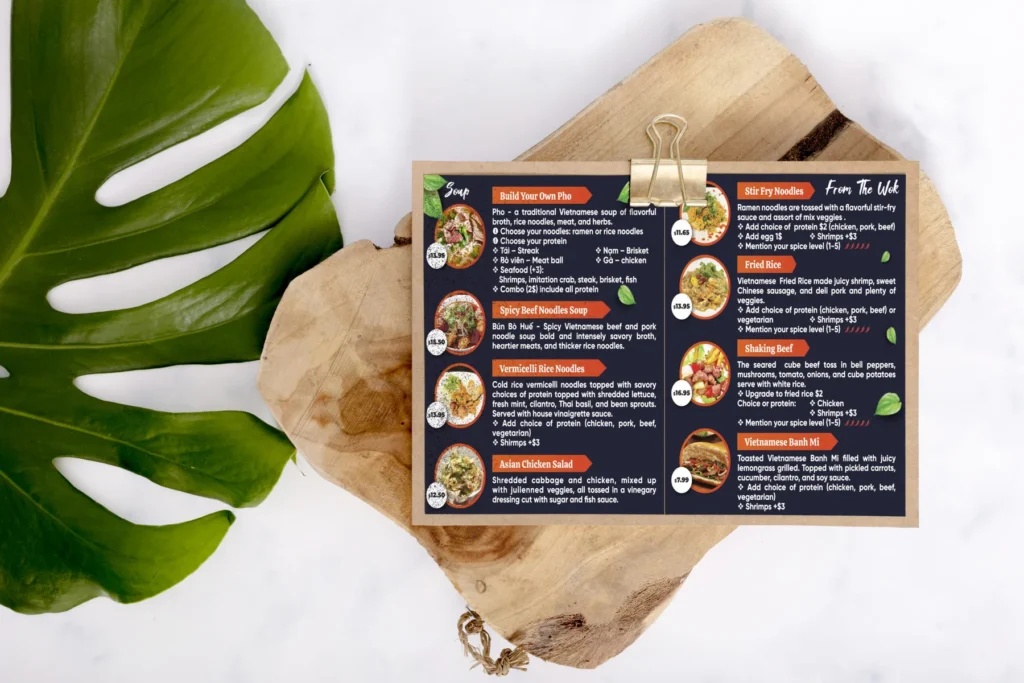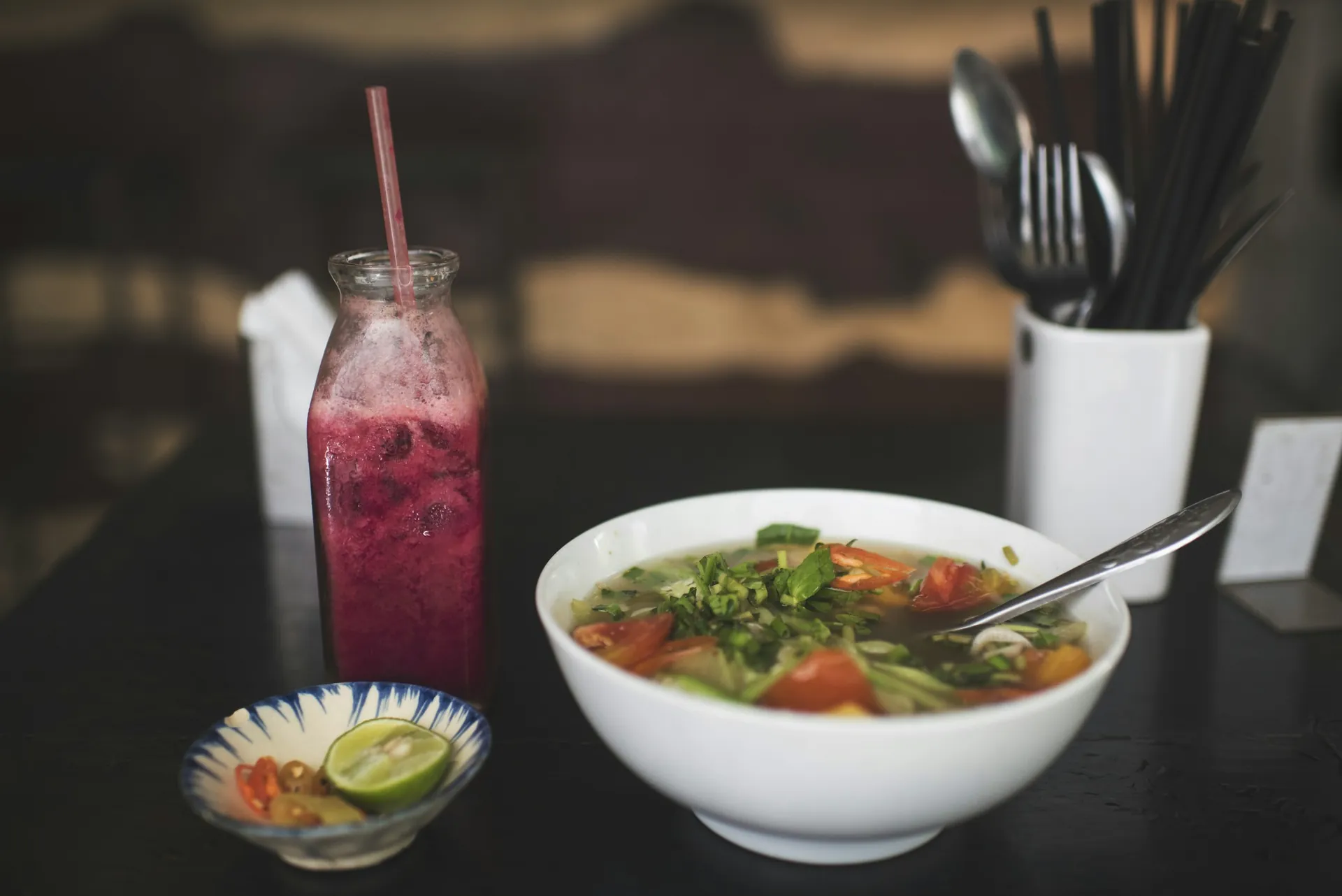
Restaurant website design is about one moment: a hungry person on a phone, deciding where to eat in the next few minutes. They check the menu, the prices, the photos, the hours and whether they can order or book right now. A restaurant website that answers those questions quickly turns that moment into an order. One that shows a slow PDF menu and an old phone number sends them to the place down the street.
Here are twelve features that make the difference, the pages a restaurant site needs, how to handle online ordering, a launch checklist and the most common mistakes to avoid.
In this article
- What restaurant website design must do in ten seconds
- The menu and ordering
- The basics people look for first
- Getting found
- Extra sales and loyalty
- Writing the menu for people and for Google
- The pages a restaurant website needs
- Online ordering: your own site or delivery apps?
- Restaurant website design for different kinds of places
- A launch checklist
- Measuring what your restaurant website brings in
- Keeping the site fresh
- Mistakes to avoid
- What a restaurant website costs
- Frequently asked questions
What restaurant website design must do in ten seconds
Most visitors arrive from Google Maps, Instagram or a friend's message, and they give the site a few seconds. In that time the page has to answer four questions without scrolling: what kind of food is this, does it look good, are you open, and how do I order or book?
That means the top of the home page carries a real photo of your food, one line that says what you serve ("Vietnamese noodle house in Garden Grove"), today's hours, and two buttons: "Order online" and "View menu", or "Reserve a table" for sit-down places. Everything else, such as the story, catering and gift cards, comes further down. A beautiful restaurant website that hides the menu behind a slideshow loses customers who were ready to order.
The menu and ordering
1. A real menu, written as text
Put the menu on a web page, not in a PDF or a photo of the printed menu. Text loads fast on phones, can be read by Google, and can be updated in minutes when a price changes. Group dishes the way your kitchen does, add prices, short descriptions for anything unfamiliar, and labels for vegetarian, vegan, gluten-free or spicy dishes.
Name dishes the way guests search for them. "Pho tai" with "rare beef pho" under it helps both regulars and first-timers, and helps Google match your restaurant to the dish people type.
2. An "Order online" button customers can't miss
Pickup and delivery orders are a big part of many restaurants' sales. Put the order button at the top of every page. If you can, offer online ordering through your own website: delivery apps help new customers discover you, but they usually charge a commission on every order, while orders on your own site keep more of the money with you.
3. Reservations or a waitlist
For sit-down restaurants, a "Reserve a table" button with real-time availability saves phone calls during service. Link the same booking tool from your Google Business Profile so people can book straight from Google Maps. If you do not take reservations, say so clearly and explain how the waitlist works.
4. Photos of your real dishes
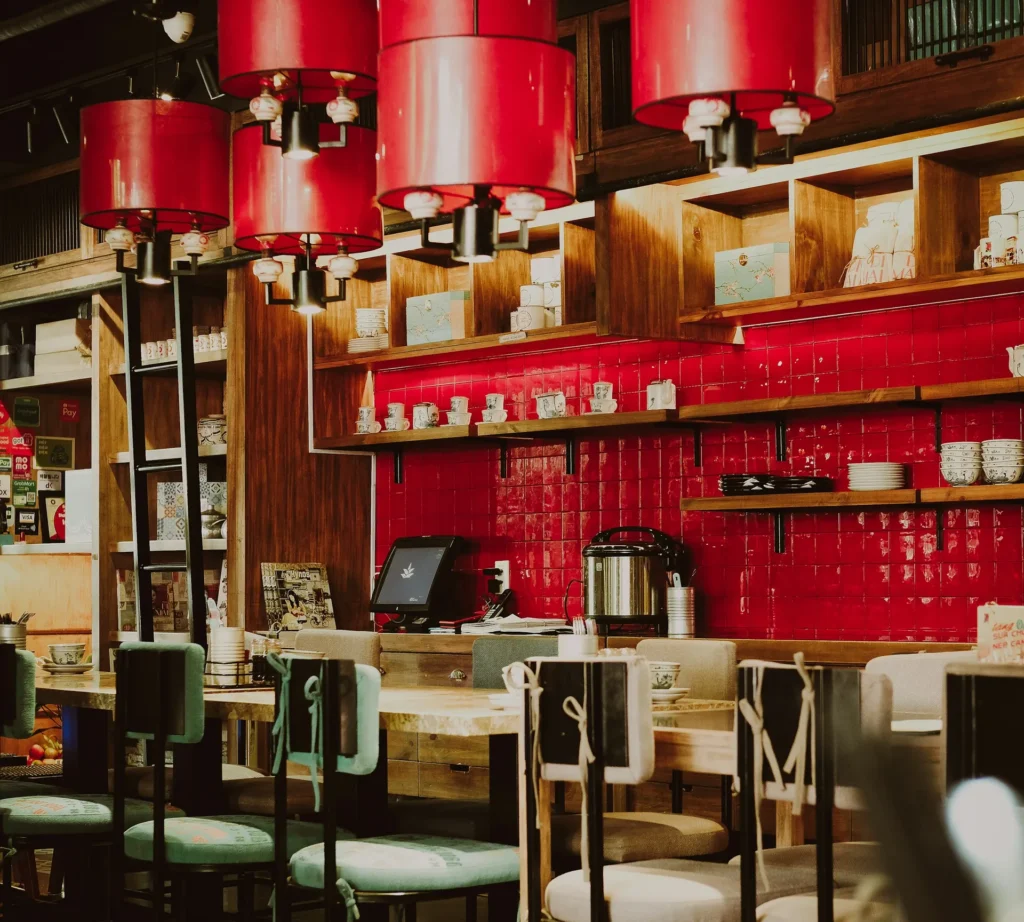
Good photos of your own dishes, lit well and shot from above or at the angle a guest sees them, sell better than any description. Show the dining room too, so people know what kind of place it is: a quick lunch counter, a family dinner spot or a date-night room.
The basics people look for first
5. Hours, address and parking
Opening hours (including kitchen closing time and holiday hours), the address with a map, and where to park. Keep these identical to your Google listing; wrong hours are one of the most common reasons for a bad review.
6. Tap-to-call
Many diners still call to ask about large tables, allergies or wait times. Make the number a button at the top of every page on phones. If you stop taking phone orders during the dinner rush, say so next to the number.
7. Built for phones and fast
Most visitors will be on a phone, many on a mobile connection. Compressed images, no auto-playing video, large buttons and text that is readable without zooming. Test any page for free with PageSpeed Insights, and fix the slowest pages first, usually the ones with the most photos.
Accessible to every guest
A text menu already helps here, because screen readers can read text but not a photo of a menu. Add good color contrast, font sizes that are readable without zooming, short descriptions on photos, and buttons that say what they do ("Order pickup", not "Click here"). Do not rely on color alone to mark spicy or vegetarian dishes; add a word or a symbol with a label. These details let more guests order from your restaurant website, including older diners and people using assistive technology, and the Department of Justice explains how the ADA applies to websites.
Getting found
8. Local SEO built in
Page titles that say what you serve and where ("Vietnamese restaurant in Garden Grove, CA"), structured data that describes your restaurant, cuisine, hours and menu link, and business details that match your Google Business Profile. Google documents the local business and restaurant markup it reads. Add your menu link and ordering link to your Google profile as well, so people can act right from the map.
Google ranks local results by relevance, distance and prominence (Google's explanation). A clear text menu and accurate details help relevance; reviews, photos and mentions across the web help prominence.
Extra sales and loyalty
9. A catering and large-orders page
Office lunches, family parties and events can be some of the best orders a restaurant gets. A page with catering trays, minimum orders, lead times and a simple request form makes it easy for planners to choose you.
10. Gift cards
Gift cards bring cash in ahead of time and bring new guests when they are used. Sell them on the site, and promote them before holidays. Make the balance easy to check and the terms easy to find, and mention them at the register in December.
11. Your story
Who cooks, where the recipes come from, why the place exists. A few honest lines and a photo of the family or the team give people a reason to choose you over a chain.
12. A way to stay in touch
An email or text list sign-up (with clear consent) for new dishes, seasonal specials and events, plus links to your Instagram and Facebook. Your own list is the one marketing channel no platform can take away. Text messages need the customer's permission first; the FCC explains the rules on unwanted texts, and Canada's anti-spam law covers email and texts there.
Writing the menu for people and for Google
The menu page is the most visited page on almost every restaurant website, so it deserves the most care.
- Use your kitchen's sections: starters, soups, noodles, rice plates, drinks, desserts. Guests scan section names first.
- Give each dish a clear name and one line. "Bun bo Hue: spicy lemongrass beef noodle soup from central Vietnam" helps a guest who has never tried it.
- Show prices next to every dish, including add-ons and sizes.
- Mark dietary options with simple labels: vegetarian, vegan, gluten-free, spicy.
- Keep a short specials section at the top for seasonal or weekly dishes, and remove items as soon as they end.
- Match the printed menu. Same names, same numbers, same prices, so phone orders, dine-in and online ordering never disagree.
A menu written this way is also what Google reads to decide which searches your restaurant fits, from "bun bo hue near me" to "vegetarian pho".
The pages a restaurant website needs
| Page | What it answers | Must include |
|---|---|---|
| Home | What do you serve, and is it good? | A real food photo, hours today, order and menu buttons |
| Menu | What can I eat, and how much? | Text menu, prices, dietary labels |
| Order or reserve | Can I get it now? | Online ordering or a booking tool that works on phones |
| Catering | Can you feed my group? | Trays, minimums, lead time, request form |
| About | Who are you? | The story, the family or the team |
| Contact | Where and when? | Address, map, parking, hours, phone |
| Gift cards | Can I give this as a gift? | Buy online, balance check |
Small places can combine some of these, but the menu should always be its own page with its own address, so you can link to it from Google, Instagram and printed materials.
Online ordering: your own site or delivery apps?
Most restaurants use both, for different jobs. Delivery apps are a discovery channel: people browse them to find somewhere new, and the app brings the driver. Ordering on your own restaurant website is a loyalty channel: regulars who already know you order directly, and you keep more of each order and the customer's contact details.
A simple way to run both:
- Keep your full menu and prices on your own site, with a clear "Order online" button for pickup.
- List on one or two delivery apps for discovery, and check the commission and fees in your contract.
- Put a small card in every delivery bag inviting guests to order directly next time.
- Link your direct ordering from your Google Business Profile, Instagram bio and printed menus.
Over time, the share of orders that come directly through your own restaurant website is one of the best measures of how well your marketing is working.
Restaurant website design for different kinds of places
Pho, noodle and rice shops. Fast lunch traffic means the menu and the pickup button matter most. Number dishes the same way as the printed menu, so phone orders and online orders match.
Sit-down and family restaurants. Reservations, large-party information, the dining room in photos, and a page for private events.
Cafés and bakeries. Daily items, drinks, seasonal specials and pre-orders for cakes or trays. Hours often change by season, so keep them current.
Food trucks. A weekly schedule of locations, a short menu, and links to the places you post updates. The schedule is the page people look for.
Catering-first kitchens. Trays, per-person pricing, minimums, delivery areas and a request form that asks for date, headcount and budget.
A launch checklist
- Menu as text, with current prices and dietary labels.
- Order and reserve buttons visible at the top of every page on a phone.
- Hours, holiday hours, address and phone identical to Google.
- Page titles with your cuisine and city.
- Photos compressed and described with short alt text.
- Ordering tested end to end, including the confirmation message.
- Tap-to-call works on iPhone and Android.
- Menu, ordering and booking links added to your Google profile.
- The domain registered in your restaurant's name.
Measuring what your restaurant website brings in
Visits are nice; orders pay the bills. Once a month, write down a few numbers:
- Online orders placed through your own site, and their total.
- Reservations made online.
- Calls and direction requests from your Google Business Profile.
- Catering and large-order requests from the form.
- The searches that bring people to your site, from Google Search Console.
If the menu page gets plenty of visits but few orders, the order button may be hard to find or the ordering steps too long. If catering requests are rare, put the catering page in the main menu and mention it on receipts and in delivery bags. Small fixes like these usually matter more than a new design.
Keeping the site fresh
A restaurant website ages quickly: prices move, dishes come and go, holidays change the hours. Set a routine. Update prices the same day they change, post holiday hours a week ahead, swap the specials section each season, and add a few new photos every couple of months. If you close for a family event or a renovation, post a short notice at the top of the home page and on Google the same day, with the date you reopen. A site that is clearly looked after tells guests the kitchen is looked after too.
Mistakes to avoid
- A PDF menu that takes ages to load and is hard to read on a phone.
- An old menu with prices that no longer match.
- Pop-ups that cover the menu as soon as the page opens.
- Music or video that starts playing on its own.
- A different phone number or hours on the site than on Google.
- Stock photos of dishes you do not serve.
What a restaurant website costs
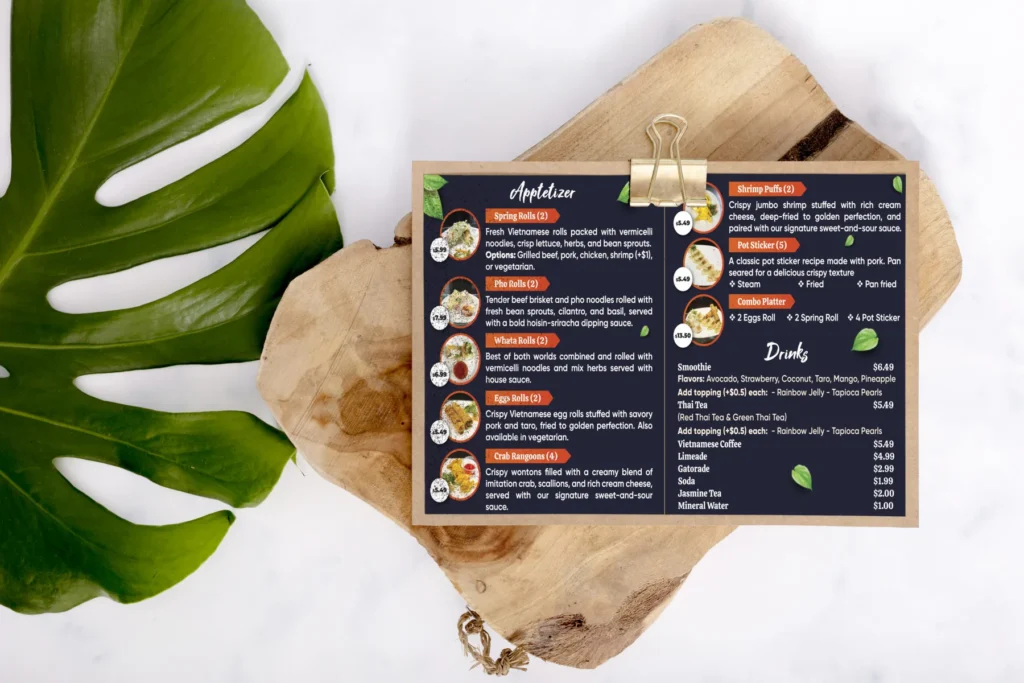
For a single location, a well-built site with a text menu, ordering or reservation links, catering and gift cards usually costs far less than an agency build. Our website cost guide explains typical ranges. Dreamer's published prices: $200 for the first year of a showcase site, $300 for a site with booking or online ordering, then $129 a year for domain and hosting. Dreamer also designs and prints menus for the table and the wall, so your printed and online menus always match.
Frequently asked questions
Should I still use delivery apps?
Usually yes, for discovery: many people browse them to find new places. Encourage repeat customers to order directly from your website, for example with a note in the bag or a direct-order offer.
How often should the menu be updated?
Every time a price or dish changes. A text menu on your site takes minutes to update, which is one of the main reasons not to rely on a PDF.
Do I need a separate website if I have a Google listing?
Your Google listing is where people find you; your website is where they read the full menu, order, book or ask about catering. The two work best together.
How long does it take to build a restaurant website?
A site on a proven layout usually takes a few weeks, and most of that time goes into the menu text, prices and photos. Online ordering, reservations and catering forms add setup and testing time. Having the menu ready as text speeds everything up.
Can I update the menu myself?
You should be able to. Ask for a restaurant website where the menu is edited as text in a simple form, so a price change takes a minute and does not need a designer.
Should I show prices on the online menu?
Yes. Guests decide on price as much as on taste, and a menu without prices sends them to a place that shows them. If prices change often, update the text menu rather than removing them.
How many photos does a restaurant website need?
Fewer than you think, if they are good: one strong photo for each section of the menu, a few of the dining room and the team, and a hero photo for the home page. Ten to twenty sharp, well-lit photos beat a hundred dark ones.
Should restaurant website design include allergen information?
List common allergens or dietary labels where you can, and always invite guests with allergies to call or tell the server. Keep the online and printed menus consistent so nobody gets two different answers.