Boutique website design is about turning the charm of your shop into an online experience that still feels personal. Shoppers who love your racks, your styling and your service should find the same feeling on your website: a curated edit, honest photos, clear sizes and a simple checkout. At the same time, an online store brings responsibilities that a shop counter does not: shipping promises, return policies, inventory accuracy and payment security.
This guide covers what small boutiques, flower shops, skincare shops, nail supply stores and specialty markets need on their websites: the core pages, product pages that sell, collections and new arrivals, inventory that stays in sync with your POS, pickup and shipping, returns, payments, photography, speed, accessibility and local SEO.
In this article
- What a boutique website must do
- The pages a boutique website needs
- Product pages that sell
- Collections and new arrivals
- Keep inventory in sync
- Pickup, shipping and delivery
- Returns and exchanges
- Payments and security
- Photography that sells
- Speed and phones
- Local SEO for boutiques
- The home page, section by section
- A size guide that prevents returns
- Email list and repeat customers
- Gift cards and wishlists
- Styling appointments and personal shopping
- Instagram and social selling
- What to prepare before building
- Writing product descriptions in your voice
- Sales, promotions and discount codes
- Customer service online
- Gift wrapping and notes
- Flower shops
- Skincare and beauty supply shops
- Specialty markets and groceries
- Sales tax and legal pages
- Accessibility for every shopper
- A launch checklist
- Measure what the store brings
- A weekly routine
- Mistakes to avoid
- Styles for different shops
- How Dreamer builds boutique websites
- Frequently asked questions
What a boutique website must do
- Show a curated edit, not a warehouse: your style and point of view.
- Answer fit and quality questions on every product page.
- Keep stock accurate so customers never buy an item that sold in the shop an hour ago.
- Offer pickup and shipping with clear costs and times.
- Explain returns before checkout.
- Bring local shoppers in and help faraway fans order online.
The pages a boutique website needs
| Page | What it includes |
|---|---|
| Home | New arrivals, featured collections, story, shop and visit buttons |
| Shop and collections | Products by category, season, occasion or edit |
| Product pages | Photos, price, sizes, colors, materials, care, fit notes |
| Size guide | Measurements and how to measure |
| Shipping and pickup | Costs, areas, timelines, local pickup |
| Returns and exchanges | Window, condition, process, exceptions |
| About | Your story, the people behind the shop |
| Visit | Address, hours, parking, map |
| Contact | Questions, styling appointments, wholesale |
Product pages that sell
A product page has to replace touching the fabric and trying it on:
- Photos: front, back, detail and on a model or a mannequin, in natural light.
- Price and any sale price, clearly.
- Sizes and colors with stock shown per option.
- Materials and care: "100% linen, machine wash cold, line dry."
- Fit notes: "Runs slightly large; size down if between sizes. Model is 5'7" wearing S."
- Styling ideas: what it pairs with, linked to those products.
- Shipping and returns summary near the buy button.
Specific details reduce returns and questions. When a customer asks something by email that the page did not answer, add the answer to the product page the same day; the next shopper will not need to ask.
Collections and new arrivals
Shoppers love discovery. Organize products into collections that reflect how your customers shop: new arrivals, by occasion (vacation, work, wedding guest), by season, by category, gift ideas under a price. Refresh the home page whenever new pieces land, and send them to your email list.
Keep inventory in sync
Small boutiques often have one of each size. If the online store and the shop counter use separate stock counts, items sell twice. Use a POS and online store that share inventory, or update stock immediately after in-store sales. Our guide to salon POS features lists retail features worth checking, such as inventory and barcode scanning.
Pickup, shipping and delivery
- Local pickup: free, with a ready-for-pickup notification and pickup hours.
- Local delivery: for flowers, groceries or gifts, with areas and fees.
- Shipping: carriers, costs, processing time and delivery estimates.
Be careful with promises. The FTC's Mail, Internet, or Telephone Order Merchandise Rule requires sellers to have a reasonable basis for the shipping times they state, or to ship within 30 days if no time is stated, and to offer customers the option to cancel for a refund when delays happen. State only processing and shipping times you can keep.
Returns and exchanges
Write a short, friendly policy:
- How many days customers have to return or exchange.
- Condition: unworn, tags attached.
- Final sale items, clearly marked on product pages.
- How to start a return and who pays return shipping.
- When refunds arrive.
A clear policy increases trust and reduces disputes.
Payments and security
Offer the payment methods customers expect, including cards, mobile wallets and, where it fits, buy now pay later options through your provider. Use a secure checkout with an SSL certificate, and never store card numbers yourself; your payment provider should follow PCI standards.
Photography that sells
- Consistent backgrounds and light across all products.
- Real colors; avoid filters that change shades.
- Detail shots of fabric, stitching and hardware.
- Lifestyle photos for collections and the home page.
- For flowers and food, shoot the real product just before delivery.
Speed and phones
Most shoppers browse on phones. Large product photos must be compressed and served at the right size, and collection pages should load quickly even with many products. A slow store loses impulse purchases.
Local SEO for boutiques
- Same name, address and phone as your Google Business Profile.
- Mention your neighborhood and specialties naturally: "women's linen clothing in the Heights".
- Product categories that match searches: "wedding guest dresses", "peony bouquets", "Korean skincare".
- Local pickup clearly explained.
- Real reviews that mention products and service.
The home page, section by section
- Hero: one striking photo from the newest collection with a short line and two buttons: Shop new arrivals and Visit the shop.
- New arrivals: six to eight products with prices.
- Collections: three or four edits, such as vacation, workwear and gifts.
- Our story: the owner, the shop and what you look for when you buy.
- Pickup and shipping: one sentence each, with a link to details.
- Visit: address, hours, parking and map.
Shoppers should understand your style, find something new and know how to get it within a few seconds.
A size guide that prevents returns
Returns often come from size confusion. Publish a size guide with measurements in inches for each size and category, explain how to measure, and add fit notes on product pages. For brands that run small or large, say so. A good size guide pays for itself in fewer returns and happier customers.

Email list and repeat customers
Boutique customers love being first to see new pieces. Invite visitors to join your email list with a clear reason, such as early access to new arrivals, and send a short email when collections drop. Only email people who agreed, and make unsubscribing easy. Our guide to nail salon email marketing explains consent and email basics that apply to shops too.
Gift cards and wishlists
Gift cards help shoppers who are unsure about sizes or styles. Sell digital gift cards that work online and in the shop, and consider a simple wishlist feature so customers can save favorites and share them before birthdays and holidays.
Styling appointments and personal shopping
Personal service is what big online stores cannot copy. If you offer styling appointments, private shopping hours or virtual consultations, give them a page with a booking link. Customers who book time with you often spend more and return more often.
Instagram and social selling
Many boutiques sell through Instagram. Link your bio to new arrivals, tag products where your platform allows, and make sure every product mentioned on social media has a page with sizes and stock. A post that makes someone want a dress should lead straight to that dress, in their size.
What to prepare before building
- Logo, colors and fonts that match your shop.
- Product photos, descriptions, sizes, materials and prices.
- Collections you want to feature first.
- Shipping rates, processing times and delivery areas.
- Return and exchange policy.
- Payment provider and POS details.
- Shop address, hours and pickup instructions.
Writing product descriptions in your voice
A boutique's voice is part of the brand. Write descriptions the way you would describe a piece to a regular in the shop: what makes it special, how it feels, where to wear it. For example: "A soft linen shirt dress in a warm sand color, with a relaxed fit and deep pockets. Easy for summer weekends and polished enough for the office with a belt." Then add the facts: materials, care, fit and measurements. Personality plus precision sells better than generic manufacturer copy, and it gives search engines unique text instead of the same paragraph found on a hundred other stores.
Sales, promotions and discount codes
Online promotions need the same care as in-store sales:
- Show the original price and the sale price clearly.
- Mark final sale items before checkout.
- Set start and end dates for discount codes, and test them.
- Avoid stacking discounts by accident.
- Remove sale banners the day the sale ends.
A clean promotion builds excitement; a confusing one creates support emails and returns.
Customer service online
Shoppers who cannot touch a product ask questions. Make answering easy:
- A visible contact form and email address on every product page.
- Replies within one business day, ideally the same day.
- A short FAQ covering sizing, shipping times, gift wrapping and returns.
- A chat or messaging option only if someone can actually answer during opening hours.
Fast, friendly answers are one of the few advantages a small boutique has over huge online stores, so make them part of the experience and mention them on the site: "Questions about fit? We reply within a few hours."
Gift wrapping and notes
Many boutique orders are gifts. Offer gift wrapping, a handwritten note and the option to hide prices on the packing slip. Show a photo of the wrapping so shoppers know what the recipient will see. Small touches like these turn a purchase into a memorable experience and encourage repeat orders before the next birthday or holiday.
Flower shops
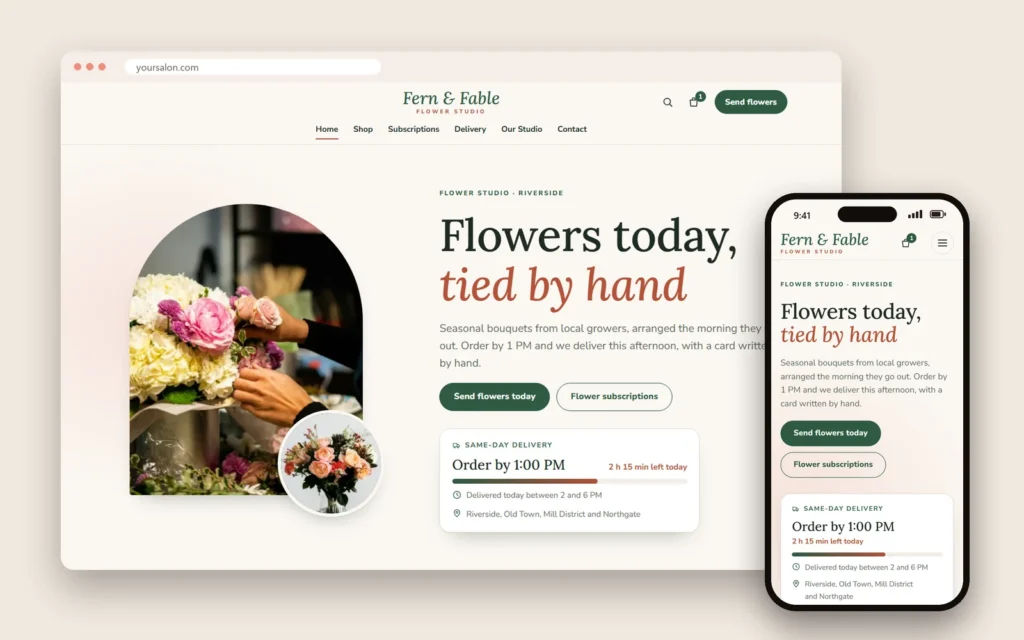
Florists sell time-sensitive products. Their websites need delivery areas and fees, same-day cut-off times, a calendar for delivery dates, occasion categories (birthday, sympathy, anniversary), card message fields and a note that arrangements may vary slightly with seasonal flowers. Holidays such as Valentine's Day and Mother's Day need early ordering and clear limits on same-day orders.
Skincare and beauty supply shops
Skincare shoppers read ingredient lists and want to know what suits their skin. Product pages should list ingredients, skin types, how to use, size and a clear note on any patch testing you recommend. Nail and beauty supply stores need searchable catalogs by brand, color and collection, with stock levels and pickup, since professionals often need items the same day.
Specialty markets and groceries
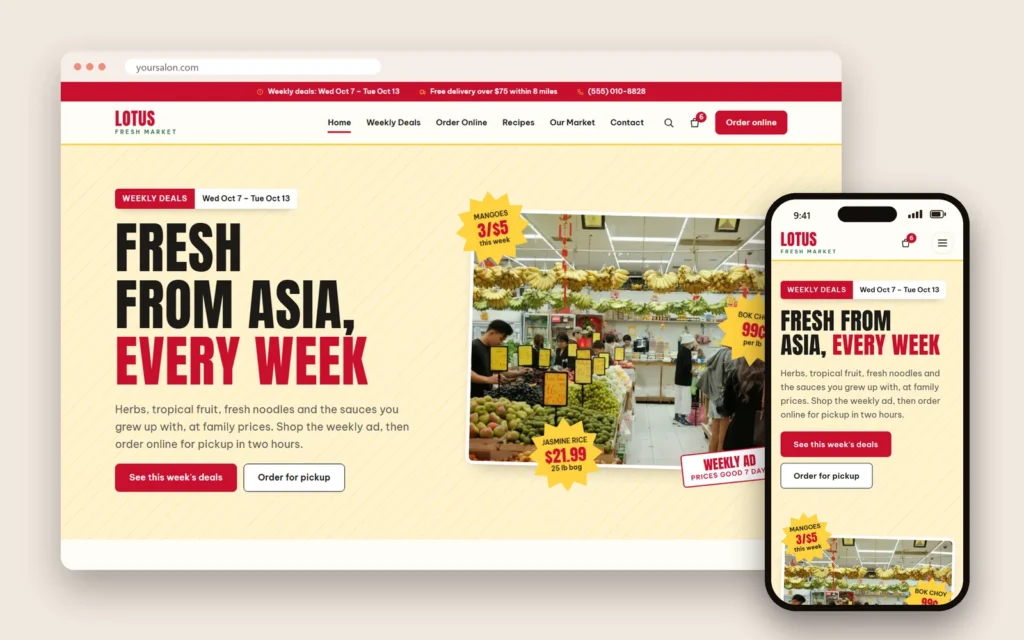
Asian groceries and specialty markets sell many small items. Rather than putting every product online, many markets feature weekly specials, popular imported items, gift boxes and holiday goods, with pickup or local delivery. Product names in two languages help both communities find what they want.
Sales tax and legal pages
Online sales can create sales tax obligations, including in other states once sales pass certain thresholds. Ask your accountant how to set tax rates in your store and when you need to register elsewhere. Publish clear pages for shipping, returns, privacy and terms, and keep them consistent with what happens at checkout.
Accessibility for every shopper
Accessible online stores reach more customers: descriptive image text for products, strong contrast, readable fonts, buttons with clear labels, forms that work with screen readers and keyboards, and size guides in text rather than only in images. Accessibility also reduces confusion for every shopper on a small phone.
A launch checklist
- Every product has photos, price, sizes, materials and care.
- Stock levels match the shop.
- Checkout works on phones with every payment method.
- Shipping costs and times are correct for each area.
- Return policy is linked on product pages and at checkout.
- Order confirmation emails look professional.
- The site loads quickly over mobile data.
Measure what the store brings
| Measure | What it shows |
|---|---|
| Online orders per week | Overall demand |
| Pickup vs shipping share | How many local customers order online |
| Return rate by product | Where fit notes or photos need work |
| Best-selling collections | What to buy more of |
| Email sign-ups | Growth of your loyal audience |
A weekly routine
Add new arrivals with full details, mark sold-out items, check that discounts ended on time, answer product questions within a day and add one new photo of the shop or a styled look. A small boutique that keeps its site fresh feels open even on Sunday night.
Mistakes to avoid
- Thin product pages with one photo and no sizes.
- Inventory out of sync with the shop.
- Shipping promises you cannot keep.
- Hidden return policies.
- Huge images that make the store slow.
- No local pickup for nearby customers.
Styles for different shops
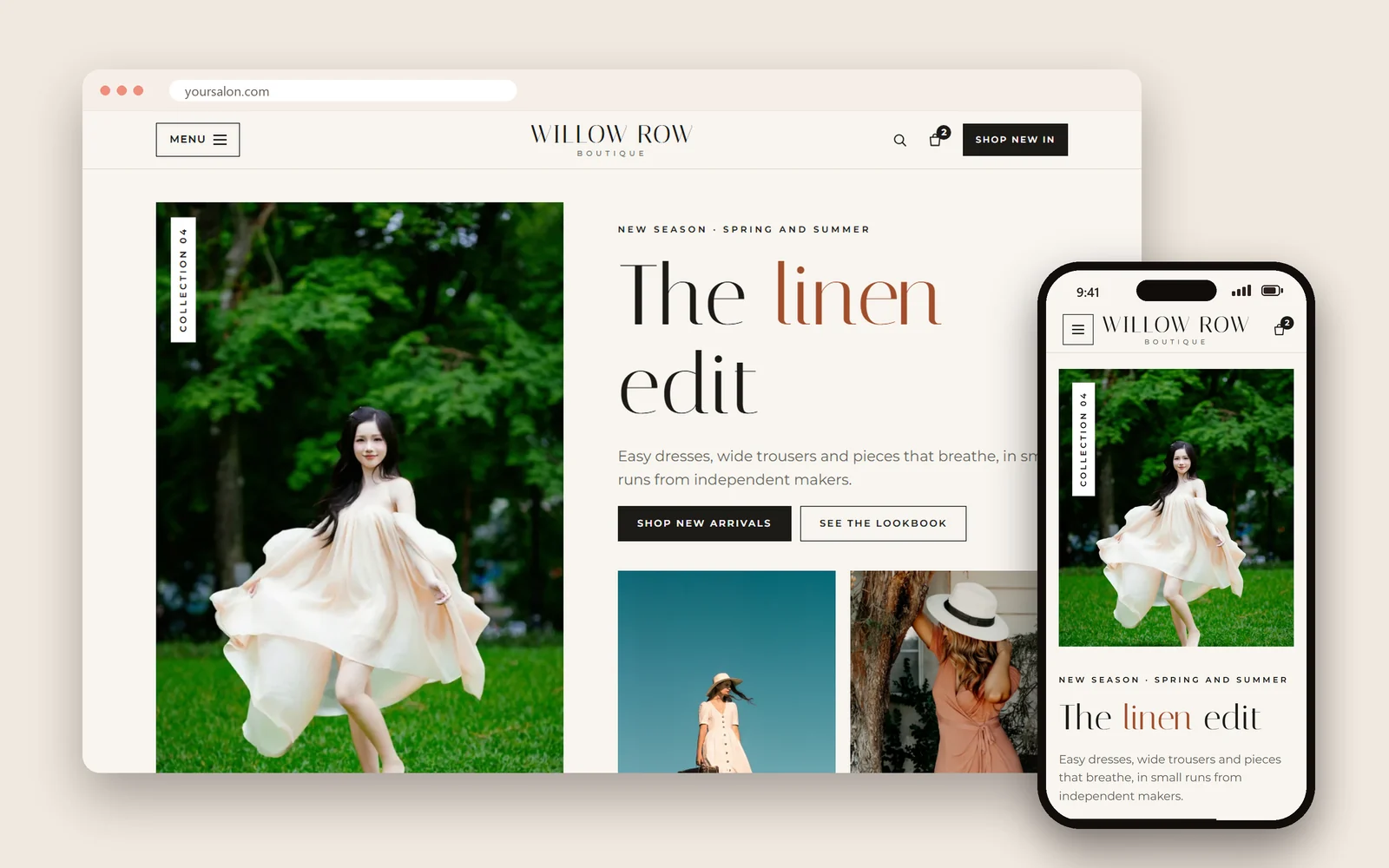
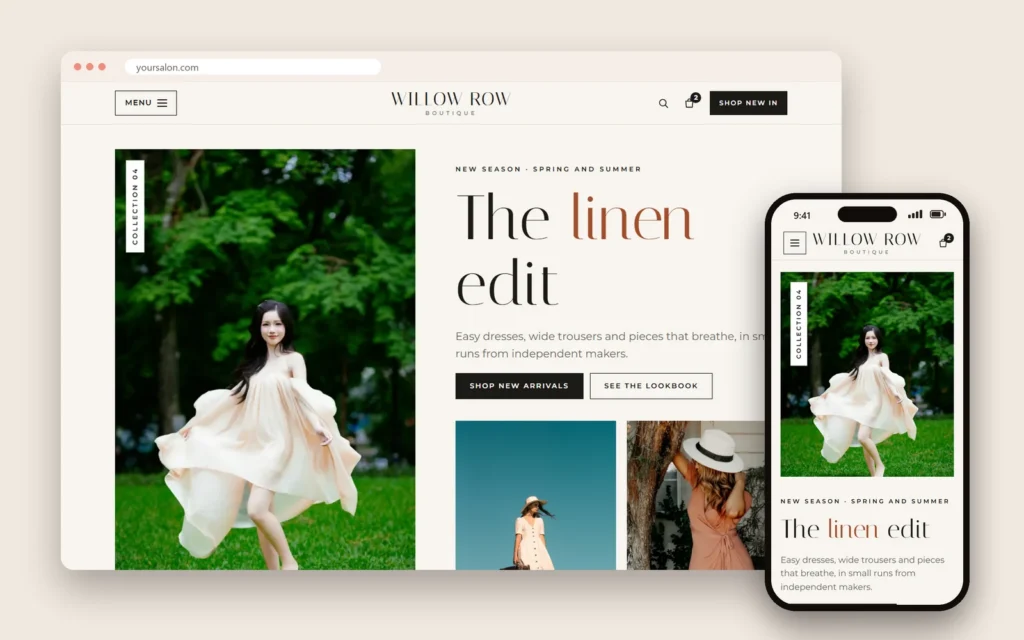
Dreamer's website templates include five shop styles: a nail supply store, a fashion boutique, a flower shop, an Asian grocery market and a skincare shop. Each has its own layout, colors and type, with product grids, product pages, filters and size guides where they fit.
How Dreamer builds boutique websites
Dreamer's website design service builds boutique and shop websites with product pages, collections, pickup and shipping options and clear policies, fast on phones and ready for local SEO. An online store website starts at $300 for the first year, including domain and hosting, then $129 a year.
Frequently asked questions
What should a boutique website include?
New arrivals, collections, detailed product pages, a size guide, shipping and pickup details, returns, your story and visit information.
How many photos should a product page have?
Several: front, back, detail and worn or styled, in consistent light.
How do I keep online and in-store stock accurate?
Use a POS and online store that share inventory, or update stock immediately after in-store sales.
Do small boutiques need to follow shipping rules?
Yes. Sellers must have a reasonable basis for stated shipping times and offer cancellation and refunds when delays occur.
Should boutiques offer local pickup?
Yes. It is free for customers, brings them into the shop and avoids shipping costs.
How does a boutique website help local search?
A fast site that matches your Google profile and describes your specialties supports local visibility and brings shoppers through the door.
Boutique website design works when the website feels like your shop: curated, personal and trustworthy. Build product pages that answer every question, keep inventory in sync, promise only shipping times you can keep, explain returns clearly and invite local shoppers to pick up in person. Your online store will grow alongside the shop instead of competing with it.