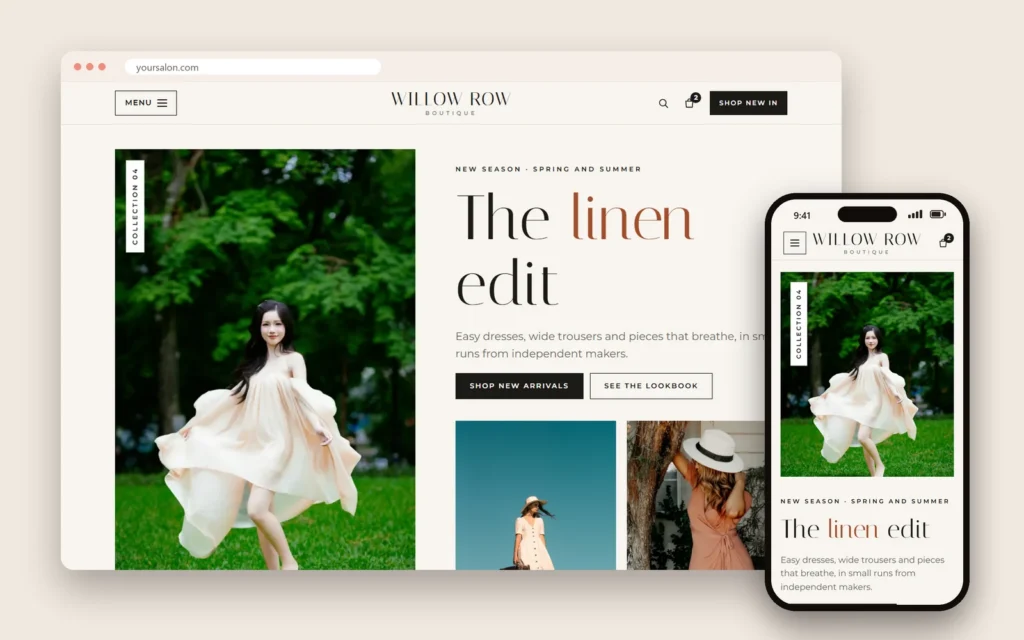
Website design for small business is not about winning design awards. A small business website has one job: turn people who are curious into customers who call, book, order or walk in. Looking good matters, but a beautiful site that does not show up on Google, loads slowly on a phone or hides the booking button is still an expensive brochure.
Here are seventeen features that make the difference, grouped by what they do for you: get found, earn trust, make it easy to act, and work for everyone. After that come the pages you need, a launch checklist, the most common mistakes, a short cost guide and a checklist for choosing a web designer.
In this article
- What website design for small business should achieve
- Get found on Google
- Earn trust before the first visit
- Make it easy to act
- Work for every visitor
- The pages a small business website needs
- Website design for small business by industry
- Prepare your content before the design starts
- Website design for small business: a launch checklist
- After launch: keep the small business website working
- Common small business website mistakes
- What a small business website costs
- How to choose a web designer
- Frequently asked questions
What website design for small business should achieve
Before colors and fonts, decide what the site is for. Every visitor arrives with the same handful of questions: what do you do, how much does it cost, is it any good, where are you, when are you open, and how do I book or order? A good small business website answers each of those within a few seconds, on a phone, without making anyone dig.
Then pick one main action. For a salon or spa it is usually "Book now". For a restaurant it is "Order" or "Reserve". For a shop it might be "Call" or "Get directions". That action should be visible at the top of every page and again at the end of every section, so the visitor never has to scroll back up to find it.
Everything else in this guide supports those two ideas: answer the questions, and make the next step obvious.
Get found on Google
1. Page titles that say what you do and where
The title of each page is one of the first things Google reads. "Home" tells it nothing; "Nail salon in Katy, TX | Your Salon Name" tells it exactly who should see the page. Every important page deserves a clear, specific title and a short description that reads like an invitation, because that description is often what appears under your link in the results.
2. Business details that match your Google listing
Your name, address, phone number and hours should match your Google Business Profile exactly, everywhere they appear. Google compares them; consistent details make it more confident about showing your business on the map. Google's guidelines for representing your business explain what your listing should and should not say.
3. A location section with a map
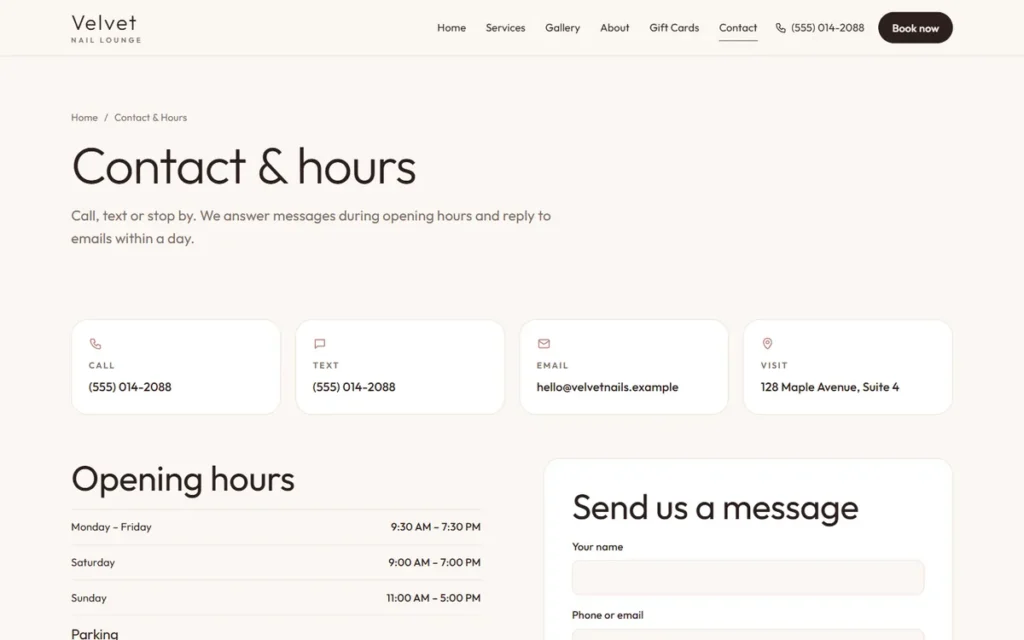
An address in the footer, an embedded map, and a few words about the neighborhood ("in the Maple Plaza, next to the post office") help both customers and search engines place you. If you serve nearby towns, name them naturally in the text.
4. Structured data
Behind the scenes, a small block of code (schema markup) describes your business type, address, hours and phone number in a format search engines understand. Visitors never see it, but it helps Google read your site correctly. Google documents the local business markup it reads.
Earn trust before the first visit
5. Real photos
Photos of your actual work, space and team convert far better than stock images. Customers can tell the difference, and they are deciding whether your place is for them. Good phone photos in daylight are enough; what matters is that they are yours.
6. Real reviews
Show reviews from real customers, with their permission, or link to your Google reviews. Never invent testimonials or edit them to sound better: the FTC rule on reviews and testimonials applies to your website too.
7. An about page with people in it
Small businesses win on people. A few lines about the owner and the team, with photos, make the business feel familiar before the first visit. Tell the real story: how the business started, what you care about, who will greet the customer at the door.
8. Clear policies
Cancellation and late policies, deposits, refunds, gift card terms. Clear rules prevent awkward conversations and bad reviews later, and they show customers you run a careful business.
Make it easy to act
9. Tap-to-call everywhere
On a phone, the phone number should be a button, visible at the top of every page. Many customers would rather call than fill in a form, especially for a first visit.
10. Online booking or ordering
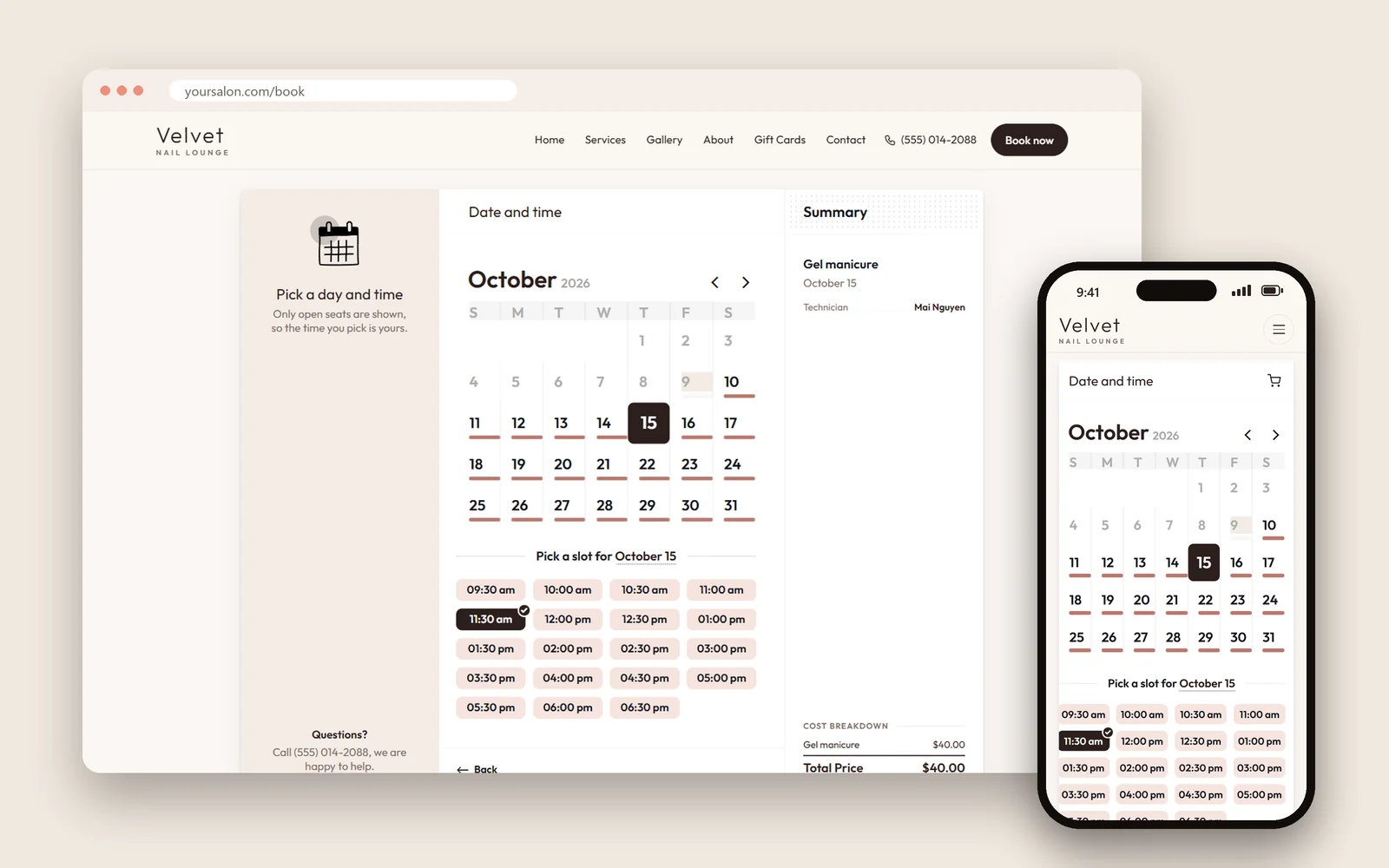
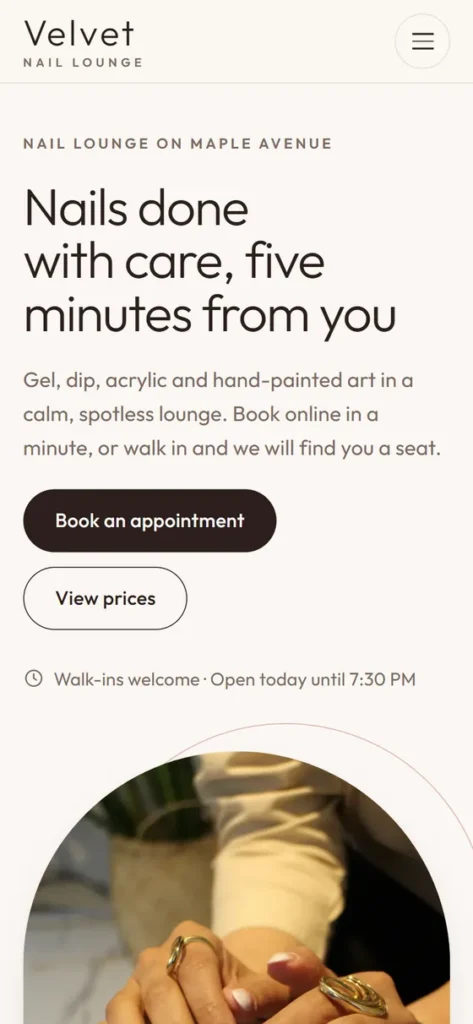
Customers browse in the evening when you are closed. Letting them book an appointment or place an order right away captures demand that would otherwise go to the next business on the list. You can see how a booking flow looks on our nail salon demo.
11. Services and prices
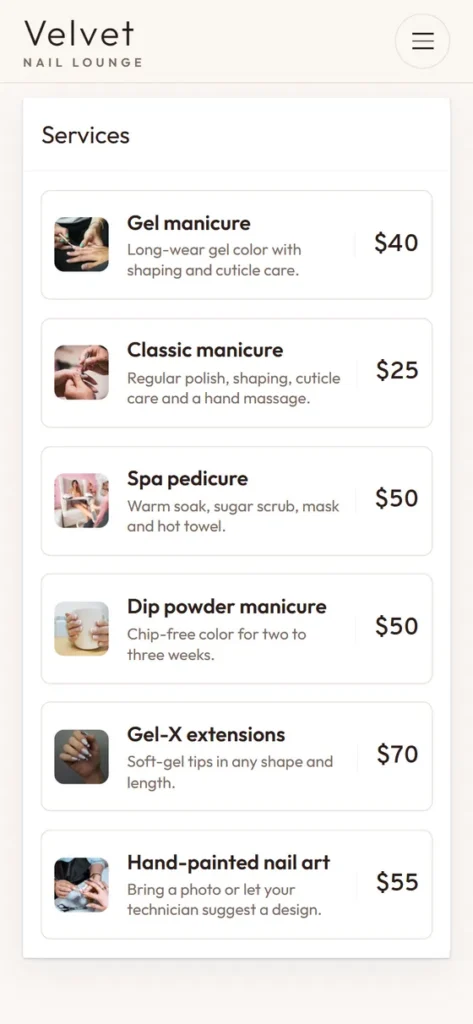
The most-asked question on the phone is usually "how much is…?". A clear services and prices page answers it before the call and brings in customers who are ready to buy. Write prices as text, not as a photo of your price board, so both people and Google can read them. "From $45" is better than no price at all.
12. Hours, including holidays
Wrong hours are one of the most common reasons for a one-star review. Keep regular and holiday hours current on the site and on Google, and update both on the same day.
13. Directions and parking
Where to park, which door to use, which floor. Small details that make a first visit easy, and that save your staff from answering the same question on the phone.
Work for every visitor
14. Designed for phones first
Most local searches happen on phones. Buttons large enough for thumbs, text readable without zooming, and no sideways scrolling. Design the phone version first, then let it grow for larger screens, not the other way around.
15. Fast loading
Compressed images, modern formats and lean code. A page that takes too long to appear loses visitors before they see anything. Test any page for free with PageSpeed Insights.
16. Accessible to everyone
Good color contrast, descriptions on images, readable fonts, and a site that works with a keyboard and screen readers. It serves more customers and reduces legal risk. The Department of Justice explains how the ADA applies to websites.
17. Tracking that counts customers
Set up measurement for the actions that matter: calls from the site, bookings, orders, direction requests. Visits alone do not tell you whether the site earns its keep.
The pages a small business website needs
Most local businesses need five to ten pages, each doing one job well:
| Page | What it answers | Must include |
|---|---|---|
| Home | Who you are and why choose you | Best photos, main services, the main button |
| Services and prices | What you do and how much | Every service, duration, price or "from" price |
| Booking or ordering | How to get started now | A short flow that works on a phone |
| Gallery | Is the work good? | Real photos of real work |
| About | Who will look after me? | Owner and team, the story |
| Contact | Where and when | Address, map, hours, phone, parking |
| Policies | What are the rules? | Cancellations, deposits, gift cards, privacy |
Restaurants add a text menu and a catering page; bakeries add a pre-order page; shops add product pages. Add a page only when it answers a real customer question.
Website design for small business by industry
The seventeen features apply to everyone, but each trade leans on a few of them more than others.
Nail salons, spas, lash and hair studios. Online booking, a gallery of real work and a clear price list do most of the selling. Show each service with its duration so clients can plan, and let them choose a staff member if your regulars ask for someone by name. A small business website for a salon should also make gift cards easy to buy, because they sell well before holidays.
Restaurants and cafés. The menu is the website. Publish it as text with prices, mark dishes that are vegetarian or spicy, and keep it identical to the menu in the restaurant. Add links for ordering and reservations, opening hours for each holiday, and a page for catering or private events.
Bakeries. Custom cakes and large orders are planned days or weeks ahead. A pre-order page with sizes, flavors, lead times and a deposit policy saves hours of back-and-forth messages. Seasonal pages for Lunar New Year, the Mid-Autumn Festival or Christmas lead into the busiest weeks of the year.
Retail shops. Photos of products, new arrivals, accurate hours and a clear return policy. If an online store is not ready yet, a "reserve and pick up" form or a simple "call to order" button is a good first step.
Home services and contractors. One page per service and per area you cover, before-and-after photos, license and insurance details, and a quote request form that asks for the right information the first time.
Prepare your content before the design starts
The fastest website projects are the ones where the owner gathers the content first. Before you meet a web designer, collect:
- A list of every service or product, with prices and durations.
- Twenty to forty good photos: the storefront, the inside, your work, your team.
- Your hours, holiday hours and parking information.
- Two or three short paragraphs about how the business started.
- Your policies: cancellations, deposits, refunds, gift cards.
- Logins for your domain, Google Business Profile and social accounts, or a note saying who holds them.
With this ready, a small business website can be designed around real content instead of placeholder text, and it looks and reads like your business from day one.
Website design for small business: a launch checklist
Before the site goes live, go through this list on your own phone:
- Every page has a specific title and description.
- Name, address, phone and hours match your Google Business Profile.
- The main button is visible at the top of every page.
- The phone number is a tap-to-call button.
- Prices are written as text.
- Booking or ordering works end to end, including the confirmation email.
- Every image has a short description.
- Pages load quickly on mobile data, not only on Wi-Fi.
- The domain is registered in your business's name.
- The site is connected to Google Search Console and your Google Business Profile.
After launch: keep the small business website working
A website is never finished. A short monthly routine keeps it accurate and useful:
- Check prices, hours and holiday notices against what actually happens in the shop.
- Add a few new photos of recent work.
- Look at Google Search Console for errors and for the searches that bring visitors.
- Count the calls, bookings and orders the site produced.
- Link new Google Business Profile posts to the matching page on your site.
Once a year, review the whole site with fresh eyes: remove services you no longer offer, update the team page, and make sure the domain and hosting renewals are in your name and paid. Ongoing website design for small business is mostly these small habits, done every month.
Common small business website mistakes
- Designing for the owner's laptop instead of the customer's phone.
- Hiding prices behind "call for a quote" for every service.
- Stock photos that make the business look like everyone else.
- Sliders and pop-ups that slow the page and hide the main button.
- Old information: last year's prices, closed holidays still listed as open.
- No owner access: the site or the domain belongs to the designer, not to you.
What a small business website costs
For a local service business, a site with these features usually sits between a do-it-yourself builder and an agency build. The biggest price drivers are the number of pages, custom design versus a proven template, online booking or ordering, and who writes the words. Our website cost guide breaks down typical ranges and the yearly costs after launch.
Dreamer's own prices are published: $200 for the first year of a showcase website, $300 with online booking or a store, then $129 a year for domain and hosting. Details are on our website design page.
How to choose a web designer
- Ask to see sites they built for businesses like yours, and open them on your phone.
- Make sure the domain and the site are registered in your business's name.
- Ask what is included after launch: updates, backups, support, and what changes cost.
- Ask how they handle Google: titles, structured data, Google Business Profile, Search Console.
- Ask who writes the words and who provides the photos.
- Be wary of anyone who guarantees "#1 on Google". No honest web designer can promise that, because nobody controls Google's results.
Frequently asked questions
How many pages does a small business website need?
Usually five to ten: home, services and prices, about, gallery, booking or ordering, contact, and policies. More pages only help if each one answers a real customer question.
Should I use a website builder or hire someone?
Builders work if you have time to set up and maintain the site and you are comfortable with the list above. Hiring makes sense when your time is better spent running the business, or when you need booking, ordering or two languages done properly.
How long does website design for small business take?
A site built on a proven layout usually takes a few weeks, and most of that time is spent gathering photos, prices and texts. Online stores and custom designs take longer.
What makes website design for small business different from a big company site?
A big company site serves many audiences and many goals. A small business website serves one local audience with one main action: book, order, call or visit. That focus makes it simpler and cheaper to build and, when done well, more effective for every visitor.
Do I need a professional web designer for a single location?
Not always. If your needs are simple and you have the time, a builder can work. A web designer earns the fee when you need booking or ordering set up properly, two languages, or a site that matches your Google listing and loads fast without you learning all of it yourself.
Do I need a blog?
Not at the start. A blog helps when you have time to write useful articles regularly, such as care tips, seasonal menus or answers to common questions. A neglected blog with one post from three years ago does more harm than none.
Can I update the site myself?
You should be able to change prices, hours, photos and holiday notices without calling anyone. Ask for a short training session at launch, and keep the login in your own name.
Should my site be in two languages?
If a real share of your customers prefers another language, yes. Write each language as its own page, with care, rather than relying on an automatic translation button. Google can then show the right page to the right customer.