Spa website design has a special job: it must make a stranger feel relaxed before they ever walk in. Guests choose a spa on feeling as much as on price. They want to see the treatment rooms, understand exactly what a "signature facial" includes, know how long it takes and what it costs, and book without calling. A slow, cluttered or vague website does the opposite: it creates doubt, and doubt sends guests to the next spa on the map.
This guide covers what makes a spa website work: the pages every spa needs, how to write and organize a treatment menu, photography, calm design without clutter, online booking and gift cards, speed on phones, accessibility, local SEO and the details that build trust. It applies to day spas, massage studios, facial and skin studios, foot spas and bathhouses.
In this article
- What a spa website must do
- The pages every spa website needs
- Write a treatment menu guests understand
- Photography sets the tone
- Calm design without clutter
- Online booking built in
- Gift cards on the website
- Speed and phones
- Accessibility
- Local SEO for spa websites
- Navigation guests understand
- Trust details that convert
- The home page, section by section
- Copy that sounds like your spa
- Seasonal pages and offers
- Privacy and intake forms
- Measure what the website brings
- Maintain the site after launch
- Mistakes to avoid
- Website styles for different kinds of spas
- Colors and fonts that feel like your space
- Video: when it helps
- Domain, email and hosting basics
- Reviews without fake praise
- Content to add over time
- What to prepare before working with a designer
- A launch checklist
- How Dreamer builds spa websites
- Frequently asked questions
What a spa website must do
- Set the mood: calm colors, generous space and real photos.
- Explain treatments clearly: what happens, how long, how much.
- Make booking effortless: a booking button on every page.
- Sell gift cards: online, any time, especially before holidays.
- Build trust: licensed therapists, hygiene, policies and reviews.
- Be found locally: on Google for "spa near me" and treatment searches.
The pages every spa website needs
| Page | What it includes |
|---|---|
| Home | A calm hero photo, a short promise, featured treatments, booking and gift card buttons |
| Treatments | Every service with description, duration, price and photo |
| Packages | Spa days, couples experiences, bridal and seasonal packages |
| Gift cards | Amounts, packages, online purchase and delivery options |
| About and team | Your story, therapists with photos and specialties |
| Book | The booking page or system |
| Policies and FAQ | Arrival time, cancellation, what to wear, health questions |
| Contact and location | Address, map, parking, hours, phone |
Small spas can combine pages, but every item in the table should be easy to find within one or two taps.
Write a treatment menu guests understand
Creative names are fine, but they must come with plain explanations. For every treatment:
- A clear name: "Deep tissue massage" before or under "Mountain Renewal".
- What happens: two or three sentences in plain words.
- Who it suits: stress relief, sore muscles, sensitive skin, first-timers.
- Duration and price: visible without clicking.
- Enhancements: hot stones, aromatherapy, scalp massage, with prices.
Group treatments into clear categories: massage, facials, body treatments, foot care, couples, packages. Within each category, list the most popular treatment first and the shortest option early, so first-time guests find an easy way in.
Photography sets the tone
Real photos of your rooms, lounge and team are the strongest part of a spa website:
- Soft, natural light; no harsh flash.
- Wide shots of treatment rooms, close-ups of textures, towels, stones and products.
- Therapists at work, with permission and respecting client privacy.
- Consistent color and style across all photos.
Stock photos can fill gaps, but guests can tell when every image looks generic. If you use them, choose carefully and replace them with your own over time.
Calm design without clutter
- Generous white space so each section breathes.
- A limited color palette drawn from your interior.
- Readable fonts at comfortable sizes; elegance should never cost legibility.
- Few, clear buttons: "Book now" and "Gift cards" stand out; everything else stays quiet.
- Gentle motion at most; nothing that flashes or jumps.
Online booking built in
Spa guests book at night and on their phones. Your website should:
- Show a "Book" button in the header on every page.
- Let guests choose a treatment, therapist and time.
- Handle rooms, couples bookings and enhancements correctly.
- Send confirmations with arrival instructions and policies.
Our guide to online booking for spas explains what the booking side must handle. Dreamer builds websites with online booking from $300 for the first year, including domain and hosting, then $129 a year.
Gift cards on the website
Gift cards are a major revenue source for spas. Make the gift card page easy to find from the menu and the home page, offer fixed amounts and packages, allow delivery by email on a chosen date and show clear terms. Our guide to the salon gift card program covers program rules.
Speed and phones
Most spa visitors browse on phones. A beautiful site that loads slowly loses guests before the first photo appears. Google's guidance on Core Web Vitals explains the speed and stability measures that matter. In practice:
- Compress photos and serve the right size for each screen.
- Avoid heavy video backgrounds on phones.
- Keep fonts and scripts lean.
- Test on a real phone over mobile data.
Accessibility
Guests with disabilities visit spas too, and an accessible website welcomes them: good contrast, readable text sizes, descriptive image text, keyboard-friendly navigation and clear information about physical access to the spa. Our guide to ADA website compliance explains the basics.
Local SEO for spa websites
Your website supports your Google ranking:
- Name, address and phone exactly as on your Google profile.
- A page for each main treatment group, written in the words guests search.
- Your city or neighborhood mentioned naturally.
- An embedded map and directions.
- Structured data for a day spa, added by your developer.
Our guide to local SEO for spas covers the full picture.
Navigation guests understand
Keep the main menu short and predictable: Treatments, Packages, Gift Cards, About, Visit, with Book as a highlighted button. On phones, the menu should open with one tap and the Book button should stay visible as guests scroll. Avoid clever labels such as "Rituals" or "Journeys" in the menu unless the page title explains them; guests should never have to guess where prices live. Put the phone number and address in the footer of every page, tappable on phones, for the guests who still prefer to call or need directions on the way.
Trust details that convert
- Therapist names, photos, licenses and specialties.
- Hygiene and safety practices.
- Clear policies on arrival, cancellation and health questions.
- Real reviews or a link to your Google reviews.
- Photos of the actual space.
The home page, section by section
A spa home page should lead visitors gently from mood to action:
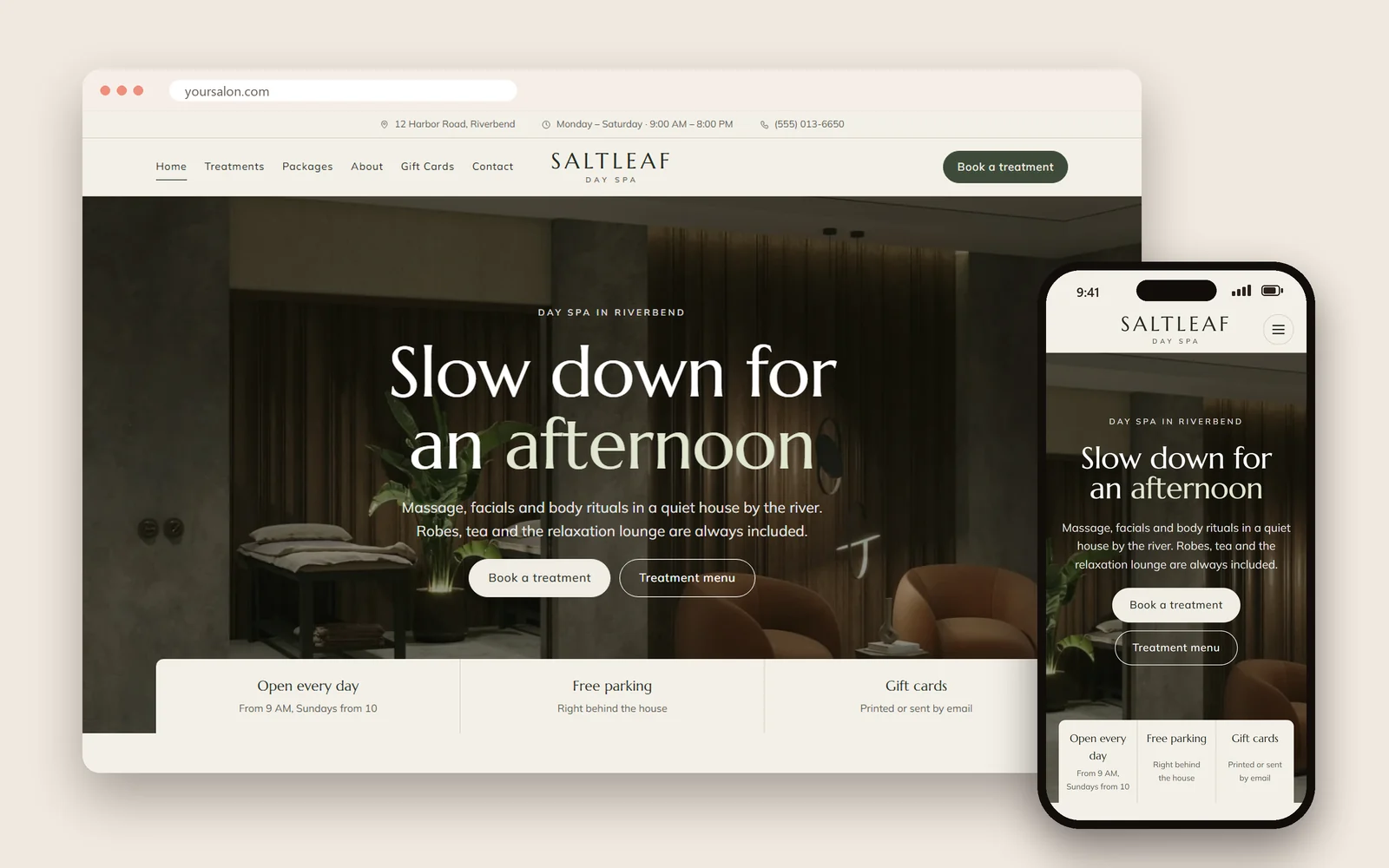
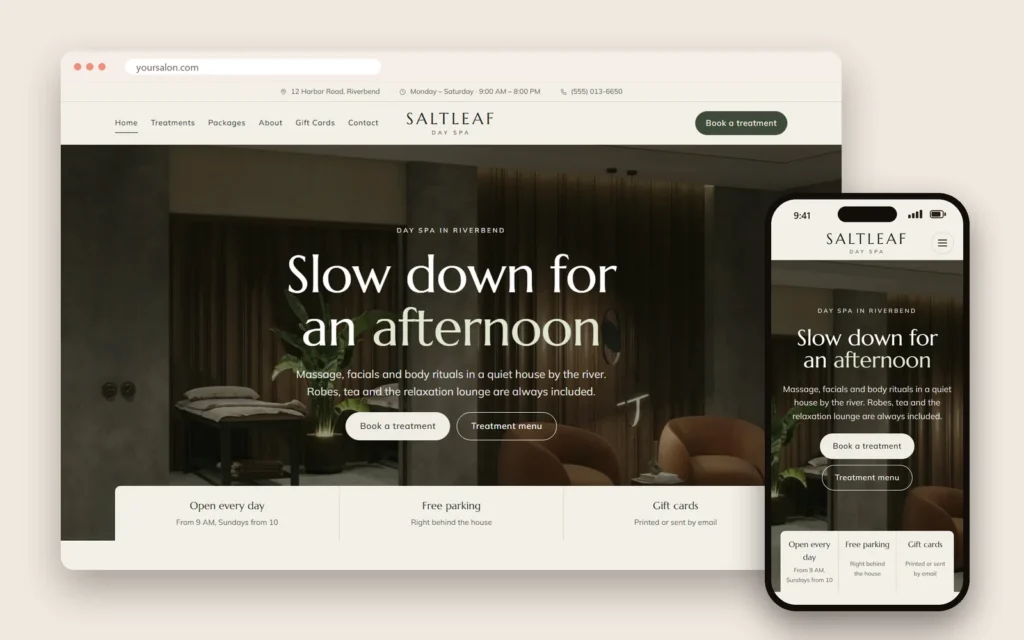
- Hero: one calm photo of your space, a short promise such as "Unhurried massage and facials in the heart of the Arts District", and two buttons: Book and Gift cards.
- Signature treatments: three or four favorites with photo, duration and price.
- Why guests choose you: private rooms, licensed therapists, products you use, parking.
- Packages: couples, spa day, bridal, seasonal.
- Team: a few therapist portraits with specialties.
- Reviews: real quotes or a link to your Google reviews.
- Visit: address, hours, map and directions.
Each section answers one question a hesitant guest might have. When all the questions are answered, booking feels natural.
Copy that sounds like your spa
Words carry the atmosphere as much as photos:
- Write as you would speak to a guest at the front desk: warm, calm, specific.
- Describe sensations and outcomes honestly: "relaxed shoulders", "refreshed skin", never medical promises you cannot support.
- Keep paragraphs short on phones.
- Avoid clichés such as "oasis of tranquility" unless they really fit.
- Mention practical details that reassure: "showers and robes provided", "free parking behind the building".
Seasonal pages and offers
Spas run on seasons: Valentine's couples packages, Mother's Day gift cards, summer foot treatments, winter body wraps and holiday gift sets. Create a simple seasonal section or page you update a few times a year, link it from the home page and your Google profile, and remove it when the season ends. Fresh, dated offers show visitors the spa is active.
Privacy and intake forms
If guests complete intake forms online, the website and booking system must protect them: secure connections, limited staff access and only the questions you need for safe treatment. State on the form why you ask and who sees the answers. Guests share health details more comfortably when they trust how the information is handled.
Measure what the website brings
| Measure | What it shows |
|---|---|
| Online bookings per week | Whether booking is easy to find and use |
| Gift card sales online | Strength of the gift card page, especially before holidays |
| Calls and direction requests from the site | Interest from local visitors |
| Most viewed treatments | Which services to feature |
| Mobile loading speed | Whether photos are optimized |
Review monthly and adjust the home page to feature what guests want most.
Maintain the site after launch
A spa website is never finished. Plan a light monthly routine:
- Update prices and treatments the day they change at the spa.
- Refresh seasonal packages and remove expired offers.
- Add new photos when rooms, products or team members change.
- Check that booking, gift cards and contact forms still work.
- Review speed on a phone after adding new images.
Thirty minutes a month keeps the website as fresh as the spa itself. Our guide to website maintenance for small business covers the routine in more detail.
Mistakes to avoid
- Creative treatment names with no explanation.
- Prices hidden or only "from" prices.
- A booking link buried in the footer.
- Huge photos that make the site slow.
- Pop-ups that interrupt a calm first impression.
- Outdated packages and holiday offers left online.
Website styles for different kinds of spas
Every spa deserves its own look. Dreamer's website templates include five spa styles:
- Day spa: soft neutrals, generous photos and packages up front.
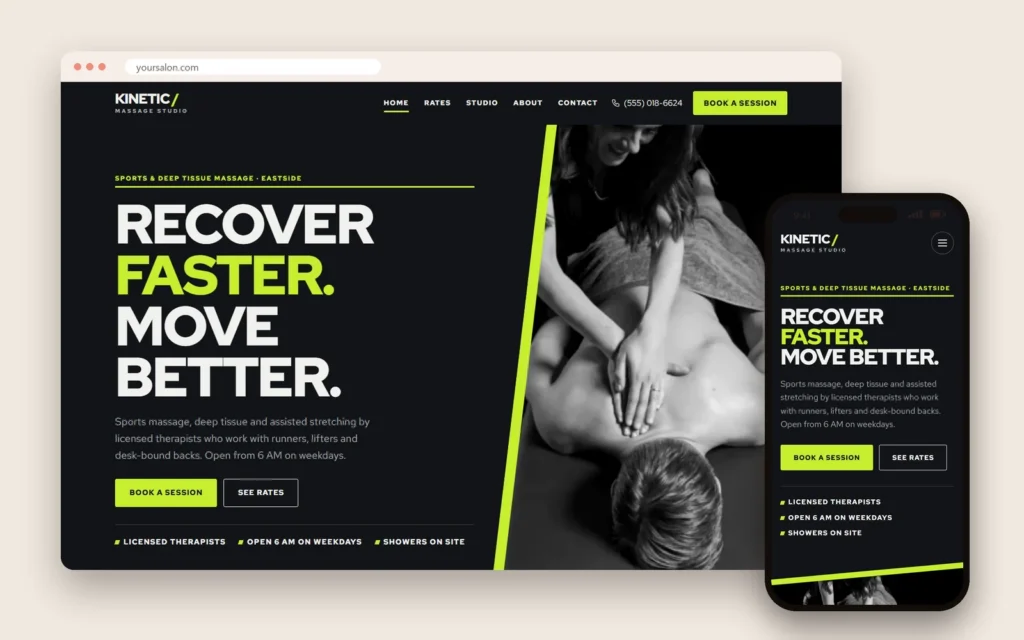
- Sports massage studio: bolder type, clear session lengths and therapist expertise.
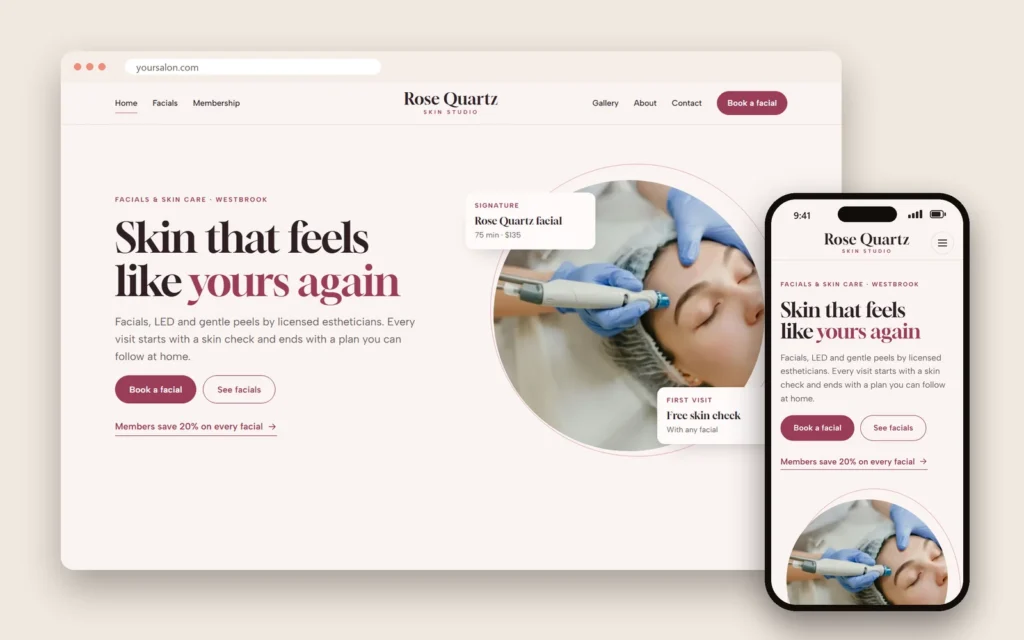
- Skin studio: clean, clinical calm with detailed treatment explanations.
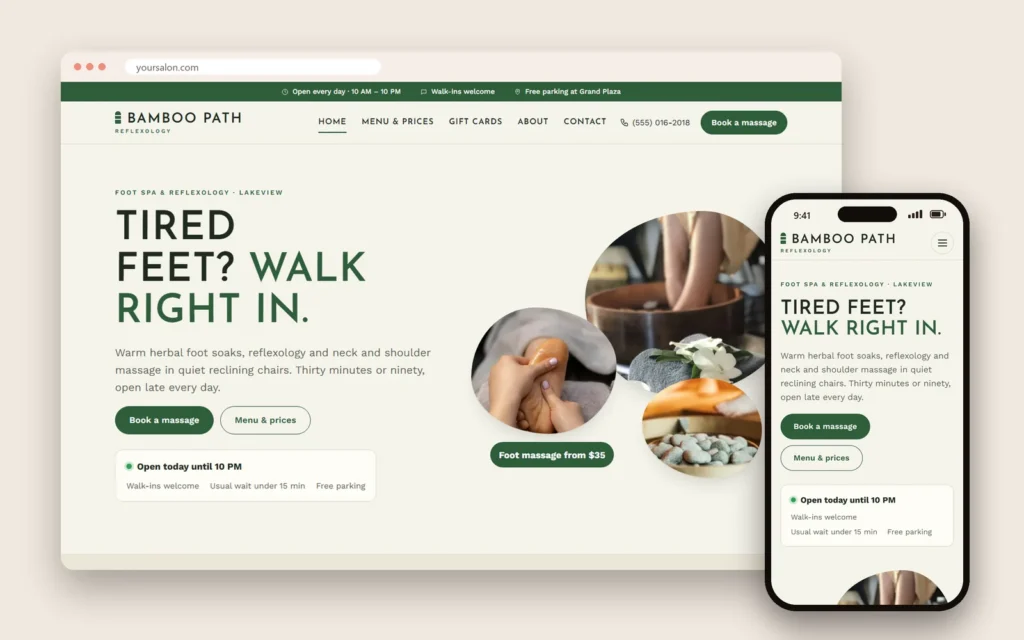
- Foot spa: warm tones, simple prices and walk-in friendly information.
- Bathhouse and sauna: atmospheric photography, session times and rules.
Colors and fonts that feel like your space
Pull the palette from the real spa: the wall color, the wood, the linens, the stone. Two or three main colors plus a soft neutral background are enough. For type, choose a readable font for body text at a comfortable size, and if you want character, use it in headings only. Thin, light-gray text on a beige background looks elegant in a mockup but becomes hard to read on a phone in sunlight, so test contrast before you fall in love with a palette.
Video: when it helps
A short, quiet video of steam rising, hands warming oil or a sunny lounge can set the mood in seconds. Use it carefully:
- Keep it short and silent by default.
- Never let it slow the first view on phones; show a still photo on small screens.
- Do not put important information only in the video.
One well-made clip can do more than a page of adjectives, but a slow one does more harm than good.
Domain, email and hosting basics
- Domain: short, easy to spell, ideally your spa's name; avoid hyphens and numbers.
- Email: a professional address on your domain, such as [email protected], for bookings and gift card questions.
- Hosting: reliable, fast and secure, with an SSL certificate so the site shows the lock icon.
- Ownership: the domain should be registered in the spa owner's name, even if an agency manages it.
Dreamer's website plans include domain and hosting in the first year, then renewal at $129 a year.
Reviews without fake praise
Reviews reassure first-time guests, but they must be real. Show genuine quotes with the guest's permission, or link to your Google reviews. Never invent testimonials, never edit a guest's words to sound better and never hide negative feedback while implying you show everything. Honest social proof is more persuasive than polished perfection.
Content to add over time
A spa site grows stronger as it answers more questions:
- "What to expect at your first massage."
- "Deep tissue or Swedish: which is right for you?"
- "How to prepare for a facial before a wedding."
- "Spa etiquette: arrival, tipping and what to wear."
Each article helps guests, supports local search and links to the matching treatment and the booking page. One article a month is a realistic pace for a busy spa.
What to prepare before working with a designer
Gather these before the first meeting, and the project moves much faster:
- Your logo files and any brand colors you already use.
- A complete treatment list with durations, prices and enhancements.
- Packages, gift card amounts and current offers.
- Therapist names, photos and specialties.
- Policies: arrival, cancellation, health questions.
- Photos of rooms, lounge, entrance and details, or a plan for a photo session.
- Your address, hours, phone, parking and directions.
- Two or three spa websites you like, and what you like about them.
A launch checklist
- Every treatment page shows duration and price.
- Booking and gift card buttons work on phones.
- Confirmation emails include arrival instructions.
- The site loads quickly over mobile data.
- Name, address and phone match your Google profile.
- The map, hours and holiday hours are correct.
- Contact forms reach the right inbox.
- Analytics are set up to measure visits and bookings.
How Dreamer builds spa websites
Dreamer's website design service builds spa websites with your photos, treatments, prices, booking and gift card pages, fast on phones and ready for local SEO. A showcase website starts at $200 for the first year, and a website with online booking at $300, both including domain and hosting.
Frequently asked questions
What pages should a spa website have?
Home, treatments, packages, gift cards, about and team, booking, policies and FAQ, and contact with location.
Should spa websites show prices?
Yes. Clear prices and durations help guests choose and reduce phone calls.
Can guests book spa treatments on the website?
They should be able to book treatments, therapists and times online, with confirmations and policies.
How important are photos on a spa website?
Very. Real photos of rooms, lounge and team set the mood and build trust more than any text.
How fast should a spa website load?
As fast as possible on a phone. Compress images and keep pages light.
Does a spa website help with Google rankings?
Yes. A fast, clear website that matches your Google profile supports local search.
Spa website design is about calm clarity: real photos, treatments explained in plain words, prices and durations, booking and gift cards one tap away, fast pages and details that build trust. Get those right, and your website will feel like the beginning of the experience guests are looking for.