A nail salon booking website lets clients pick a service, a technician and an open time whenever it suits them, late at night, at lunch or on a Sunday, instead of calling right when your team is busy with clients. But owners shopping for online booking quickly run into a maze of options: booking apps with their own marketplaces, POS systems with built-in booking, and booking pages on the salon's own website. Each costs and works differently, especially when it comes to long-term fees and who owns your client list.
This guide compares a booking website on your own domain with booking apps across seven points, gives you a checklist for setting up services and schedules so the calendar runs smoothly, and covers the part most salons skip: getting clients to actually book online instead of calling.
In this article
- Why online booking matters for nail salons
- Two main paths: a booking website or a booking app
- 7 points to compare
- A side-by-side summary
- Setting up online booking so the calendar works
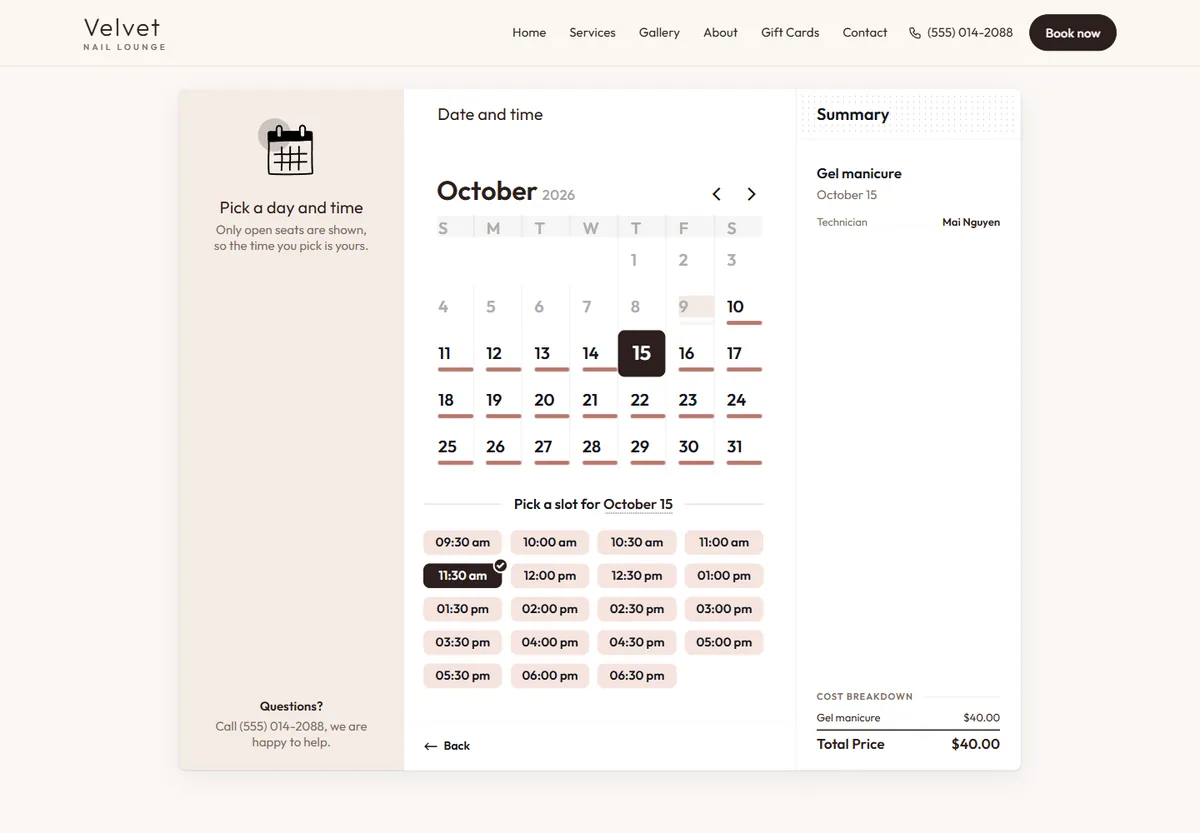
- What a good booking page looks like
- What to prepare before setup
- Questions to ask before you sign up
- A simple launch plan for your first week
- Getting clients to actually book online
- Booking, check-in and checkout together
- Common mistakes with online booking
- Measuring how online booking performs
- How the Dreamer Booking System works
- Frequently asked questions
Why online booking matters for nail salons
Clients look for a salon and book when they have a moment: in the evening, at lunch, on weekends. That is also when your salon is busiest or already closed. Without online booking, those clients either call and get no answer, or choose a salon with a "Book" button.
Online booking solves three problems at once:
- You stop losing clients while you cannot answer the phone. A client books at 11 pm and the appointment is waiting for you in the morning.
- Fewer calls during rush hours. Technicians do not have to stop mid-service to pick up the phone.
- One clear calendar. Everyone sees who is coming, for what and with whom, so double bookings and forgotten appointments drop.
Two main paths: a booking website or a booking app
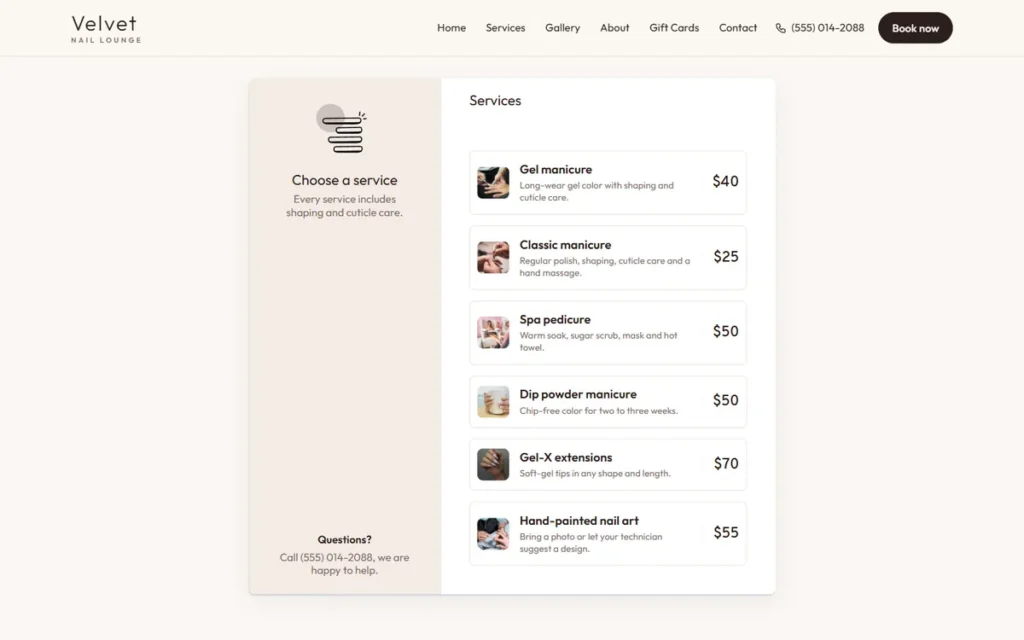
A booking website means clients book on your salon's own site, under your domain, in your colors, with your logo. The booking page links from Google Maps, Instagram and your printed cards.
A booking app means clients book through a third-party platform, often inside that platform's app, sometimes alongside other salons in a marketplace. Some POS systems also include booking, tied to checkout and check-in.
Neither is right for everyone. The seven points below help you decide which fits your salon.
7 points to compare
1. Whose brand clients see
On your own booking website, clients see your salon from start to finish. On a booking app, the platform's brand often comes first, and your salon is one listing among many. For a salon building a loyal clientele, brand matters more than it seems: clients who remember the app rather than the salon may book elsewhere next time.
2. Who owns the client list
Your client list, with names, phone numbers and visit history, is one of the most valuable things your salon has. With a booking website, the list lives in a system you chose. With an app, read the terms carefully: what data you can export, and what happens to it if you leave.
3. The real cost over a year
Compare the full cost over twelve months, not just the monthly fee. Booking apps may charge a monthly subscription, and some charge an extra fee for new clients who find you through their marketplace. A booking website has a website cost and possibly hosting or renewal fees. Put every fee for each option in one table and compare the yearly total.
4. New clients from a marketplace
This is where apps can win: a marketplace may send you clients who were browsing salons inside the app. If your salon is new and needs clients quickly, that can be worth the fees. Established salons with steady regulars often get more value from a branded booking website plus a strong Google Business Profile.
5. Google Maps and Instagram
Both options can link from Google Maps. According to Google's guide to managing business links, you can add your booking URL to your Business Profile so clients can book straight from Search or Maps. Both can also go in your Instagram bio. The difference is where the client lands: your site or the platform's page.
6. Notifications and reminders
Ask how the salon learns about new bookings (email, app notifications, text) and how clients receive confirmations and reminders, and whether any of that costs extra. A booking you do not see in time is worse than no booking at all.
7. Support and ease of use
Your team will use the system every day. Ask about support hours, response times, and whether the interface is simple enough for every technician. If some of your team prefer Vietnamese, ask whether support is available in Vietnamese.
A side-by-side summary
| Booking website on your domain | Booking app | |
|---|---|---|
| Brand clients see | Your salon | The platform first |
| Client list | In the system you chose | Check the terms |
| New clients from a marketplace | No, clients come from Google and social media | Possibly |
| Link from Google Maps | Yes | Yes |
| Yearly cost | Website cost and renewal | Subscription, possible new-client fees |
| Best for | Salons with regulars and a growing brand | New salons that need marketplace traffic |
Setting up online booking so the calendar works
Whichever path you choose, setup decides whether your calendar runs smoothly or creates chaos.
Services and real durations
Give every service its real duration, not an ideal one. A gel manicure, an acrylic full set and a spa pedicure each take different time, and add-ons such as nail art or removal add more. Wrong durations are the number one cause of a day that runs later and later.
Buffer time between clients
Leave a few minutes between appointments to clean the station and disinfect tools. Without a buffer, one client arriving five minutes late pushes back the whole afternoon.
Technicians and schedules
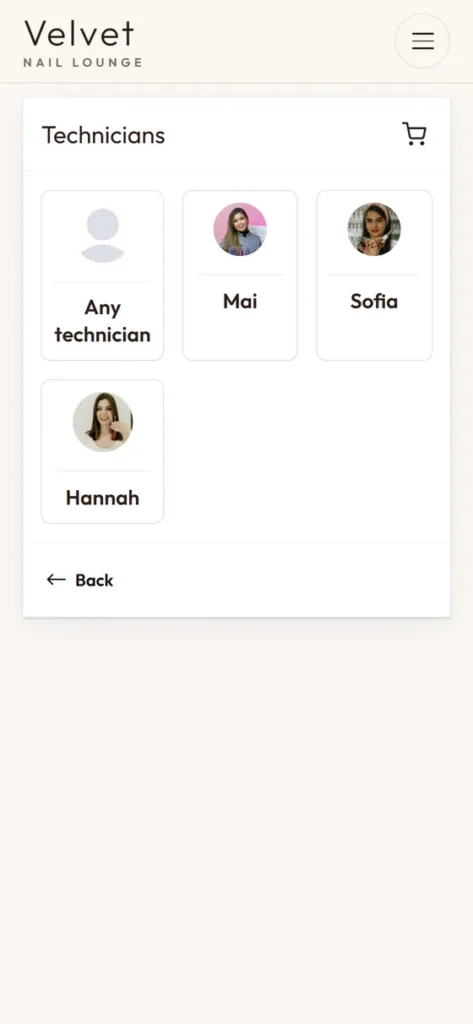
Each technician gets their own schedule: working days, hours, days off and the services they perform. Clients can pick a favorite technician or choose "any technician".
Booking windows
Decide how far ahead clients can book and how close to the appointment time. If you get many walk-ins, keep some slots open for them.
Cancellation policy
Show it clearly on the booking page: how much notice to cancel or reschedule, and what happens if a client is very late. A clear policy reduces no-shows.
What a good booking page looks like
Clients book on their phones, often with one hand, between other things. A good booking page respects that:
- Few steps. Service, technician, time, contact details, confirm. Every extra step loses some clients.
- Photos and prices next to services, so clients know what they are booking and what it costs before they arrive.
- Real durations shown, so a client knows a full set takes longer than a polish change.
- Only the fields you need. Name, phone number and email are usually enough; long forms feel like paperwork.
- Large buttons and readable text that work for clients of every age.
- A clear confirmation screen with the date, time, technician, address and your phone number.
- Your policies in plain words close to the confirm button, not hidden on another page.
Test it yourself: book an appointment on your own phone, then ask a regular who is not comfortable with technology to try. Wherever they hesitate, simplify.
What to prepare before setup
Gather this first and setup takes a single morning:
- Your full service menu in English, with prices and real durations.
- Add-ons with their extra time and price.
- Your team list and which services each person performs.
- Each technician's weekly schedule and regular days off.
- Your opening hours and upcoming holiday hours.
- Real photos of your work to show next to services.
- Your cancellation, lateness and deposit policies.
- The email address that will receive new booking notices, checked often.
Questions to ask before you sign up
Whether you are comparing a booking website, an app or a POS with built-in booking, ask every provider the same questions and write down the answers:
- What do we pay in the first year and every year after, including setup, add-ons and per-booking fees?
- Can we export our client list and booking history, and in what format?
- How does the salon get notified of new bookings, and how do clients get confirmations?
- Can each technician have their own schedule, services and days off?
- Can we block holidays and keep slots open for walk-ins?
- Does the booking link work from Google Maps, Instagram and a QR code?
- Who do we call when something breaks, and how fast do they answer?
- What happens to our booking page and our data if we cancel?
Comparing answers side by side makes the right choice much clearer than comparing feature lists, because every provider's list looks long.
A simple launch plan for your first week
- Day 1: finish services, durations, technicians and schedules, then make three test bookings yourself.
- Day 2: fix anything that felt slow or confusing, and set your holiday hours.
- Day 3: add the booking link to Google Maps, Instagram and Facebook.
- Day 4: brief the team on checking new bookings each morning and on what to tell callers.
- Day 5: put a QR code at the front desk and on your next print run of cards.
- Days 6 and 7: text regulars the link with a short note, and watch the first online bookings come in.
Getting clients to actually book online
A booking page nobody knows about is a wasted investment. Put the link everywhere clients meet your salon:
- Google Maps: add the booking link to your Business Profile. Our guide to a nail salon Google Business Profile walks through the rest of the profile.
- Instagram and Facebook: booking link in the bio and a booking button on the page.
- Printed pieces: a QR code on business cards and menus with "Book your next visit".
- Auto-replies: when you cannot answer the phone, send the booking link by text.
- At checkout: invite clients to book their next visit on their phone before they leave.
For the first few weeks, staff can still book callers by hand, with a friendly nudge: "Next time you can book online any time, even after we close."
Booking, check-in and checkout together
Salons with both appointments and walk-ins do best when booking and walk-in check-in can see each other, so walk-ins fill the gaps between appointments. When bookings and checkout live in connected systems, assigning tips to the right technician becomes simple too; our guide on how to split tips at a nail salon explains why that matters.
Common mistakes with online booking
- Durations set too short, so the day runs late every day.
- Days off not updated, so clients book a technician who is not working.
- Too many open slots, with no room for walk-ins or surprises.
- No cancellation policy, so no-shows have no consequences.
- The link only on the website, while clients on Maps and Instagram never see it.
- Nobody checks new bookings each morning, so overnight bookings get missed.
Measuring how online booking performs
After two or three months, look at a few numbers:
- Share of appointments booked online compared with all appointments.
- When people book: how many bookings come in after hours.
- Calls during rush hours: are they down?
- No-show rate before and after confirmations and a clear policy.
- Booking clicks from Google Maps in your Business Profile's Performance section.
If online bookings stay low, check where the link appears: can clients actually see a booking button on Maps, Instagram and your cards?
How the Dreamer Booking System works
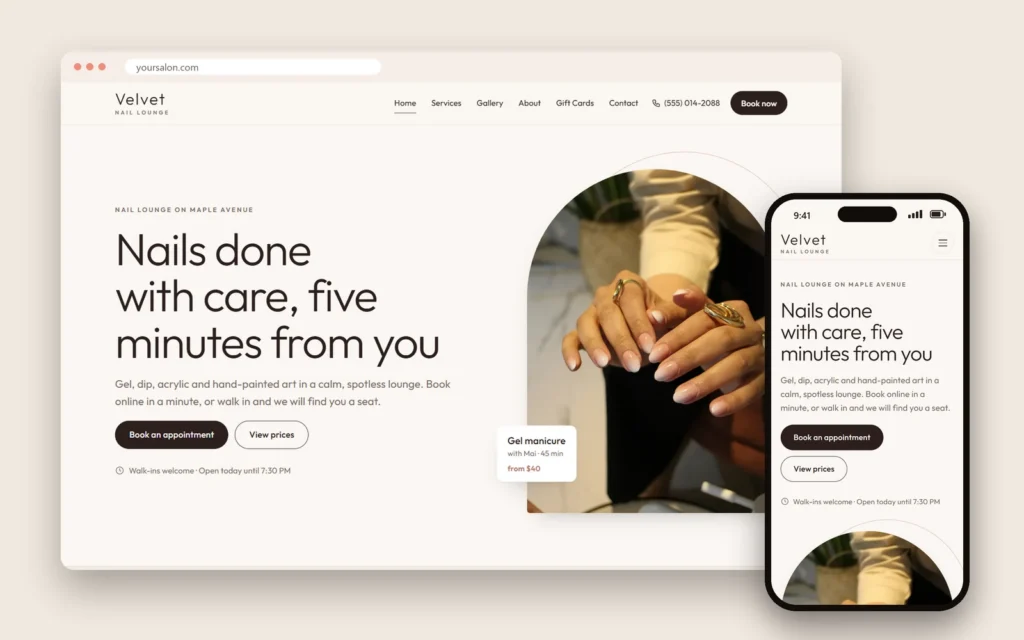
We build booking websites for nail salons and spas, called the Dreamer Booking System. Clients choose a service (with photos and prices), a technician and an open time, leave their name and phone number, and every new booking is emailed to your salon right away, so you see it on your phone. The site carries your domain, colors and logo, and the client list belongs to your salon.
The booking website plan is $300 for the first year, including domain and hosting; from the second year it renews for $129 a year. See the real booking steps on our online booking page and browse industry demos on our website design page. Planning the rest of the site too? Our list of nail salon website pages shows what clients look for before they book.
Already happy with a booking app? Your website can simply carry a "Book" button that opens the system you use now, so neither clients nor staff have to change habits.
Frequently asked questions
Does a small salon with three or four technicians need online booking?
Small salons are often the ones least able to answer the phone, because everyone is with a client. Online booking keeps you from losing callers during busy hours, so it is very worthwhile.
Can older clients book online?
Many can, if the page is simple, with large text and few steps. Clients can still call as always; online booking adds a way in rather than replacing the phone.
Should we require a deposit?
It depends on your salon and system. Deposits reduce no-shows for long services and groups, but can put off first-time clients. Many salons require them only for special services.
Will online booking hurt walk-in business?
Not if you keep some slots open for walk-ins and use check-in to fit them between appointments.
Can we move from an app to our own booking website without losing clients?
Move gradually: export your client list if the app allows it, send regulars the new link by text and on your cards, and update the booking link on Google Maps and Instagram on the same day.
How does the salon hear about new bookings?
With the Dreamer Booking System, every new booking is emailed to the salon as soon as the client books. Other systems may notify through an app or by text; ask before you choose.
Do clients need to download an app?
Not with a booking website. Clients book in their phone's browser from a link or a QR code, with nothing to install and no account to create.
Can clients book more than one service in a visit?
Many systems let clients add a second service or an add-on, such as a manicure with a pedicure. Ask how the system handles back-to-back services with the same technician, or two technicians at the same time.
Can we pause bookings on busy holidays?
Yes. Block the dates or hours you cannot take bookings, and leave a short note on the page so clients know to call instead.
How long does it take to launch a booking website?
It depends on how many pages you need and how quickly your menu, photos and schedules are ready. Once we have your content, we give you a date for the draft, which you review before it goes live.
A nail salon booking website is the right choice when you want clients to remember your salon, keep your client list and link booking from everywhere you appear. Compare the seven points honestly against a booking app, set up services and schedules carefully, put the link everywhere, and watch the share of online bookings grow month by month.