Nail salon website pages do one job: help a client decide, in a minute or two, that your salon is the right one and then book. Clients arrive from Google Maps, Instagram or a business card, usually on a phone, often while doing something else. They want to know what you offer, what it costs, where you are, when you are open and how to book. Every page on your site should answer one of those questions quickly.
This guide walks through the seven pages almost every salon needs and what goes on each, then the optional pages worth adding, how to arrange the menu, the accessibility basics every business site should meet, and a simple checklist you can hold up against your current site.
In this article
- The 7 nail salon website pages every salon needs
- What goes on each page
- Optional pages worth adding
- Menu and site structure
- Accessibility basics
- SEO basics for each page
- Writing the words on your website pages
- Photos for your nail salon website
- Common mistakes on nail salon website pages
- A checklist for your nail salon website
- How Dreamer builds nail salon websites
- Frequently asked questions
The 7 nail salon website pages every salon needs
You do not need a large site. Seven focused pages cover what clients look for:
- Home: who you are, where, and the two main buttons.
- Services and prices: your full menu as text.
- Book online: a booking page or a clear way to book.
- Gallery: real photos of your work.
- About and team: the people behind the salon.
- Contact and directions: address, map, hours, phone.
- Policies and FAQ: cancellations, lateness, the questions you answer every day.
A brand-new salon can start with a long home page that holds short versions of all seven and split them into separate pages as the site grows. The content is the same either way.
What goes on each page
1. Home page
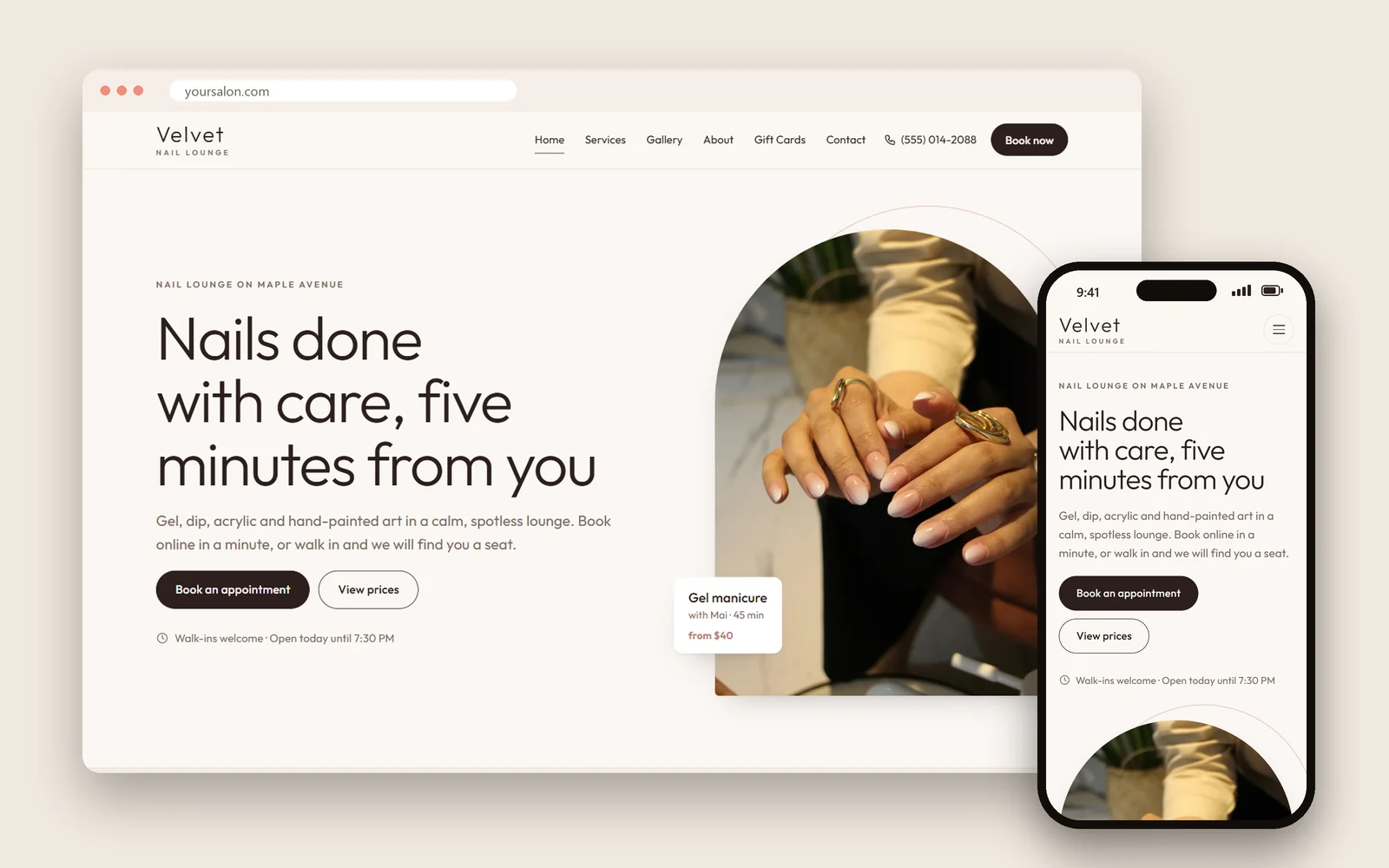
The top of the home page carries the most weight. In one line, say what you do and where: "Nail salon in Plano, TX: gel, acrylic, dip powder and spa pedicures." Right below it, two buttons: Book now and Call. Then a short tour of the site: your most popular services with starting prices, three or four photos of real work, a few lines about the salon, your hours and address, and a link to your Google reviews.
Keep the home page light. A huge image slider, background video or a pop-up asking for an email before a client has seen anything all slow the page and push the booking button further away.
2. Services and prices
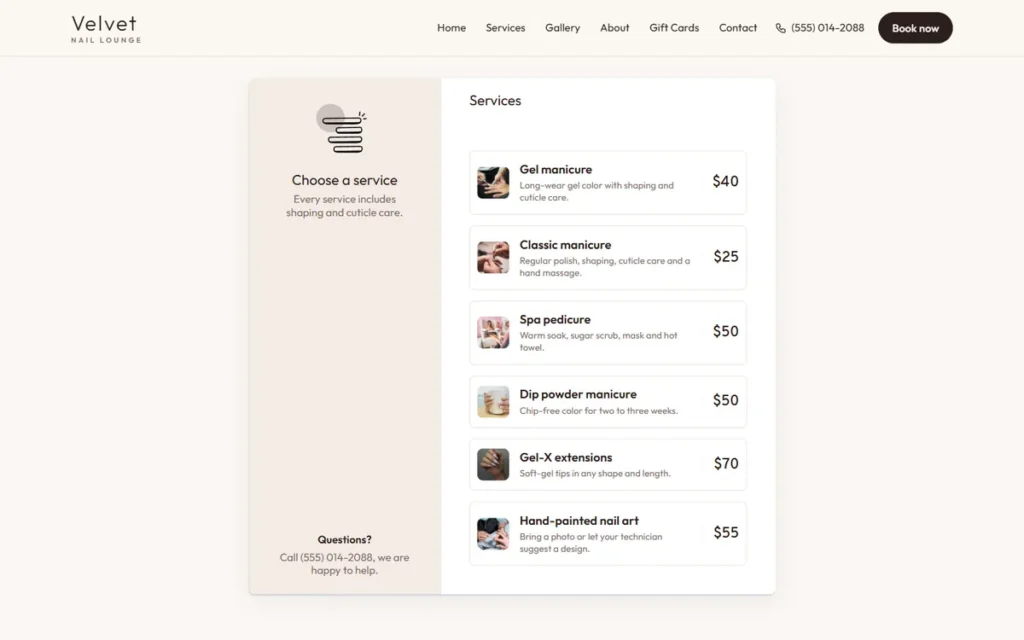
This is the page clients read most closely. Group services the way clients think: manicures, pedicures, acrylic, gel and dip, nail art, waxing, add-ons. For each service give the name, the price or "from" price, how long it takes and one line about what is included. Write prices as text, not as a photo of your printed menu, so clients can read them on a phone and search engines can understand them.
Keep prices identical everywhere: on the site, on your Google Business Profile, on the menu at the front desk. Clients notice when they do not match.
3. Book online
If you take online bookings, this page (or a booking window) lets clients choose a service, a technician and an open time, then leave their name and phone number. If you use a separate booking app, the page can explain how booking works and open the app with one tap. Either way, every page of the site should have a booking button within reach, including a button that stays at the bottom of the screen on phones.
Choosing between a booking system built into your site and a separate app? Our comparison of a nail salon booking website and booking apps covers cost, client data and setup.
4. Gallery
Clients choose nail salons with their eyes. A gallery of real work, photographed in good light, persuades more than any sentence. Group photos by style (French, chrome, ombre, acrylic sets, pedicures) so clients can find what they want, and add a few new photos every month. Give each photo a short description, such as "Chrome French tips on almond acrylic nails", which helps visitors using screen readers and helps search engines understand the image.
5. About and team
Clients want to know who will be doing their nails. A short story of how the salon started, photos of the team, each technician's specialties and years of experience. This is also the place to explain how you clean and sterilize tools, which more and more clients ask about before they book.
6. Contact and directions
Address, a phone number that dials when tapped, a text button, opening hours (including holiday hours), a map, parking details and which entrance to use if you are in a shopping center. Add a short contact form for questions after hours, with messages sent straight to the salon's email.
Your salon name, address and phone number should match your Google Business Profile exactly. Our guide to a nail salon Google Business Profile explains why matching details matter on Maps.
7. Policies and FAQ
Short, friendly policies near the booking button: how much notice to cancel or reschedule, what happens if a client is late, deposits for long services or groups, how long you fix a broken nail for free, and whether you serve children. Then the questions your front desk answers every day: walk-ins, parking, payment methods, how long a full set takes, gift cards. Clear answers mean fewer calls during rush hours.
Optional pages worth adding
Once the seven core pages are in place, these extra pages earn their keep:
- Gift cards: values, how to buy and how to redeem. Clients search for them before holidays and birthdays. Our guide to nail salon gift certificates covers printed and digital cards.
- Promotions: current offers with clear terms and an end date. Remove them when they expire.
- Careers: open positions and how to apply. Good technicians look at your website and Instagram before they apply, just as clients do.
- Locations: one page per salon if you have more than one, each with its own address, hours, phone and booking button.
- Spanish or Vietnamese pages: if many of your clients prefer another language, a translated set of the core pages helps. Translate with care rather than with a machine.
- Privacy policy: needed as soon as you collect names, emails or phone numbers through forms or booking.
- Accessibility statement: a short note on your commitment to accessibility and how to contact you if something is hard to use.
Menu and site structure
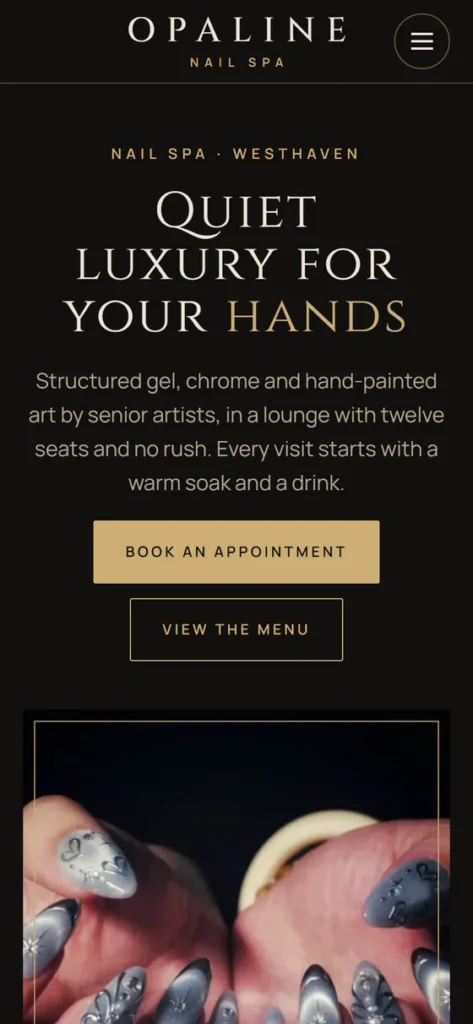
A clear menu helps clients and search engines alike. Keep it to five or six items, in the order clients think: Services, Book, Gallery, About, Contact. Put the booking button in the header on every page so it never scrolls away for long. Repeat your name, address, phone, hours and social links in the footer.
On phones, the menu folds into a button; check that it opens easily, that every item is large enough to tap, and that the phone number and booking button stay visible.
Accessibility basics
Many of your clients use their phones with larger text, read with screen readers, or cannot use a mouse. The Department of Justice's guidance on web accessibility and the ADA explains that businesses open to the public should make their websites accessible to people with disabilities, and lists common problems to avoid. For a salon site, that means:
- Enough color contrast between text and background, especially for prices and buttons.
- Text alternatives for images: a short description for every meaningful photo.
- Captions on any video with speech.
- Forms that work without a mouse, with labels on every field.
- Information that does not rely on color alone, such as "available" shown only in green.
- Text that can be resized without breaking the page.
Accessible pages are easier for every client to use, especially on a small screen in bright sunlight.
SEO basics for each page
Every page should give search engines a clear, honest picture of what it offers. Google's SEO Starter Guide puts it simply: write for people, use the words your clients actually search for, and make the site easy to use. For nail salon website pages, that comes down to:
- A unique title for each page, with the service and the city: "Gel Manicure in Plano, TX | Your Salon".
- A short description that makes someone want to click.
- One clear heading at the top of each page, and real text below it.
- Clean addresses such as yoursalon.com/services rather than long codes.
- Fast loading on phones, with photos compressed to the size they are shown.
- Links between pages, for example from each service to the booking page.
Writing the words on your website pages
The words on your pages matter as much as the design. A few rules keep a nail salon website easy to read and easy to trust:
- Use the names clients use. Americans search for "gel manicure", "acrylic full set", "fill", "dip powder" and "spa pedicure". Use those exact names on your services page.
- Write short paragraphs of two or three sentences. Most clients read on a phone, with a thumb.
- Say where you are in plain words: the neighborhood, the shopping center, the nearest landmark. It helps clients and it helps search engines connect your salon with your area.
- Avoid machine translation. If English is not your first language, ask a friend or your web designer to read every page once. Clients notice awkward wording and wonder about the rest.
- Keep the tone of your salon. A family salon can sound warm and simple; a luxury studio can be more polished. Either way, be specific rather than claiming to be "the best".
Photos for your nail salon website
Photos are the reason many clients stay on your website pages or leave. You do not need a professional shoot to start:
- Shoot near a window in daylight, on a clean, plain background, with the client's hands relaxed.
- Ask clients first and photograph only their hands unless they agree to more.
- Keep a consistent look: similar light and background make the gallery feel professional.
- Compress photos before uploading. A photo straight from a phone can be several megabytes and slow your nail salon website down.
- Never copy photos from other salons or from search results. They belong to someone else, and clients feel cheated when the work does not match.
Common mistakes on nail salon website pages
These show up again and again when we review salon sites:
- The price list is a photo of the printed menu, so it cannot be read on a phone or understood by search engines.
- Hours are out of date, especially around holidays, and clients arrive to a closed door.
- Stock photos instead of real work, which clients spot immediately.
- No booking button on phones, or a button that opens a broken link to an old booking app.
- Music or video that starts on its own, making clients in public places leave at once.
- Tiny, pale text that older clients cannot read.
- Different phone numbers on the website, the Google profile and the business cards.
Fixing these on an existing nail salon website usually takes an afternoon, and each fix removes a reason for a client to go back to the search results.
A checklist for your nail salon website
| Page | Check |
|---|---|
| Home | One line saying what you do and where, plus Book and Call buttons |
| Services | Every service with price, time and a short description, as text |
| Booking | A booking button on every page and a simple booking flow |
| Gallery | Recent photos of real work, each with a short description |
| About | Team photos, specialties and how you sanitize tools |
| Contact | Tap-to-call phone, map, hours, parking, matching your Google profile |
| Policies and FAQ | Cancellation, lateness and the questions clients ask most |
| Site-wide | Fast on phones, readable text, good contrast, privacy policy |
Any line you cannot tick is the next thing to fix, starting with the booking button and the services page.
How Dreamer builds nail salon websites
Dreamer designs websites for nail salons, lash studios, spas, restaurants, bakeries and shops in the US and Canada, with these pages built in. A showcase website ($200 for the first year, domain and hosting included) covers your services, prices and photos, call, text and directions buttons, links to your social and review profiles, and a contact form that emails your salon. A booking or shop website ($300 for the first year) adds online booking, where clients pick the service, technician and time and every new appointment is emailed to you, or a product shop instead. From the second year, domain and hosting renew for $129 a year.
Browse finished examples by industry on our website demos page, see plans on the website design page, or read what a site costs elsewhere in our guide to website design cost for small business.
Frequently asked questions
How many pages does a nail salon website need?
Seven core pages cover what clients look for: home, services and prices, booking, gallery, about, contact and policies. A new salon can start with one long page holding all of them and split it later.
Should I put prices on my website?
Yes. Clients want to know prices before they visit, and salons that show clear prices are often chosen over salons that hide them. For services that vary, such as nail art, show a "from" price with a note.
Do I need a separate page for every service?
Not for every service, but your main categories, such as acrylic, gel and dip, and pedicures, benefit from their own section or page with a description, prices and photos. That helps clients and gives search engines more to understand.
Can I use my Instagram as my gallery?
You can link to it and even show recent posts, but keep a gallery of your best work on your own site too. Your site loads faster, works for people without Instagram, and stays yours if a platform changes its rules.
Do I need a blog on my nail salon website?
It is optional. Clear services, prices, photos and a strong Google profile matter more for a salon. If you enjoy writing, a few helpful articles, such as how to make gel last longer or the difference between dip and acrylic, can bring extra visitors who are already interested in your services.
How often should I update these pages?
Update prices and hours whenever they change, holiday hours before every holiday, and add new gallery photos every month. A site with last year's prices costs you trust at the front desk.
Good nail salon website pages are not complicated. Seven clear pages, real photos, prices as text, a booking button that is always within reach, and the accessibility and SEO basics turn your website into the place where browsing turns into booking.